


Starter
Personal sites, portfolios and small blogs.
$12 /month
Unlimited traffic
- 1 vCPU
- 1 GB memory
- 25 GB SSD 25 GB NVMe SSD
- 1 TB transfer2 TB transfer
Rabbitflare builds a tuned, secured WordPress server on DigitalOcean, Vultr or Hetzner in about five minutes, then keeps it fast, patched and backed up. Host as many sites as it can handle, for one flat monthly price.
Built on the clouds and open source you already trust
 DigitalOcean
  Vultr
Vultr  Hetzner
  Amazon EC2
  Amazon CloudFront
  Cloudflare
  WordPress
  nginx
nginx  PHP
PHP  MariaDB
  Redis
Redis  Let's Encrypt
  Ubuntu
 Fully managed
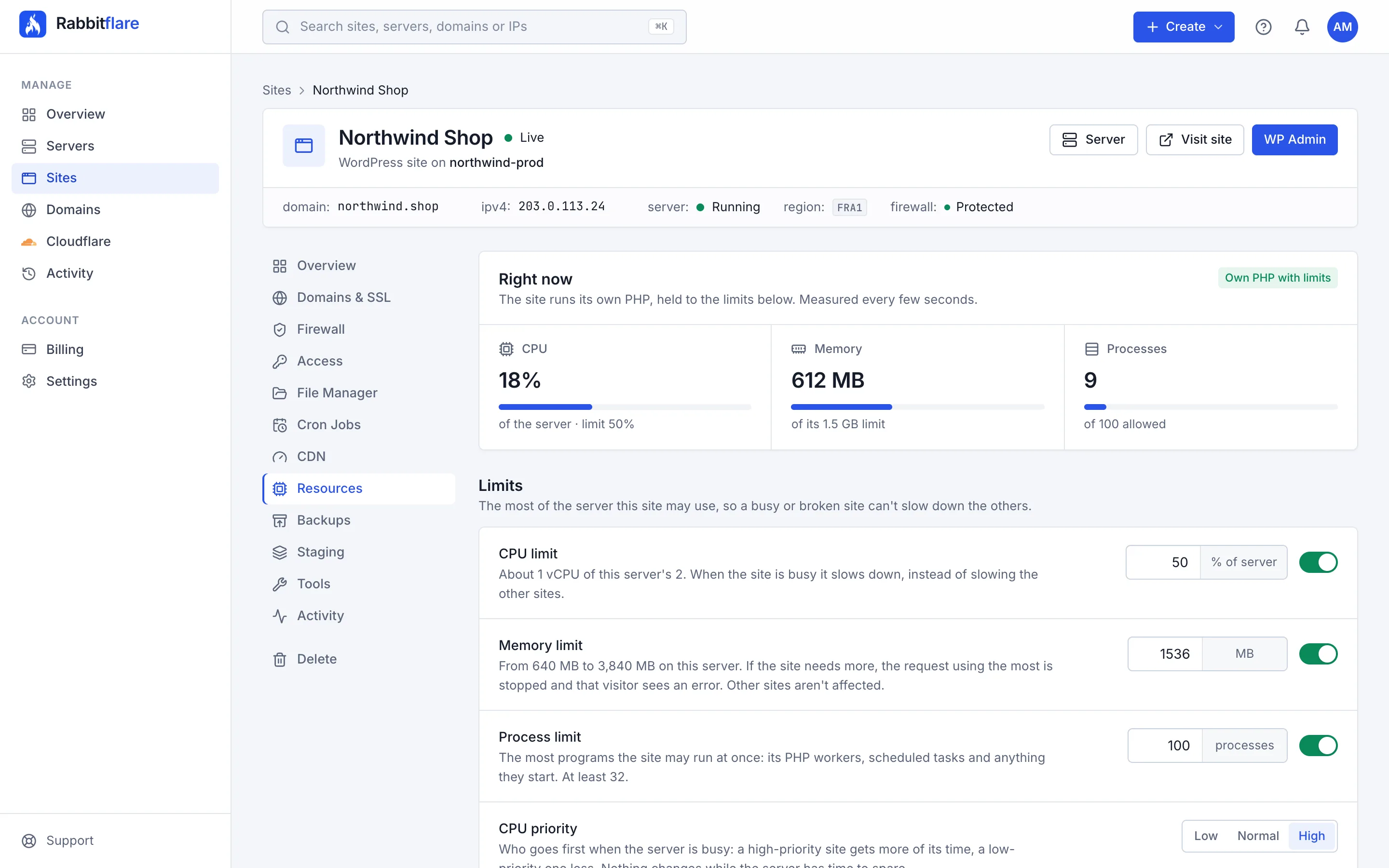
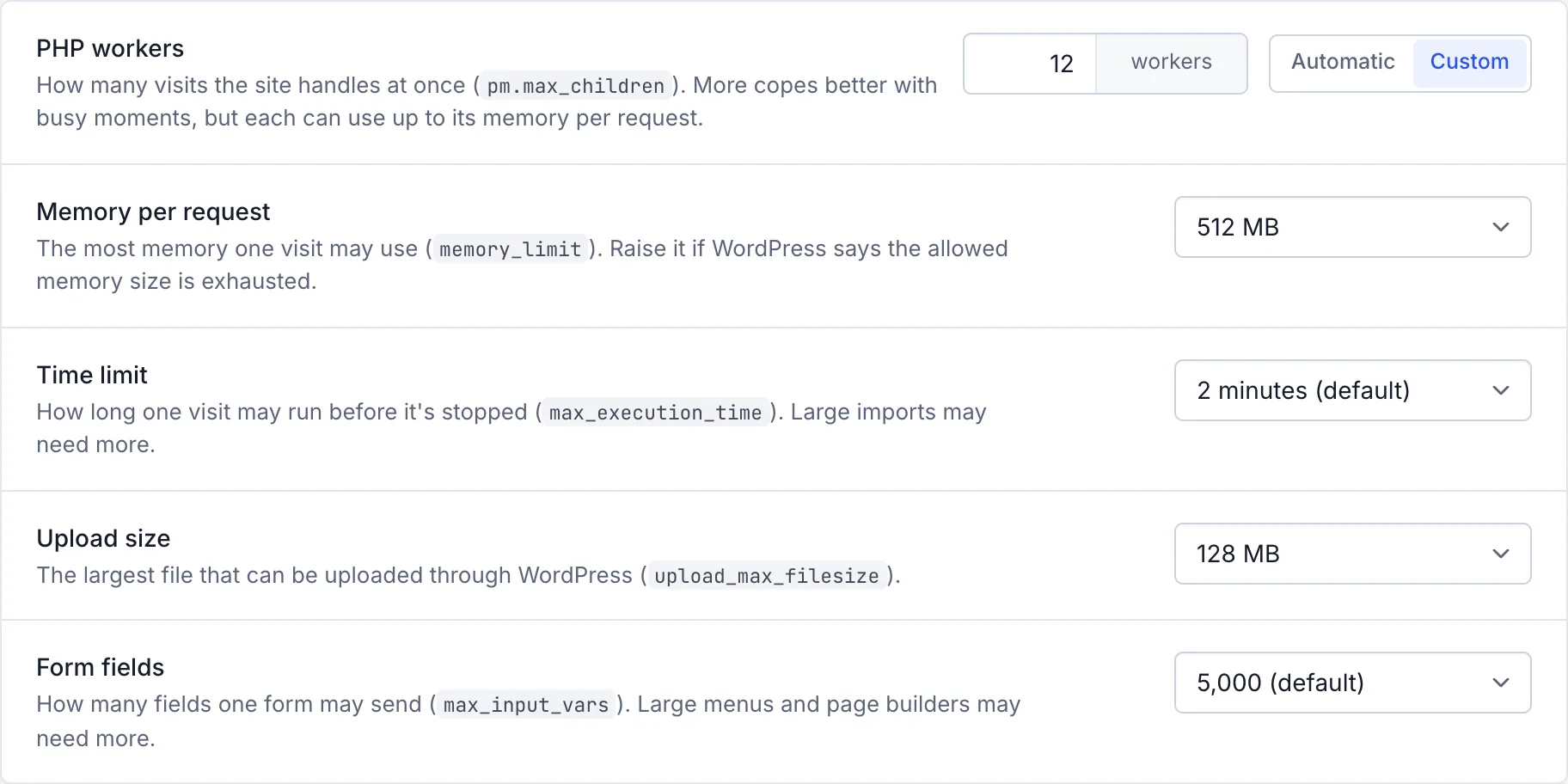
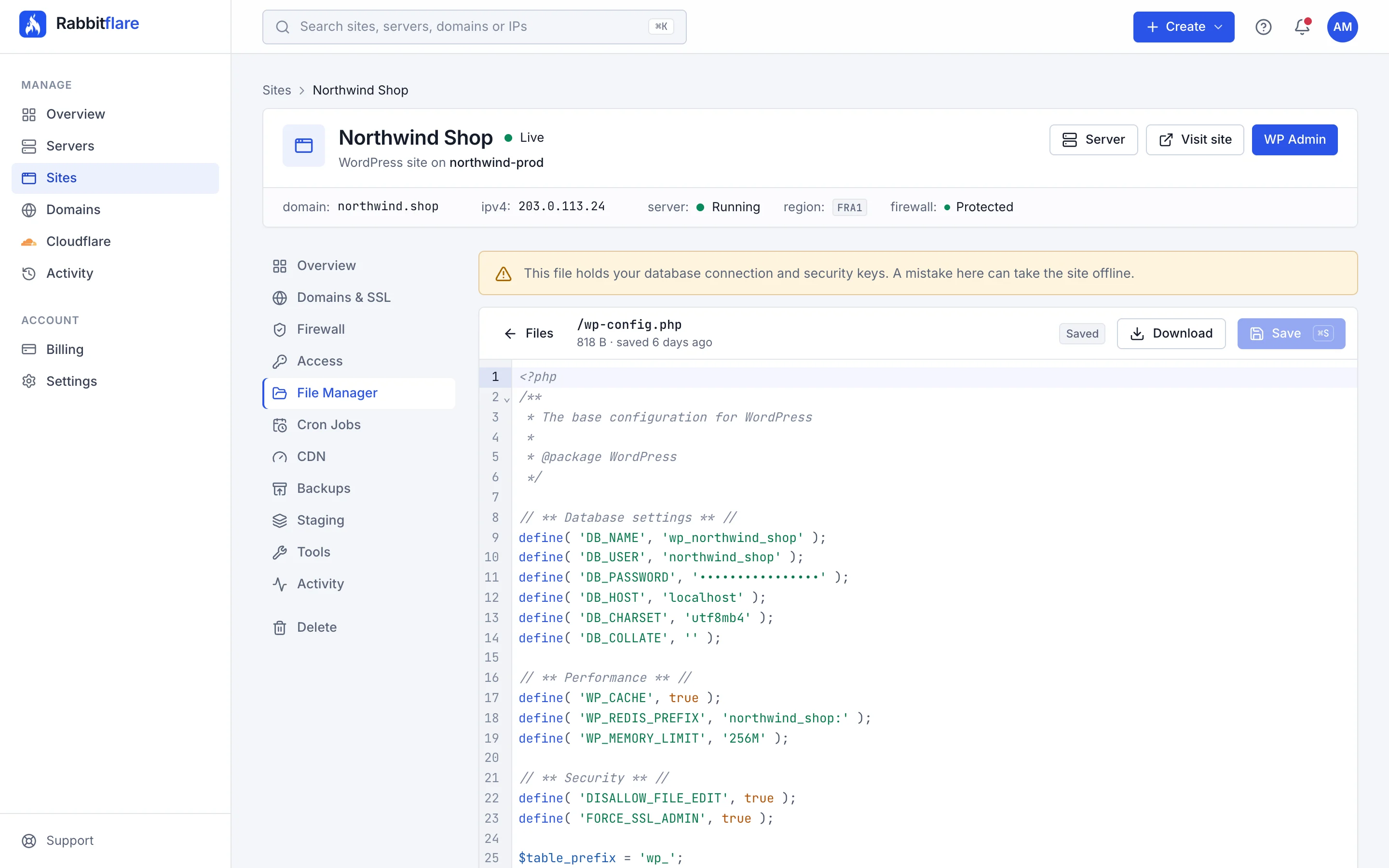
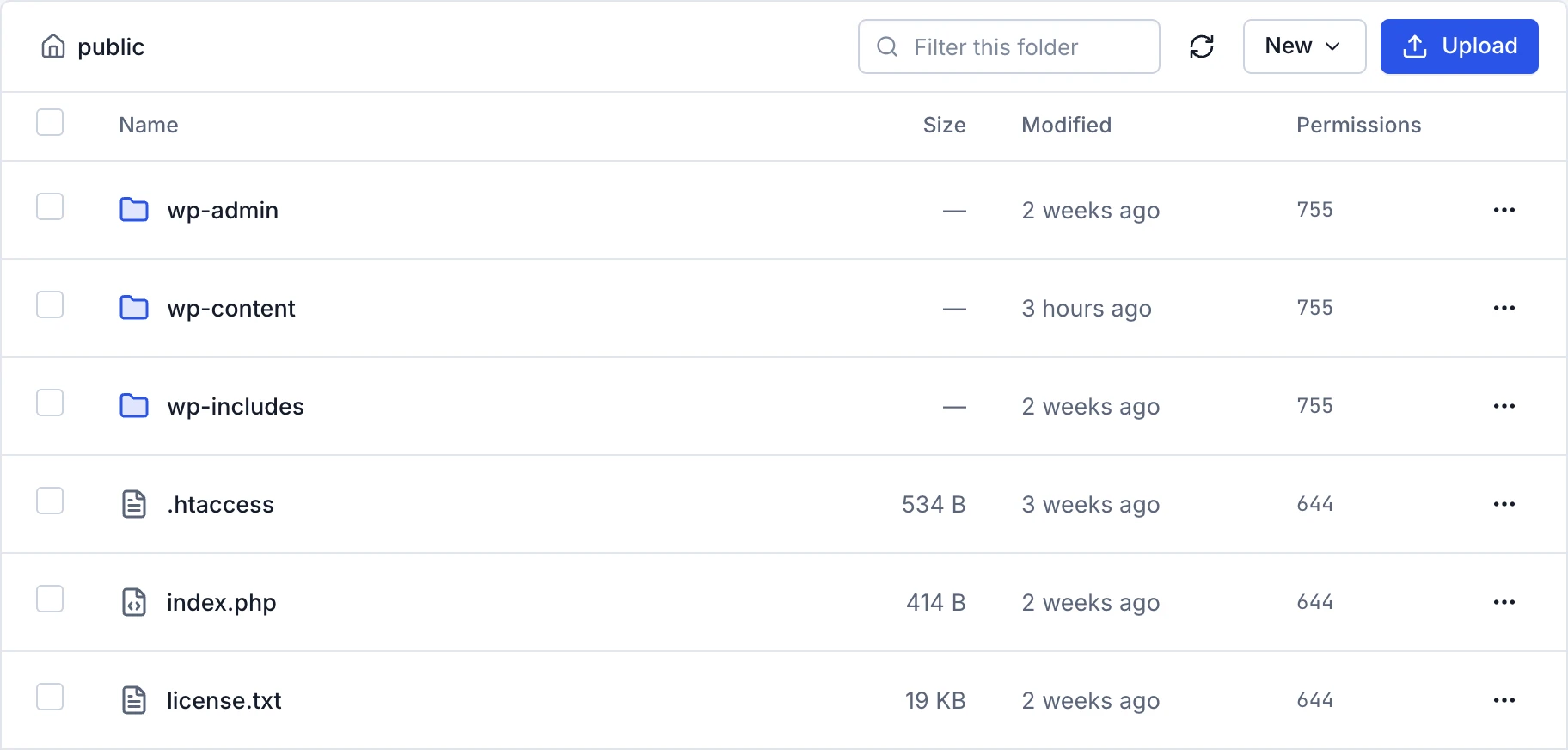
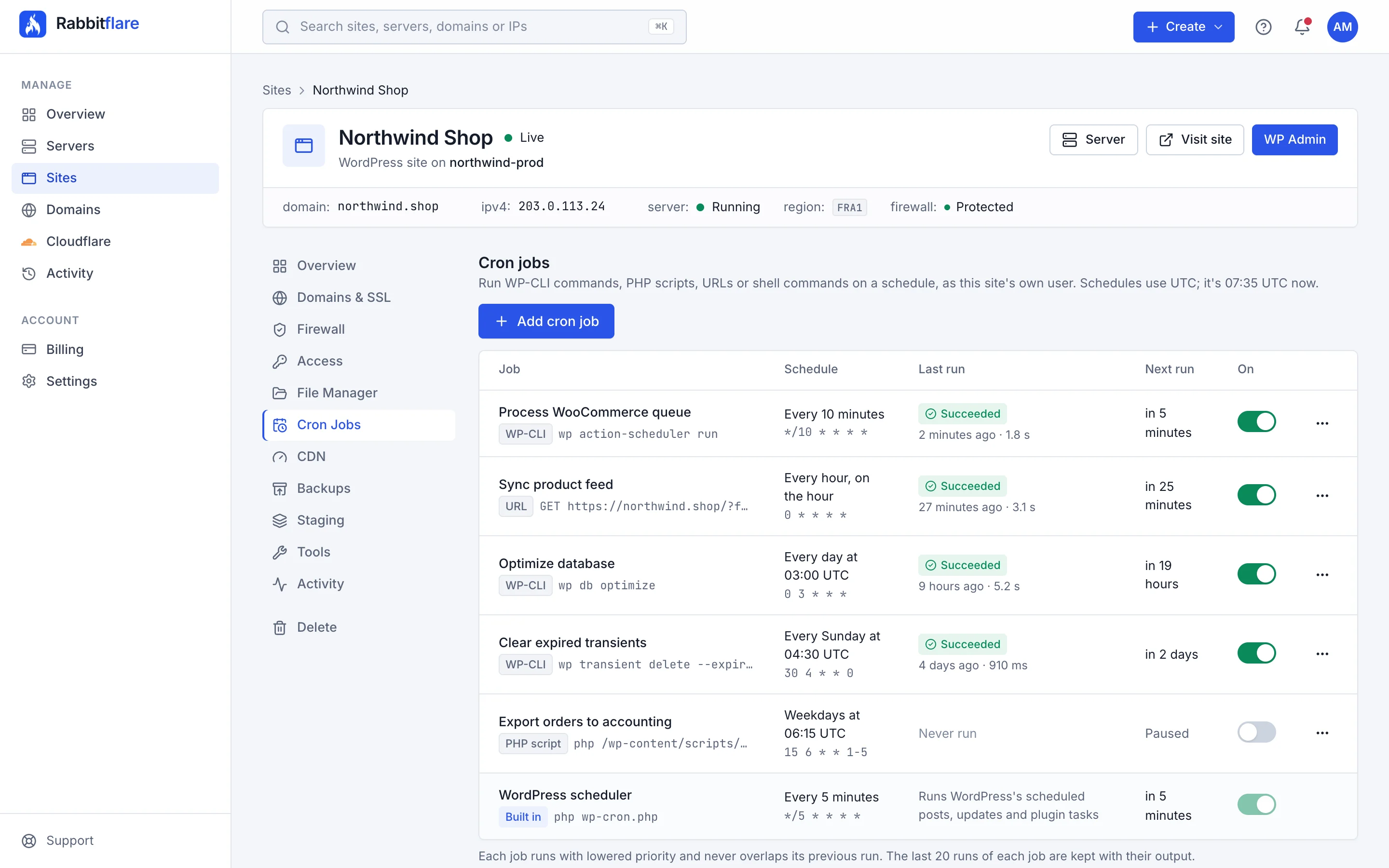
Security, backups, domains, DNS, files and schedules come built into every server, and you manage all of it from one calm panel. No plugins to hunt for, no cPanel, no terminal.
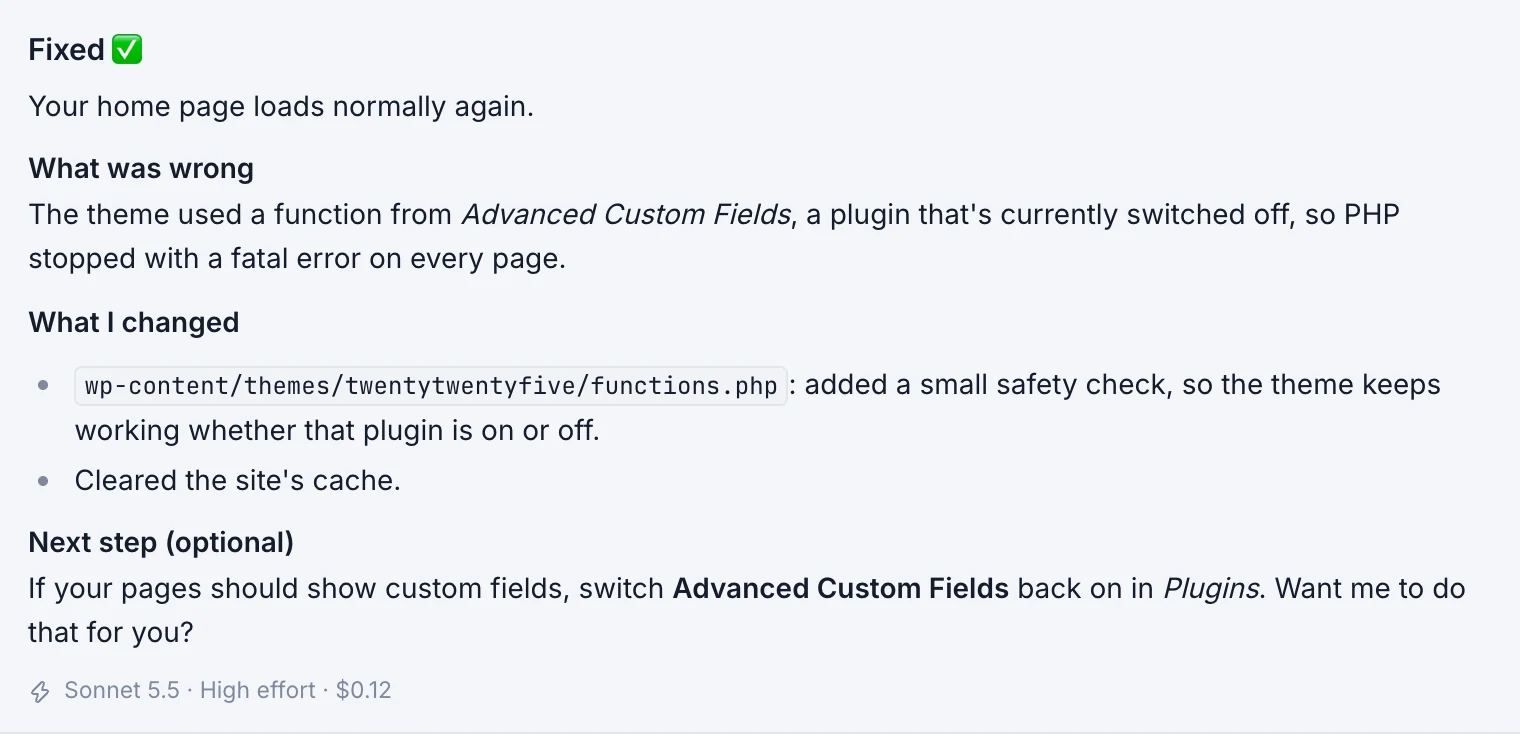
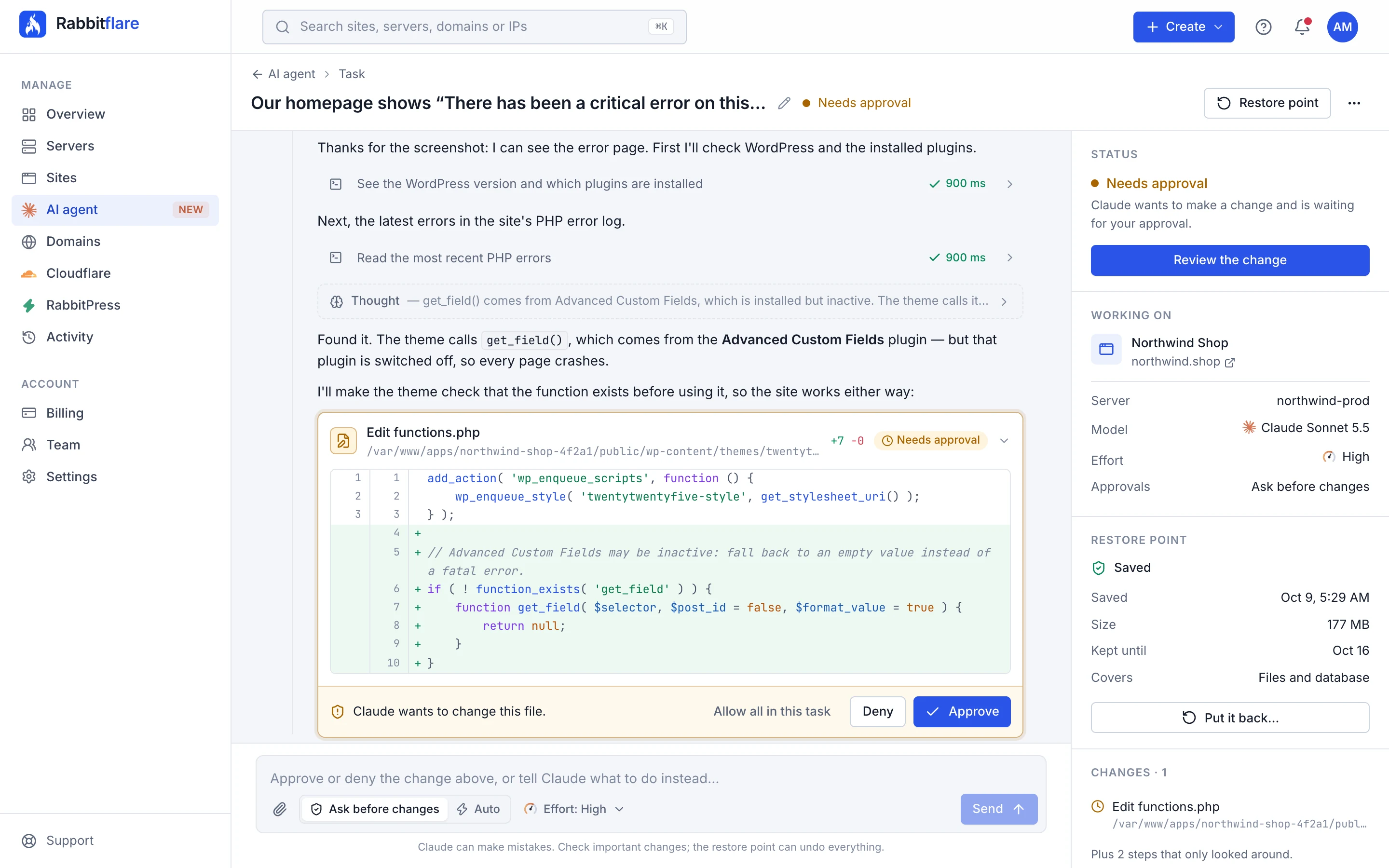
Tell Claude, the AI made by Anthropic, what you need in plain words, and it does the work on your server: it fixes errors, builds custom plugins, changes designs and looks after servers. A restore point is saved first, and every change waits for your approval.
The small things that usually mean a support ticket, a plugin or a terminal.

 Sign in with Google or GitHub
 Unlimited sites
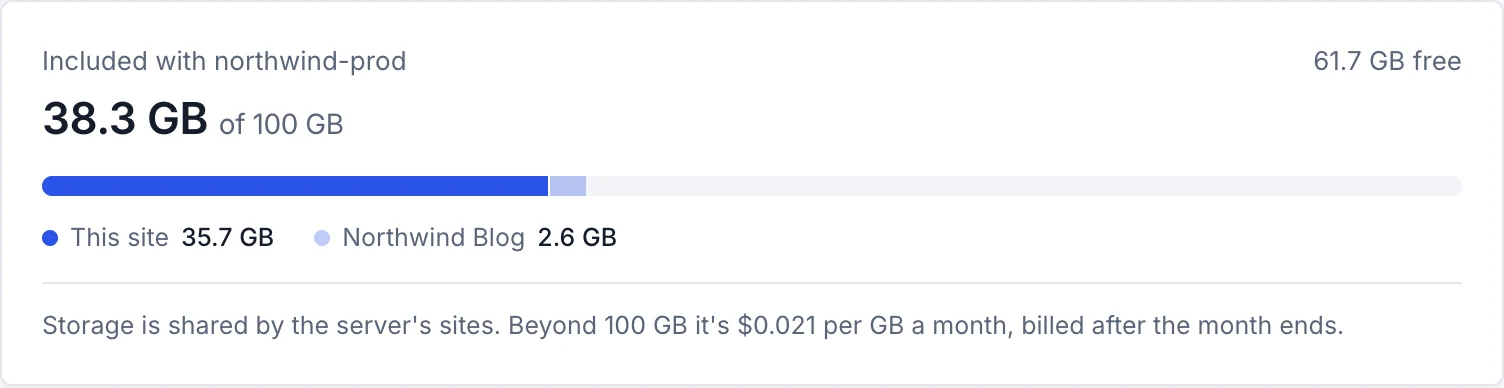
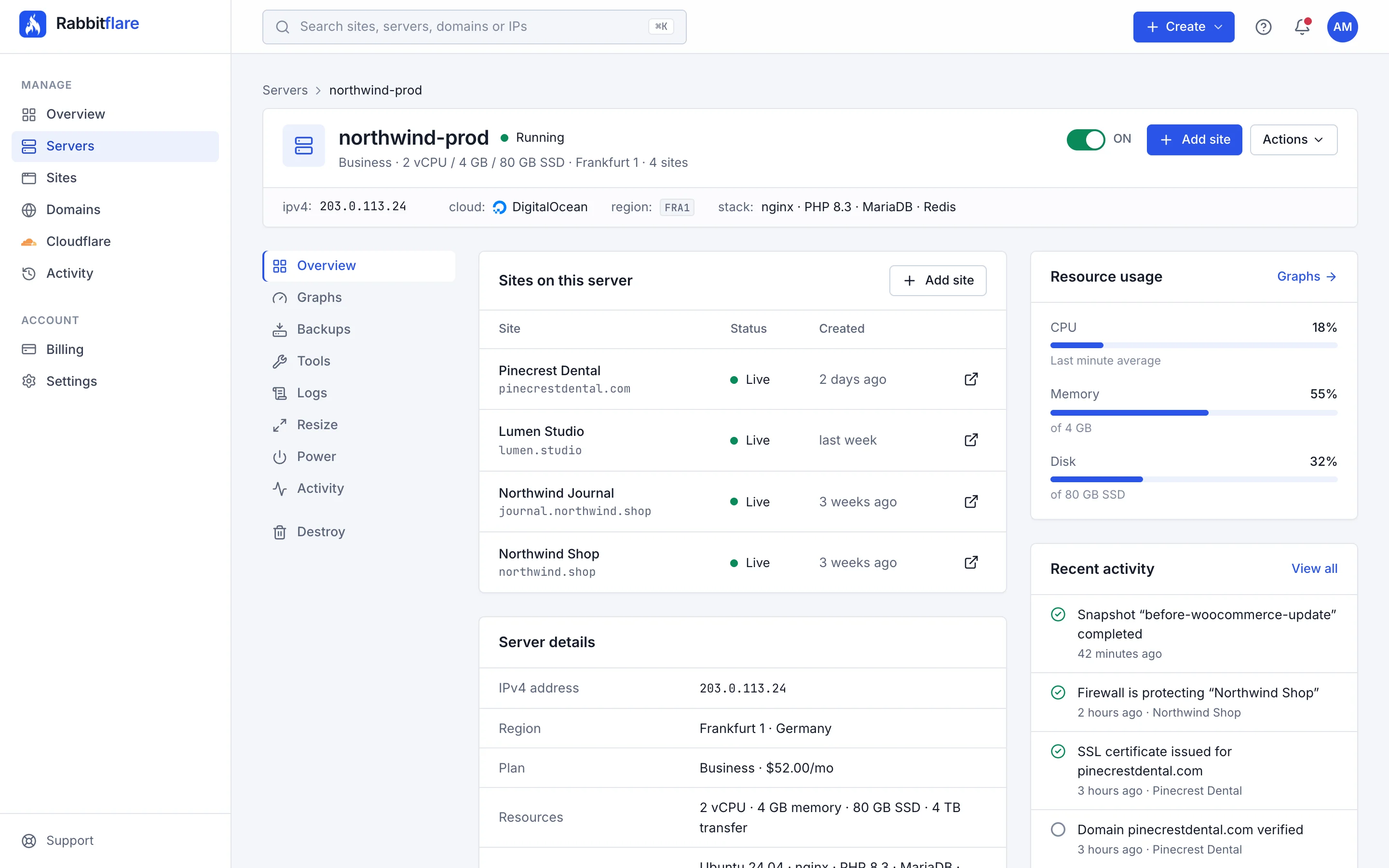
Most managed WordPress hosts charge by the site. Rabbitflare charges by the server, so your client sites, your blog and your store can share one plan. Every site is still fully isolated, so one site can never read another's files.
$3.25 per site, per month
How many sites fit depends on how busy they are. Traffic on this plan is unlimited, and you can resize up whenever you need more room.
Free global CDN
Switch on Amazon CloudFront for any site on a Rabbitflare cloud server, included free. Its images, CSS, JavaScript and fonts then load from the edge location nearest each visitor, so pages feel fast wherever your audience is.
A visitor
in Singapore
opens your site
Amazon CloudFront
Edge location, Singapore
Nearest of 600+
Your server
DigitalOcean, Frankfurt
Always up to date
Integrations
Every server runs proven open-source software on the cloud you choose, and connects to the storage and services you already use. Nothing proprietary to learn, and nothing that locks you in.
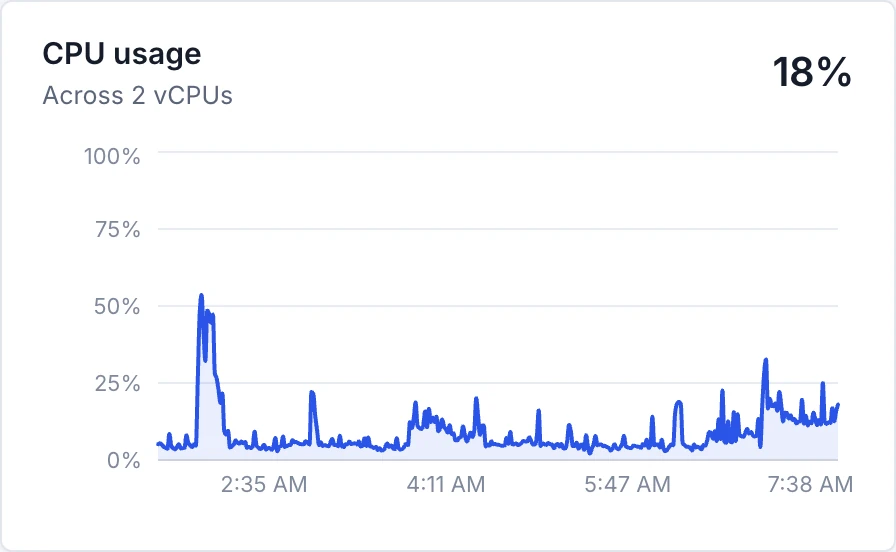
A stack tuned for WordPress, with OPcache, a Redis object cache, free SSL and a web application firewall, kept patched for you.
WordPress nginx PHP 8.3 MariaDB Redis Ubuntu 24.04 LTS Let's Encrypt  OWASP Core Rule Set
 Run each server where you like, or connect one you already have.
DigitalOcean Vultr Hetzner  Rabbitflare Edge
 Keep each site's backups in storage you own, at no extra cost, or in Rabbitflare Backup. Any S3-compatible storage works, like Wasabi or MinIO.
 Google Drive
  Dropbox
  Amazon S3
  Backblaze B2 Cloudflare R2 DigitalOcean Spaces Vultr Object Storage
 A free global CDN with every cloud server, and your Cloudflare account inside the panel.
Amazon CloudFront Cloudflare Sign in with an account you have, and pay the way you prefer.
Google GitHub 




 PayPal
 Global by default
Run each server on DigitalOcean, Vultr, Hetzner or Rabbitflare Edge, in the location you choose, across six continents. Closer servers mean faster pages.
 New York San Francisco Atlanta
  Toronto
  London
  Amsterdam
  Frankfurt
  Singapore
  Bangalore
  Sydney New Jersey Chicago Dallas Atlanta Miami Seattle Silicon Valley Los Angeles Honolulu Toronto
  Mexico City
  São Paulo
  Santiago London Manchester Amsterdam Frankfurt
  Paris
Paris  Madrid
  Warsaw
  Stockholm
  Tokyo Osaka
  Seoul Singapore Mumbai Delhi NCR Bangalore Sydney Melbourne
  Tel Aviv
  Johannesburg Falkenstein Nuremberg
  Helsinki Virginia Ohio N. California Oregon Montreal São Paulo Frankfurt
  Dublin London Paris Stockholm Singapore Mumbai Tokyo Osaka Seoul Sydney
 Bring your own server
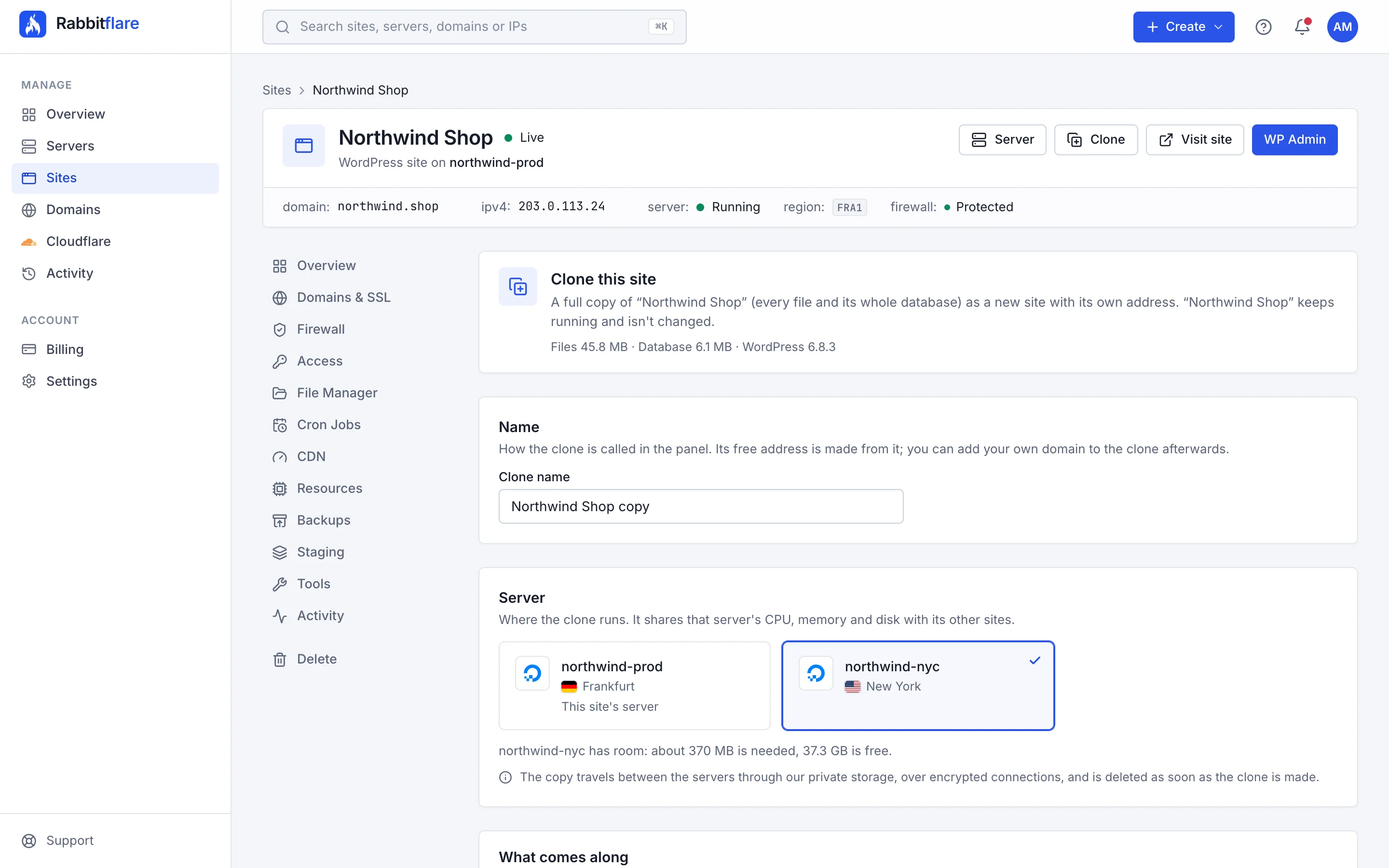
Use Rabbitflare on servers you already pay for, at AWS, Google Cloud, Azure or anywhere else. One command sets each one up for WordPress and connects it to your panel, in about five minutes.
$3.50 a month for all of them. Unlimited servers, unlimited sites.
No passwords shared
The command adds Rabbitflare's SSH key. Disconnect, and it's removed.
Checks before it changes anything
Not a fresh Ubuntu 24.04 server? It stops and leaves it as it was.
Your own access stays
Your users, SSH keys and SSH ports keep working as before.
Leave whenever you like
A disconnected server keeps running, with every site on it.
ubuntu@ip-172-31-5-9:~$ curl -fsSL https://app.rabbitflare.com/api/connect/7d1e…/•••• | sudo bash
==> Connecting this server to Rabbitflare
✓ Ubuntu 24.04 LTS
✓ 2 vCPU, 4 GB memory, 80 GB disk (x86_64)
✓ Fresh server: nothing will be overwritten
✓ Rabbitflare can hear this server
==> Letting the Rabbitflare control panel in
✓ Added Rabbitflare's SSH key for root (a key, never a password)
==> Installing the WordPress stack (about 5 minutes)
✓ Installing nginx, PHP 8.3, MariaDB and Redis
✓ Tuning the database
✓ Securing the server
✓ Done. Rabbitflare is now checking it can reach this server on port 22022.
In your Rabbitflare panel
Runningaws-production
Amazon Web Services · 2 vCPU / 4 GB / 80 GB
Works with a fresh Ubuntu 24.04 server from any provider

How it works
No server to configure, no stack to choose, no control panel to install. Three steps and you're publishing.
Choose DigitalOcean, Vultr, Hetzner or Rabbitflare Edge, one of 63 datacenters and the server size that fits. Name your first site while you're there.
Pay on the page with a card, Apple Pay or Google Pay, or approve a PayPal subscription (Rabbitflare Edge is paid by card). Billed monthly per server.
About five minutes later your server is running and WordPress is installed with SSL. Your admin login is waiting in the panel.
Installed, with SSL
Pricing
Every plan includes everything, with unlimited traffic.plus a monthly data transfer allowance. Pick the size that fits your sites, and resize up whenever you outgrow it. New here? Try the Starter plan free for 3 days, no card needed.
Same price on DigitalOcean and Vultr. Vultr plans come with more disk and bandwidth.
Hetzner's own plans, in Germany and Finland, each with 20 TB of transfer and daily backups.
Already have a server? Connect any number of them, from any provider, for one price.
Personal sites, portfolios and small blogs.
$12 /month
Unlimited traffic
Business sites and content-heavy blogs.
$26 /month
Unlimited traffic
WooCommerce stores and membership sites.
$52 /month
Unlimited traffic
High-traffic publications and busy stores.
$96 /month
Unlimited traffic
Large catalogs, LMS platforms and heavy plugins.
$186 /month
Unlimited traffic
Shared Intel or AMD vCPUs. The most memory and disk for the money.
Personal sites, portfolios and small blogs.
$12.59 /month
Unlimited traffic
Business sites and a few client sites together.
$18.89 /month
Unlimited traffic
WooCommerce stores and busy agency servers.
$34.19 /month
Unlimited traffic
Many sites, or a few very busy ones.
$63.89 /month
Unlimited traffic
Shared AMD EPYC vCPUs, faster per core, with more disk per vCPU.
A single site on faster AMD EPYC cores.
$25.19 /month
Unlimited traffic
Business sites that need snappier CPUs.
$42.29 /month
Unlimited traffic
WooCommerce stores and membership sites.
$76.49 /month
Unlimited traffic
High-traffic publications and busy stores.
$148.49 /month
Unlimited traffic
Large catalogs and heavy plugins.
$215.09 /month
Unlimited traffic
The biggest sites, with room to spare.
$276.29 /month
Unlimited traffic
Burstable AWS Graviton CPUs. Full speed for the bursts websites have, at the lowest price.
A personal site, portfolio or small blog.
$18 /month
Extra transfer $0.12 per GB
Business sites, or a few small sites together.
$29 /month
Extra transfer $0.12 per GB
WooCommerce stores and busy blogs.
$48 /month
Extra transfer $0.12 per GB
Several busy sites, or a store with many plugins.
$85 /month
Extra transfer $0.12 per GB
Agency servers hosting many sites.
$163 /month
Extra transfer $0.12 per GB
The largest burstable server, for many sites at once.
$318 /month
Extra transfer $0.12 per GB
Dedicated AWS Graviton4 CPUs. For busy stores and CPU-heavy plugins.
A busy store that needs full-time CPU.
$91 /month
Extra transfer $0.12 per GB
High-traffic stores and membership sites.
$171 /month
Extra transfer $0.12 per GB
Heavy checkout traffic and CPU-hungry plugins.
$334 /month
Extra transfer $0.12 per GB
Dedicated AWS Graviton4 CPUs with twice the memory. For large stores, LMS sites and agencies.
Busy stores and LMS sites with large databases.
$106 /month
Extra transfer $0.12 per GB
High-traffic publications and large catalogs.
$205 /month
Extra transfer $0.12 per GB
The biggest sites, with room to spare.
$402 /month
Extra transfer $0.12 per GB
Every server you already have, managed for WordPress.
$3.50 /month, for all of them
Add your server
Enter its IP address in the panel. AWS, Google Cloud, Azure, DigitalOcean, Vultr, Hetzner or anywhere else.
Run one command
It checks the server, then sets up nginx, PHP 8.3, MariaDB and Redis. No password is ever shared.
Manage WordPress here
Unlimited sites with free SSL, the file manager, cron jobs, graphs and security updates.
Needs a fresh Ubuntu 24.04 server with at least 1 GB of memory. Power, resizing and backups stay with your provider, and the free CDN comes with Rabbitflare cloud servers. Billing stops when you remove your last own server.
Billed monthly per server, in US dollars. No setup fees, no contracts: destroy a server and its billing stops. Extra data transfer is billed per GB.
Pay by card, Apple Pay, Google Pay or PayPal.
Pay by card, Apple Pay or Google Pay.
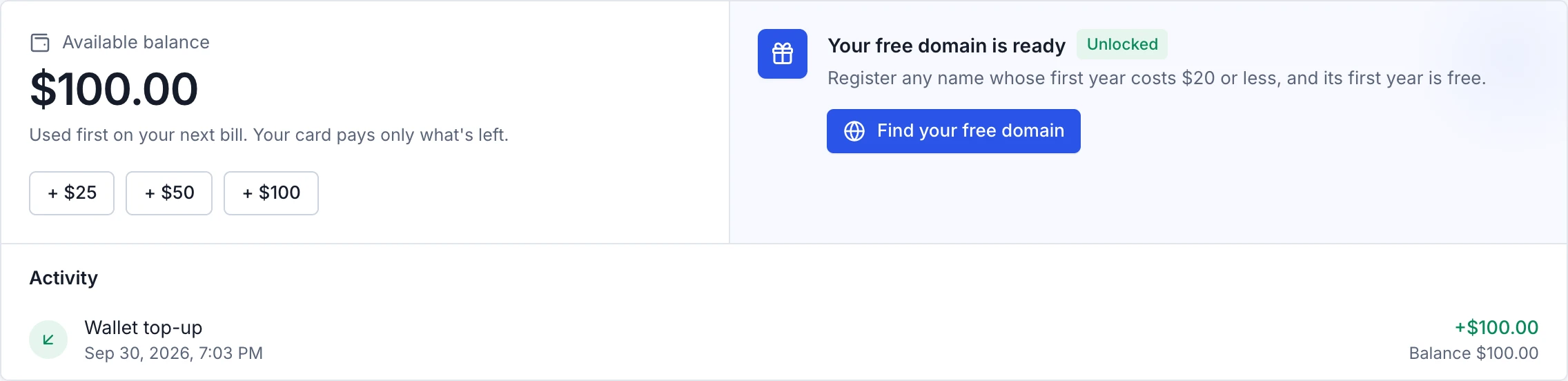
A free domain at $100
Add funds by card and they pay your server bills, domains and Rabbitflare Backup before your card is charged. Your first top-up of $100 or more also gives you a domain free for its first year.
How we compare
Rabbitflare next to Cloudways and RunCloud, two popular ways to run WordPress on cloud servers.
What the price covers
Rabbitflare  RunCloud
 Starting price
Rabbitflare RunCloud Servers you already have
Rabbitflare RunCloud Where it runs
Rabbitflare RunCloud Sites per server
Rabbitflare RunCloud Server setup and security
Rabbitflare RunCloud Global CDN
Rabbitflare RunCloud Media offload
Rabbitflare RunCloud Backups
Rabbitflare RunCloud SSL certificates
Rabbitflare RunCloud WordPress speed plugin
Rabbitflare RunCloud File manager
Rabbitflare RunCloud Cron jobs and server monitoring
Rabbitflare RunCloud Staging sites
Rabbitflare RunCloud AI help
Rabbitflare RunCloud From Cloudways' and RunCloud's own websites, checked September 28, 2026 (the speed plugin row on October 7, 2026, AI help on October 10, 2026, and media offload on October 15, 2026). Their prices exclude tax and may change.
FAQ
What people ask before they move their sites to Rabbitflare, by topic.
Yes. New accounts can try Rabbitflare free for 3 days, with no card needed: one Starter server on DigitalOcean or Vultr, plus any servers of your own, with every feature of the panel. Keep it whenever you're ready for $12 a month and it carries on exactly as it is. If you don't, it's paused when the trial ends and deleted two days later, and you're never charged. Larger plans, Hetzner and Rabbitflare Edge are open as soon as you pay for a server.
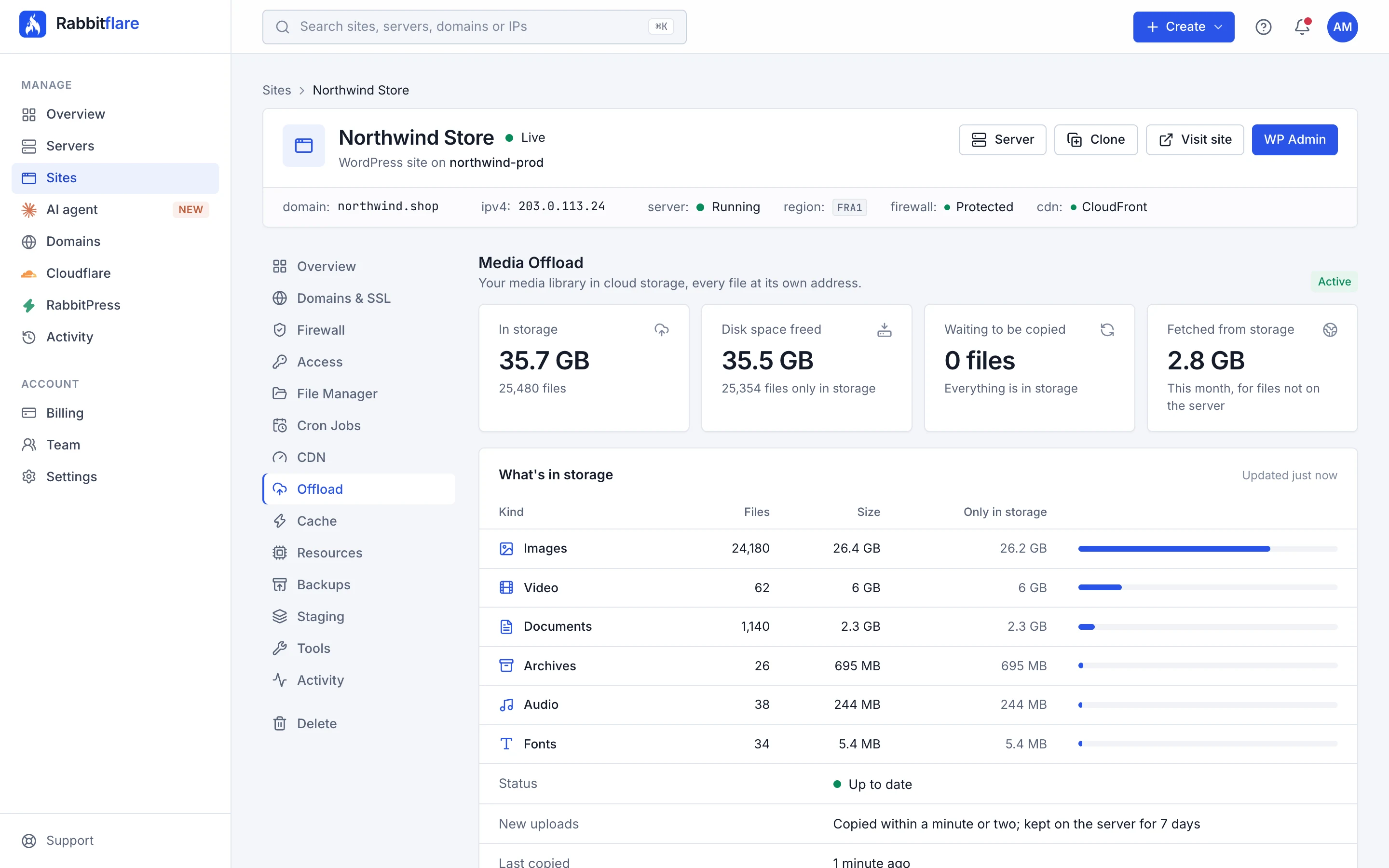
We build and look after the server: nginx, PHP, MariaDB, Redis, SSL certificates, the firewall, security updates and backups. You look after WordPress itself (your themes, plugins and content) from WP Admin and the Rabbitflare panel.
As many as its resources allow; there's no limit on the number of sites. Each site runs as its own Linux user with its own PHP pool and database, so sites stay isolated from each other. Traffic is unlimited on DigitalOcean, Vultr and Hetzner servers. Rabbitflare Edge plans include a set amount of data transfer each month, and extra is charged per GB. You can resize up at any time if your sites need more power.
About five minutes. As soon as you create a server (free on the 3-day trial, or once your first payment goes through), we build it, install and tune the stack, install WordPress and issue its SSL certificate. Your WordPress admin login is waiting in the panel when it's done.
By credit or debit card (including Apple Pay and Google Pay) right on our site, or with PayPal, and you can add funds to your wallet ahead of time. Each server is billed monthly, and its price depends on its cloud, size and location, from $12 a month. Rabbitflare Edge servers are paid by card, and data transfer beyond what their plan includes is charged per GB. Servers you already have are $3.50 a month in total, however many you connect. There are no setup fees, and new accounts can try it free for 3 days first, with no card.
A balance you top up by card ahead of time. It pays your server bills, domains and Rabbitflare Backup before your card is charged, and its funds never expire (they can't be refunded or withdrawn). Your first single top-up of $100 or more also gives you one domain free for its first year: any name whose first year costs $20 or less.
Resize a server to a larger plan in a click; sites are offline for a few minutes while it restarts. Card payments are prorated for the rest of the month, and PayPal asks you to approve the new price. To cancel, destroy the server and its billing stops. There's no contract.
Root access is reserved for our automation, which is how we keep every server secure and consistent. You manage files with the built-in file manager, run WP-CLI through cron jobs, and handle everything else in WP Admin. If you need SFTP or database access for a migration, contact support.
On the cloud and in the location you choose when you create the server: DigitalOcean has 11 datacenters in North America, Europe and Asia Pacific, Vultr has 32 locations across North America, South America, Europe, Asia Pacific, the Middle East and Africa, Hetzner has 3 locations in Germany and Finland, and Rabbitflare Edge has 17 locations on Amazon EC2 in North America, South America, Europe and Asia Pacific.
All four run the same Rabbitflare stack and panel. DigitalOcean and Vultr share the same plans and prices: Vultr's plans come with more disk and bandwidth and reach more places (32 locations, including Tokyo, Seoul, Mumbai, São Paulo and Johannesburg), while DigitalOcean offers 11 datacenters in North America, Europe and Asia Pacific. Hetzner has its own plans, with the most memory and disk for the money, 20 TB of transfer and daily backups, in Germany and Finland: a great fit when most of your visitors are in Europe. Rabbitflare Edge is our own cloud on Amazon EC2, in 17 locations, with AWS Graviton processors and plans with dedicated CPUs for busy stores. Its prices depend on the location, each plan includes a set amount of data transfer a month (extra is charged per GB), it's paid by card, and its sites are protected with site backups instead of whole-server backups. If you're unsure, pick the location closest to most of your visitors.
Yes. Connect any number of servers from AWS, Google Cloud, Azure, DigitalOcean, Vultr, Hetzner or anywhere else, for $3.50 a month in total, with unlimited sites. Each needs a fresh Ubuntu 24.04 install with at least 1 GB of memory. You add its IP address in the panel and run one command on it, so no password is ever shared. You get the same sites, free SSL, file manager, cron jobs and graphs. Power, resizing and backups stay with your provider, the free CDN comes with Rabbitflare cloud servers, and if you disconnect a server it keeps running with its sites.
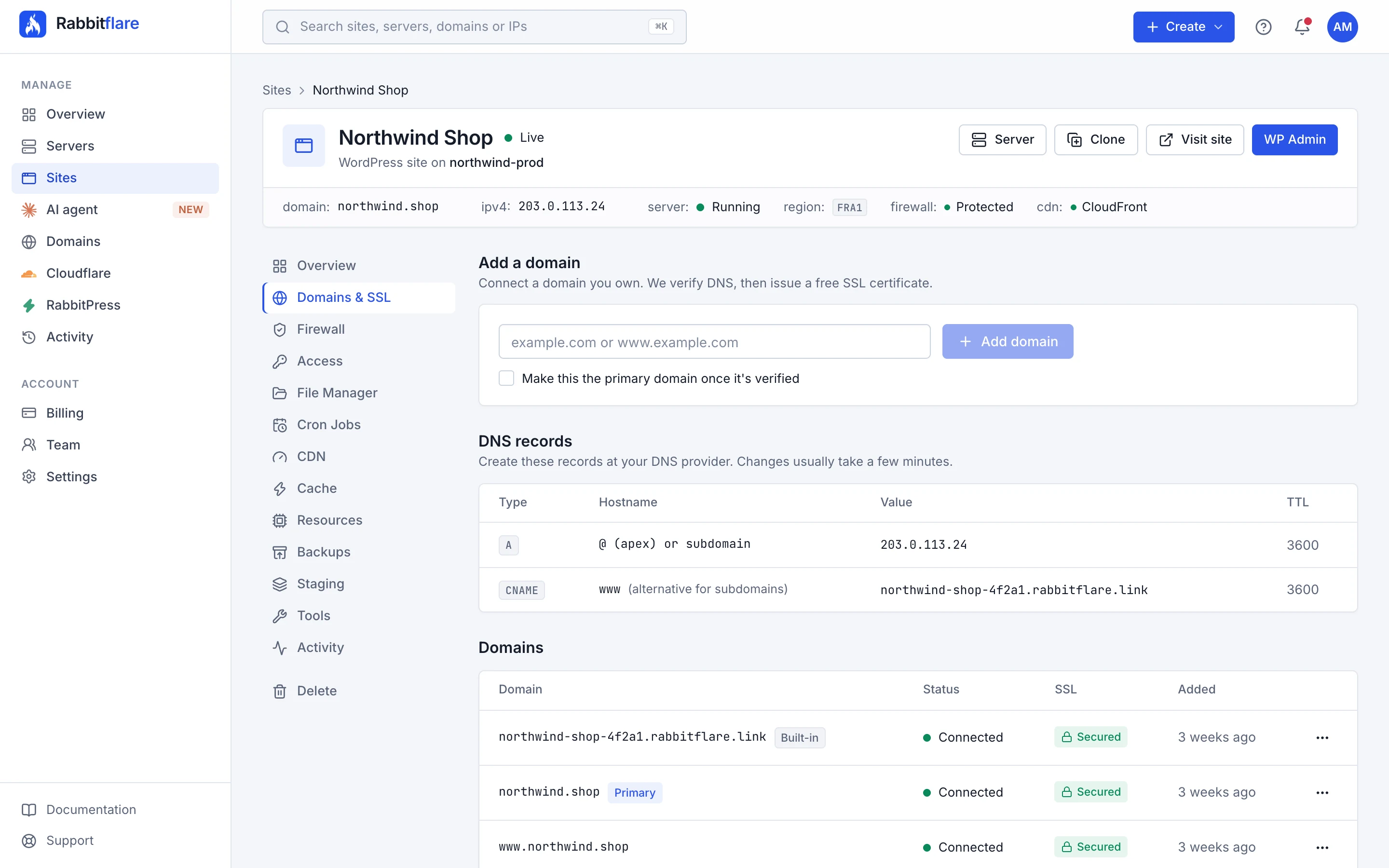
Yes. Every site starts with a free rabbitflare.link address. Add your own domain and the panel shows the DNS records to create; once they're in place we verify them and issue a free SSL certificate automatically.
Yes. Search for a name in the panel and register it, paid from your wallet or by card. Privacy protection is included, one click connects it to your site with SSL, you manage its DNS records in the panel, and it renews automatically every year so it never lapses.
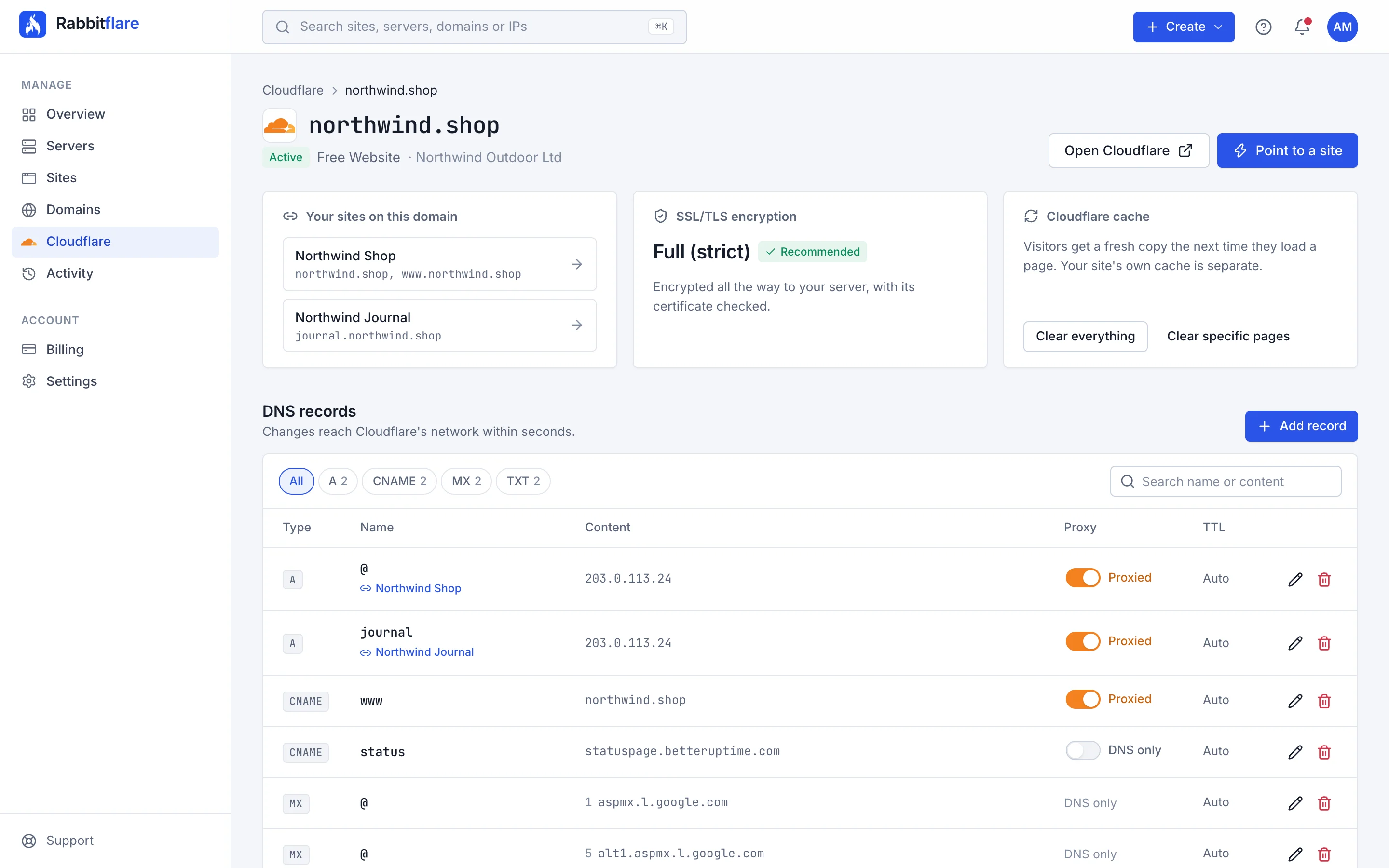
Yes. Connect your Cloudflare account with an API token, and the panel shows your domains, which sites they point at and their DNS records. Add and edit records, point a domain at a site in one step, set SSL to Full (strict) and clear Cloudflare's cache, without leaving Rabbitflare.
Every site can switch on Amazon CloudFront from its CDN tab, at no extra cost. Your site's images, CSS, JavaScript and fonts are then served from the edge location nearest each visitor, out of more than 600 worldwide, while pages still come from your server, so logins, carts and forms work exactly as before. There's nothing to set up: no DNS changes, and it's ready in about 5 to 10 minutes. You can turn it off at any time.
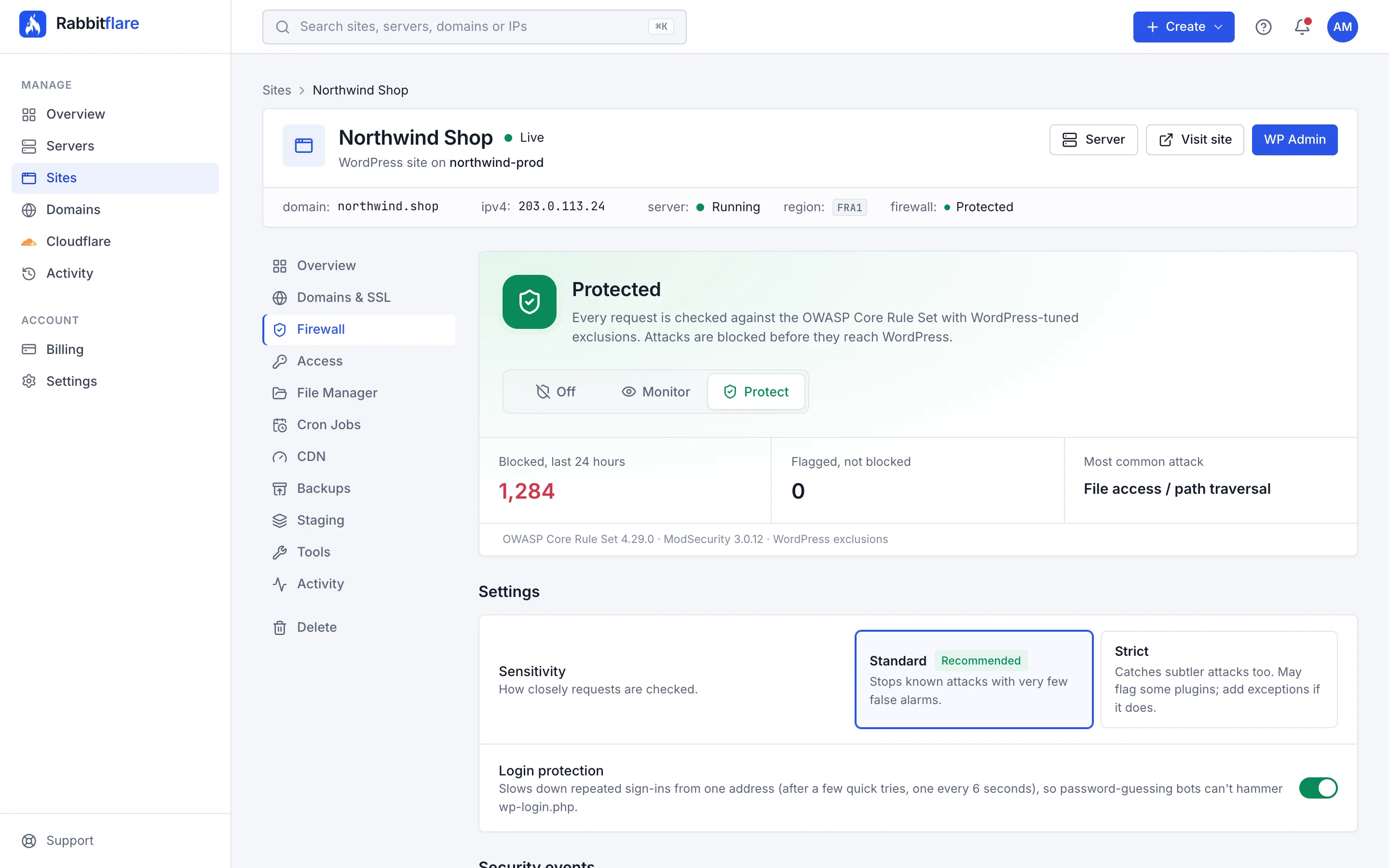
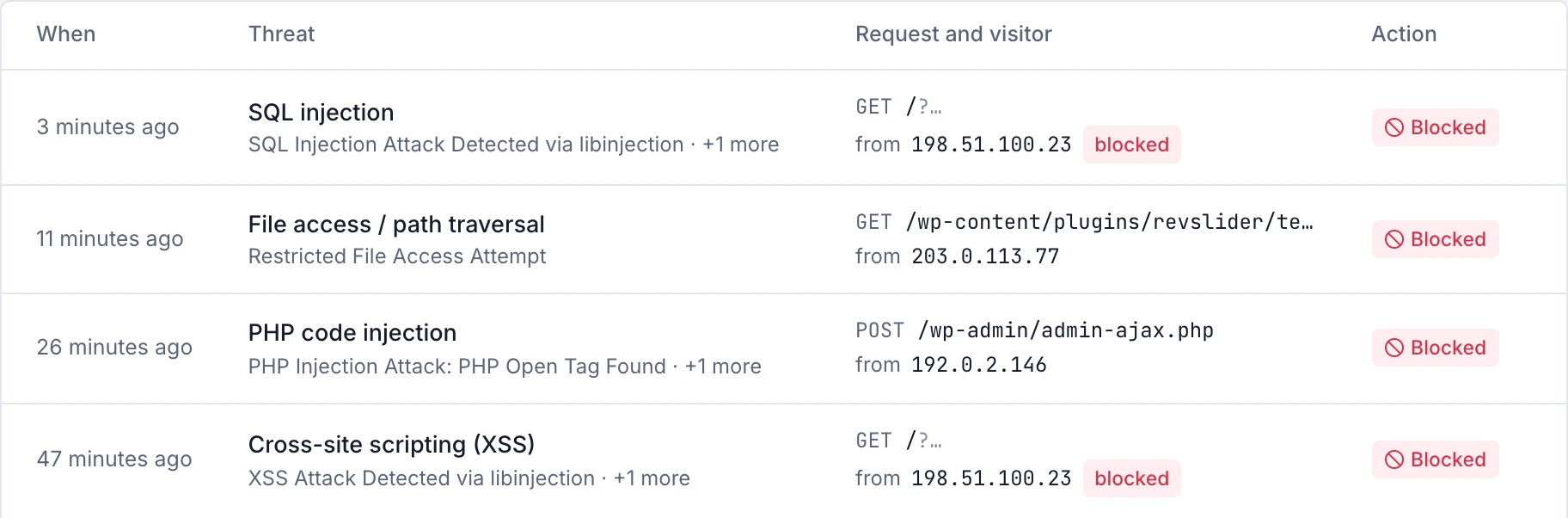
Yes, on every plan at no extra cost. Each site can switch on a web application firewall built on ModSecurity and the OWASP Core Rule Set, tuned so everyday WordPress work isn't blocked. It stops attacks such as SQL injection, cross-site scripting, path traversal and hacking tools before they reach WordPress, limits password guessing on the login page, and lists every attack it stopped, so you can block or allow an address in a click. New sites start protected, and you can switch a site to Monitor or off at any time.
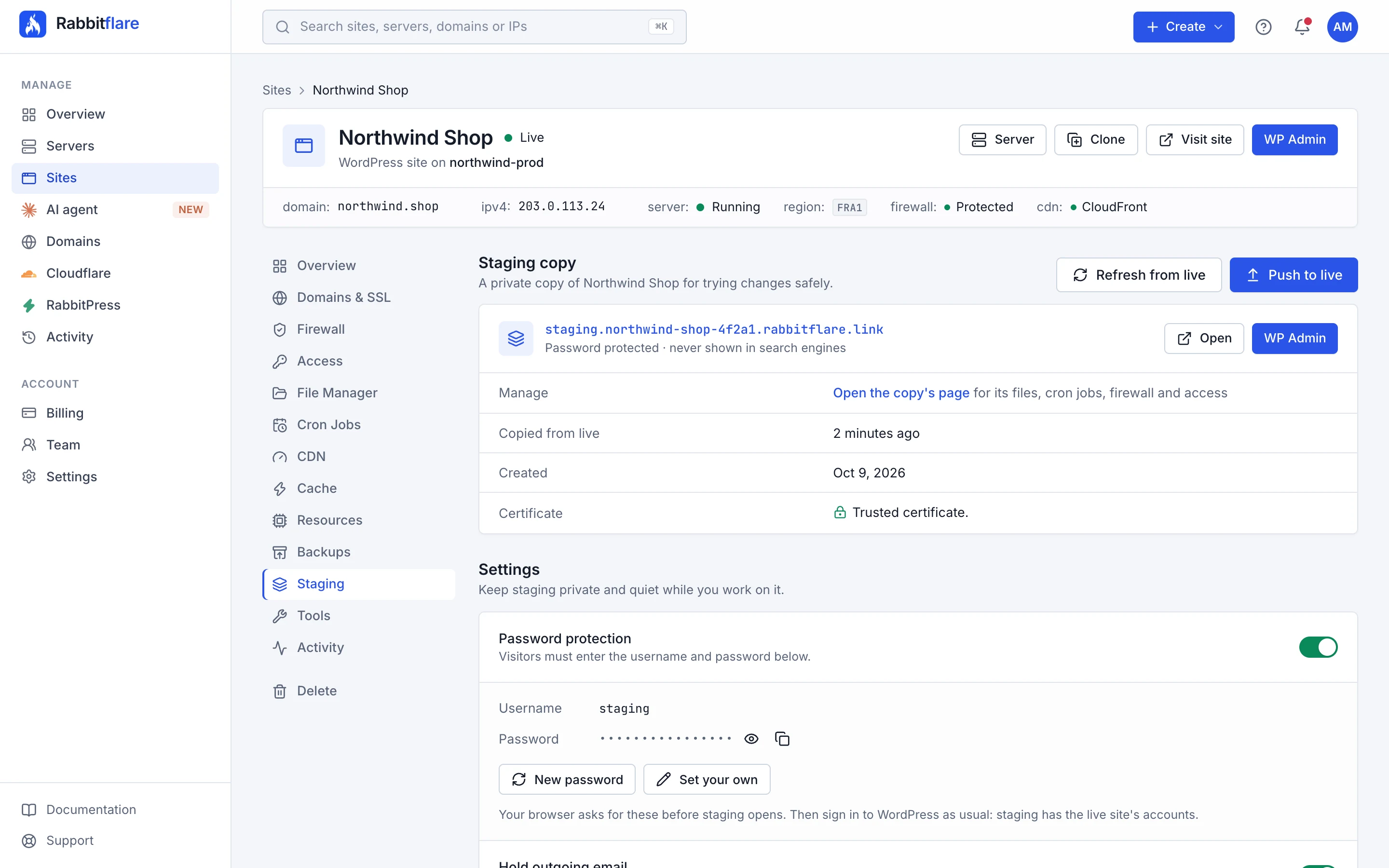
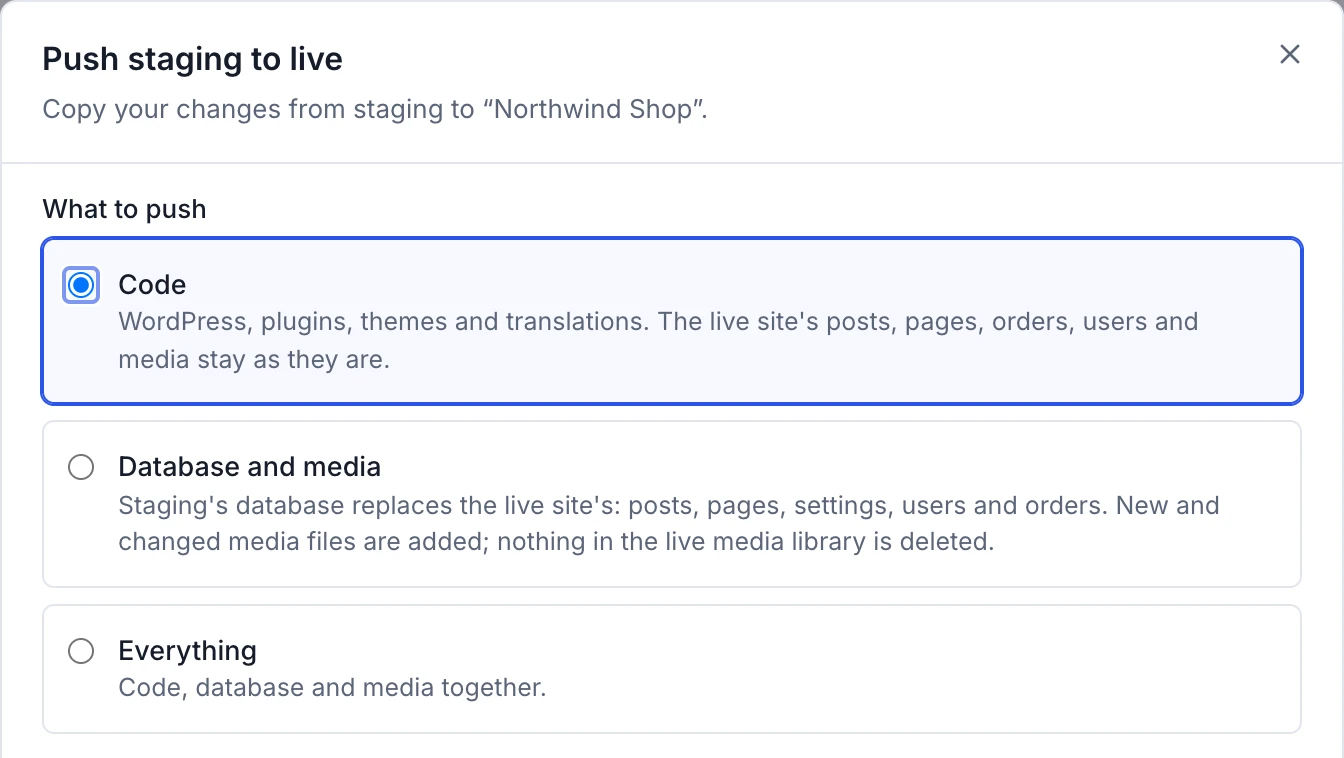
Yes. Every site can have a staging copy, free on every plan: a private copy of the site on the same server, with its own address, password protected and kept out of search engines, with its emails held and scheduled tasks paused. Try updates and changes there, then push the code, the database and media, or everything to the live site. Each push is checked first, the live site shows a maintenance notice for a few seconds, and if it wouldn't load afterwards it's put back by itself. You can also undo a push for 7 days, and refresh staging from the live site whenever you like.
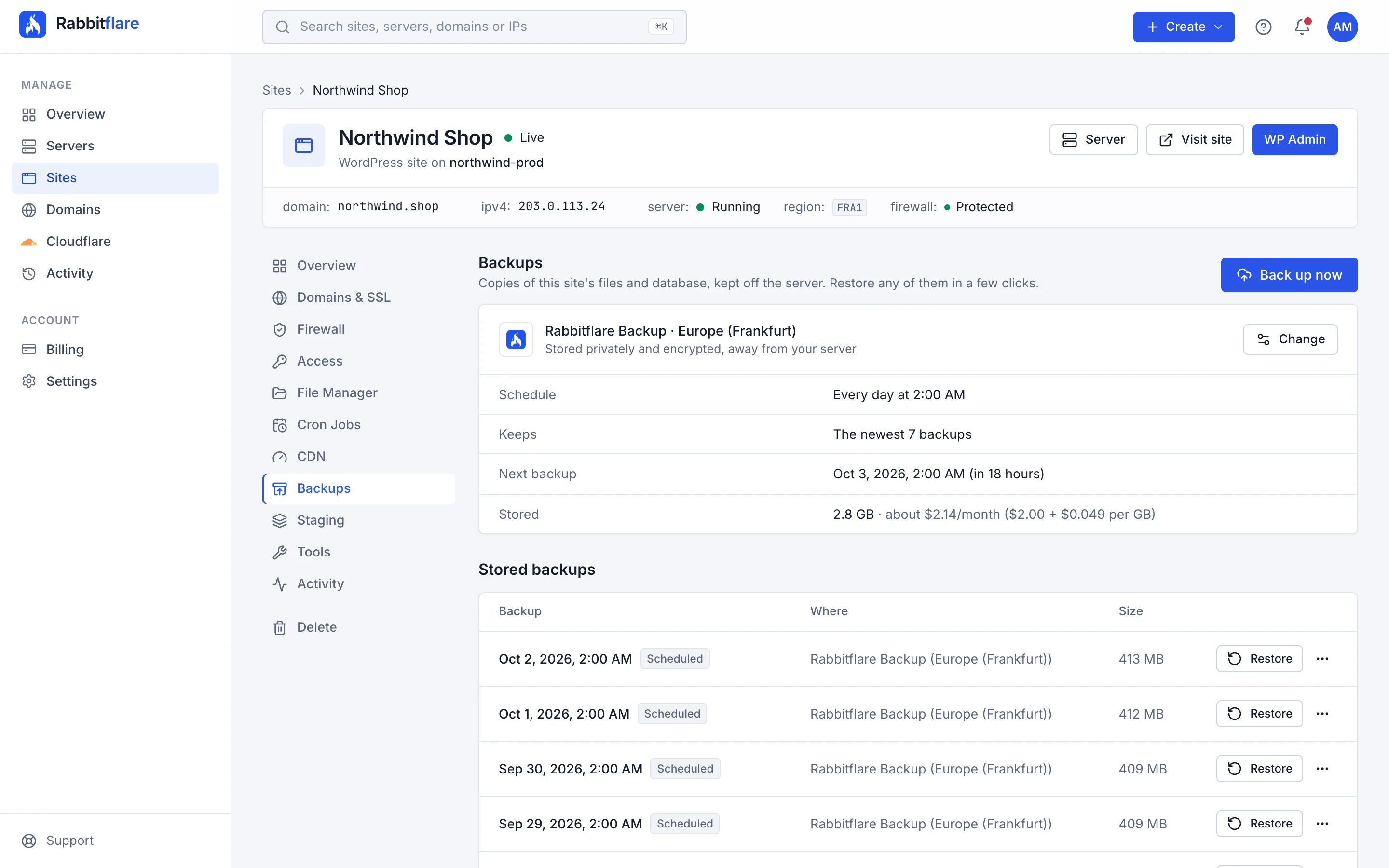
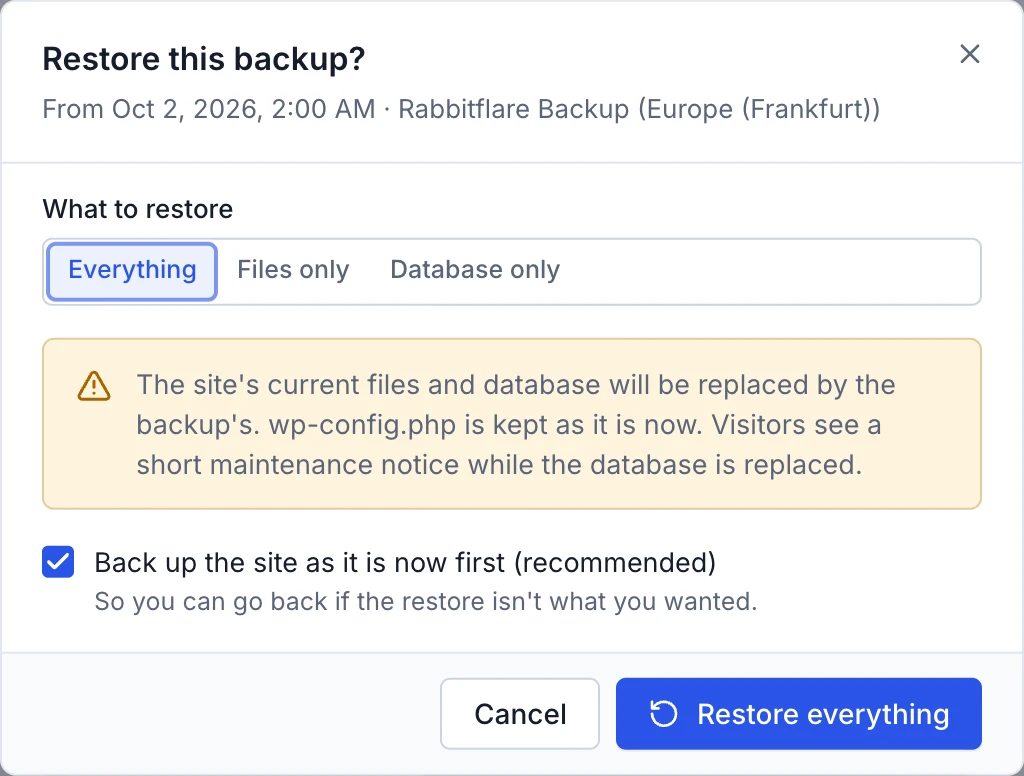
In two ways. DigitalOcean, Vultr and Hetzner servers are backed up automatically: DigitalOcean servers weekly, keeping the four most recent, Vultr servers by Vultr's own automatic backups, and Hetzner servers daily, keeping the seven most recent. You can also take up to five snapshots of them whenever you like, for example before a big plugin update, and restore the whole server from any of them. On top of that, each site can have its own daily or weekly backups of its files and database, kept away from the server: in Rabbitflare Backup, private and encrypted, from $2 a site a month (with no per-site fee on Rabbitflare Edge servers), or free in storage you own, such as Google Drive, Dropbox, Amazon S3, Backblaze B2, Cloudflare R2 or an SFTP server. Restore a whole site, or only its files or its database, in a few clicks. Rabbitflare Edge servers have no whole-server backups or snapshots, so switch on site backups for their sites. On Rabbitflare Edge, backups also count toward the server's data transfer, except those kept in Rabbitflare Backup in the same location as the server (Virginia, Frankfurt or Singapore).
Something else on your mind? Email [email protected] and a person will reply, or open a support ticket.
Try it free for 3 days, no card needed. Then from $12 a month, with as many sites as you like.
Already have a server? Connect it for $3.50 a month
Hi, I'm Hopper. Questions about Rabbitflare? Ask me anything.