
Protect a site with the firewall
Block SQL injection, cross-site scripting and other attacks before they reach WordPress.
3 min read Updated
Each site has its own web application firewall. It checks every request before WordPress runs it, against the OWASP Core Rule Set tuned for WordPress, and stops SQL injection, cross-site scripting, file and code injection, known exploits and hacking tools. It's free on every plan, and new sites start protected.
 The firewall OWASP Core Rule Set, tuned for WordPress
 Modes
Open the site's Firewall tab and choose a mode at the top:
- Protect
- Attacks are blocked before WordPress sees them. The mode new sites start in.
- Monitor
- Every request is checked and attacks are recorded, but nothing is blocked. Useful to watch first, then switch to Protect once you've seen it doesn't flag your own work.
- Off
- Requests reach WordPress unchecked.
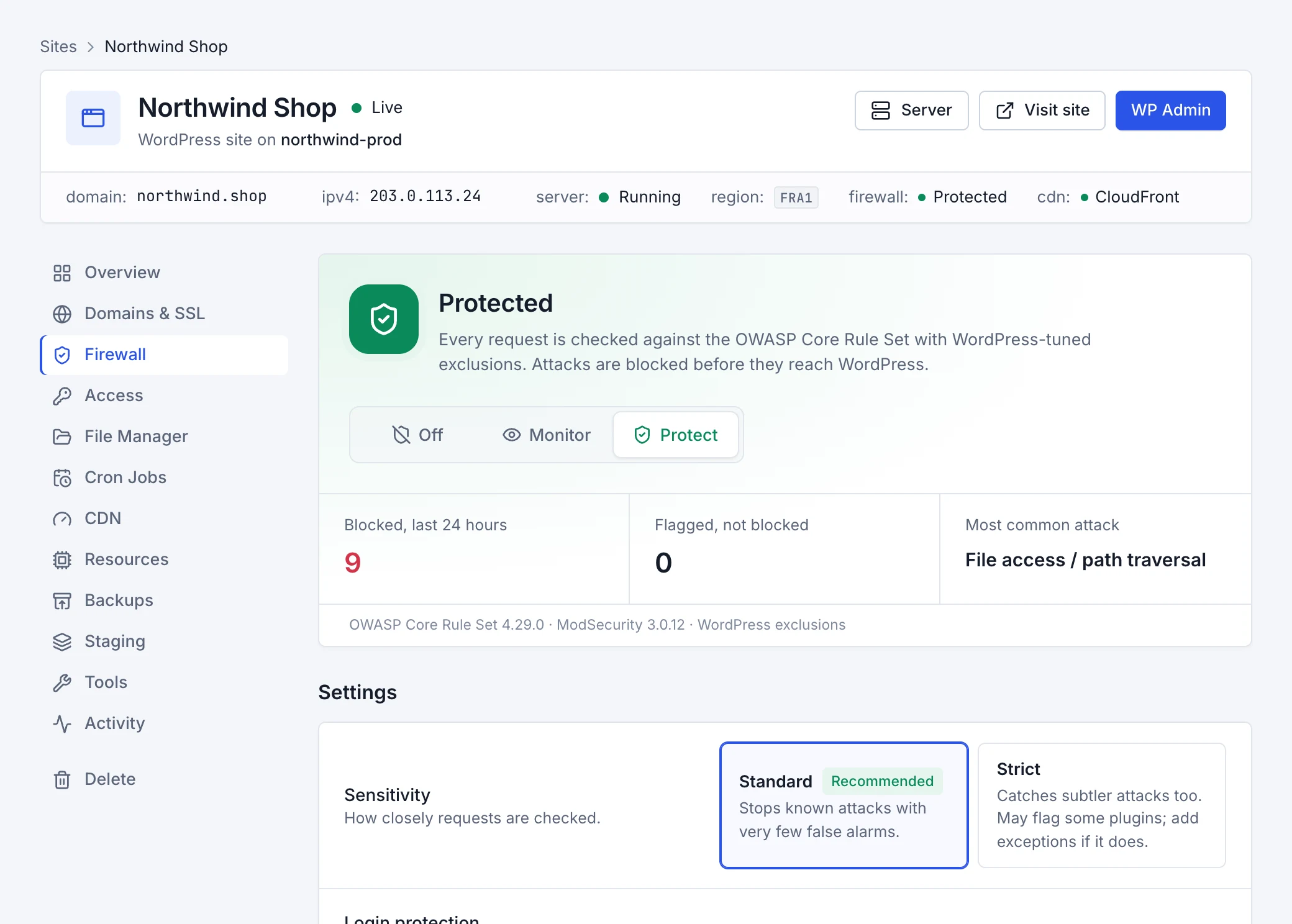
Settings
- Sensitivity
- Standard (recommended) stops known attacks with very few false alarms. Strict catches subtler attacks too, but may flag some plugins; add exceptions if it does.
- Login protection
- Slows down repeated sign-ins from one address (after a few quick tries, one every 6 seconds), so password-guessing bots can't hammer
wp-login.php.
Security events
The tab lists the requests the firewall blocked or flagged, with the address they came from, the page they asked for and the kind of attack. Above them you'll see how many were blocked in the last 24 hours, how many were flagged but not blocked, and the most common kind of attack.
From any event's menu you can:
- Block the address it came from, so it can't reach the site at all.
- Choose This was me: allow it when the firewall stopped something you or a plugin did on purpose (a false alarm).
Fix a false alarm
When the firewall blocks something legitimate, like saving a page in a page builder or a plugin calling home, find the request in Security events and choose This was me: allow it. Then choose where requests like it are allowed:
- Only on this page and the pages under it: the safest; the rest of the site stays fully protected.
- Only on the front page: for requests to the home page's own address, like
/?wc-ajax=…. - Everywhere on this site: the rules that matched stop checking any page of the site.
The exception works straight away. Exceptions are listed under Exceptions; remove one to check those requests again. A site can have up to 30.
Block and allow addresses
Under Blocked addresses and Allowed addresses, add an IP address like 203.0.113.7 or a range like 203.0.113.0/24, with a note:
- Blocked
- Visitors from it see a “request blocked” page on every page of the site. Up to 500 per site.
- Allowed
- Requests from it skip the firewall's checks. Only add addresses you trust, like your office. Up to 100 per site.
Your server's own address can't be blocked: WordPress needs to reach itself for its health checks and the theme editor.