
Get help from our team
Open a support ticket, and answer it in the panel or by email.
2 min read Updated
Our team answers questions about your servers, sites, domains and billing through support tickets. You can write and reply in the panel, or simply by email: both end up in the same ticket.
Open a ticket
-
Start a new ticket
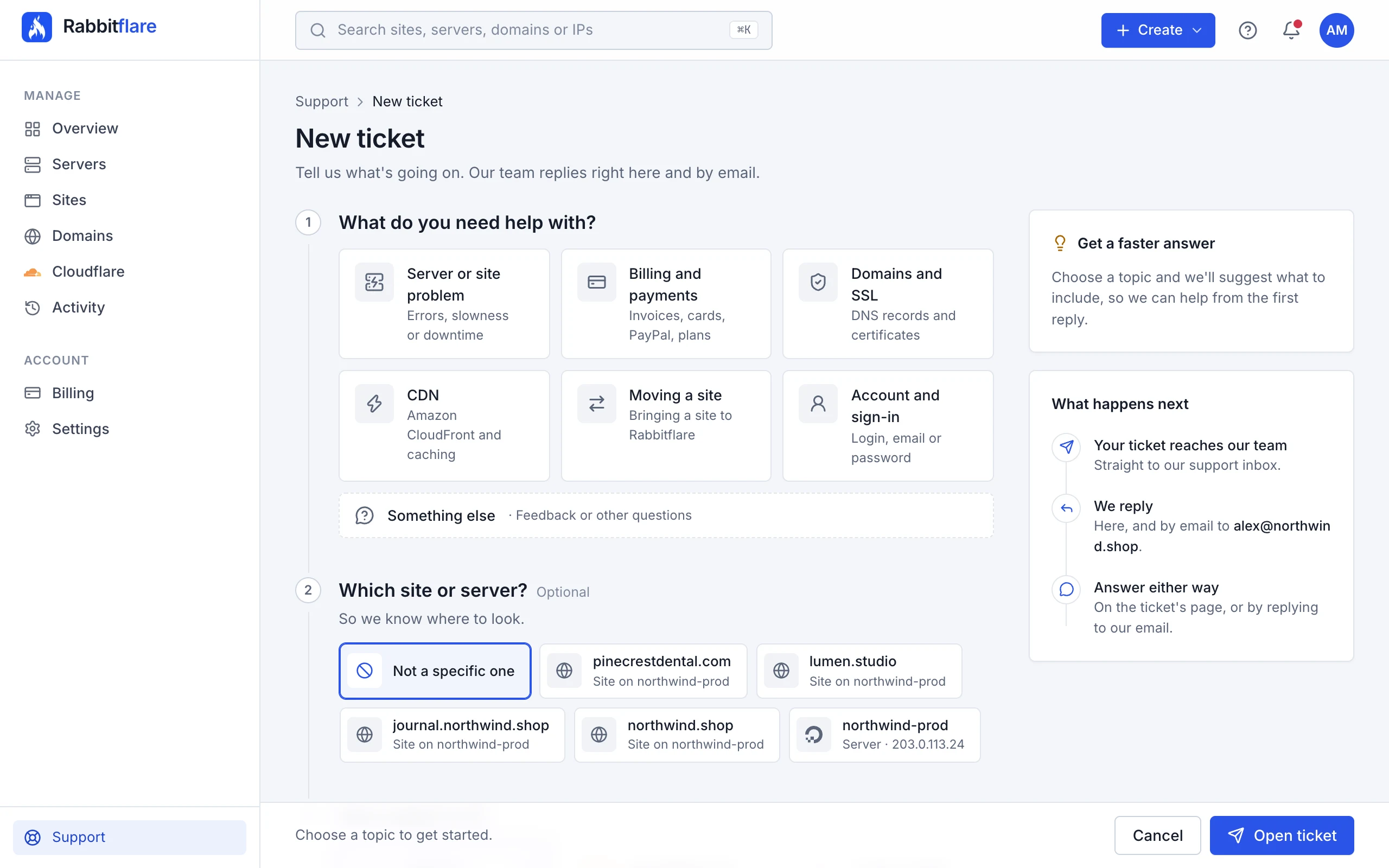
Choose Support at the bottom of the sidebar, then New ticket. Or use the help menu (?) at the top of the panel.
-
Say what it's about
Pick the topic that fits best:
Server or site problem Errors, slowness or downtime Billing and payments Invoices, cards, PayPal, plans Domains and SSL DNS records and certificates CDN Amazon CloudFront and caching Moving a site Bringing a site to Rabbitflare Account and sign-in Login, email or password Before you sign up Plans, features, anything Something else Feedback or other questions -
Choose the site or server, and how urgent it is
Choosing the site or server tells us where to look. Then pick how urgent it is: general question (nothing is broken), something isn't working (a feature or site misbehaves), a site is down (offline or badly broken).
-
Describe it
Add a short summary, like “Checkout page shows a 500 error”, then describe what's happening. You can format the text, with lists and links, and attach up to 5 files of up to 10 MB each, like screenshots of an error. The form suggests what's worth including for each topic.
Replies
We reply on the ticket's page and by email. Answer either way: write on the ticket's page, or simply reply to our email. Your tickets are listed under Support, with the ones waiting for your reply marked. A closed ticket opens again when you reply to it.
Without signing in
Can't sign in, or not a customer yet? Use the form at rabbitflare.com/support, or email [email protected].