
The DNS records, explained
What each record is for, how to add them at your DNS provider, and how long they take.
2 min read Updated
For mail to reach your mailboxes and be trusted by other providers, your domain needs a few DNS records. If your domain is registered with us or in your connected Cloudflare account, they're written for you. Otherwise, the domain's DNS & deliverability tab shows the exact records to add at your DNS provider, and checks each one by itself.
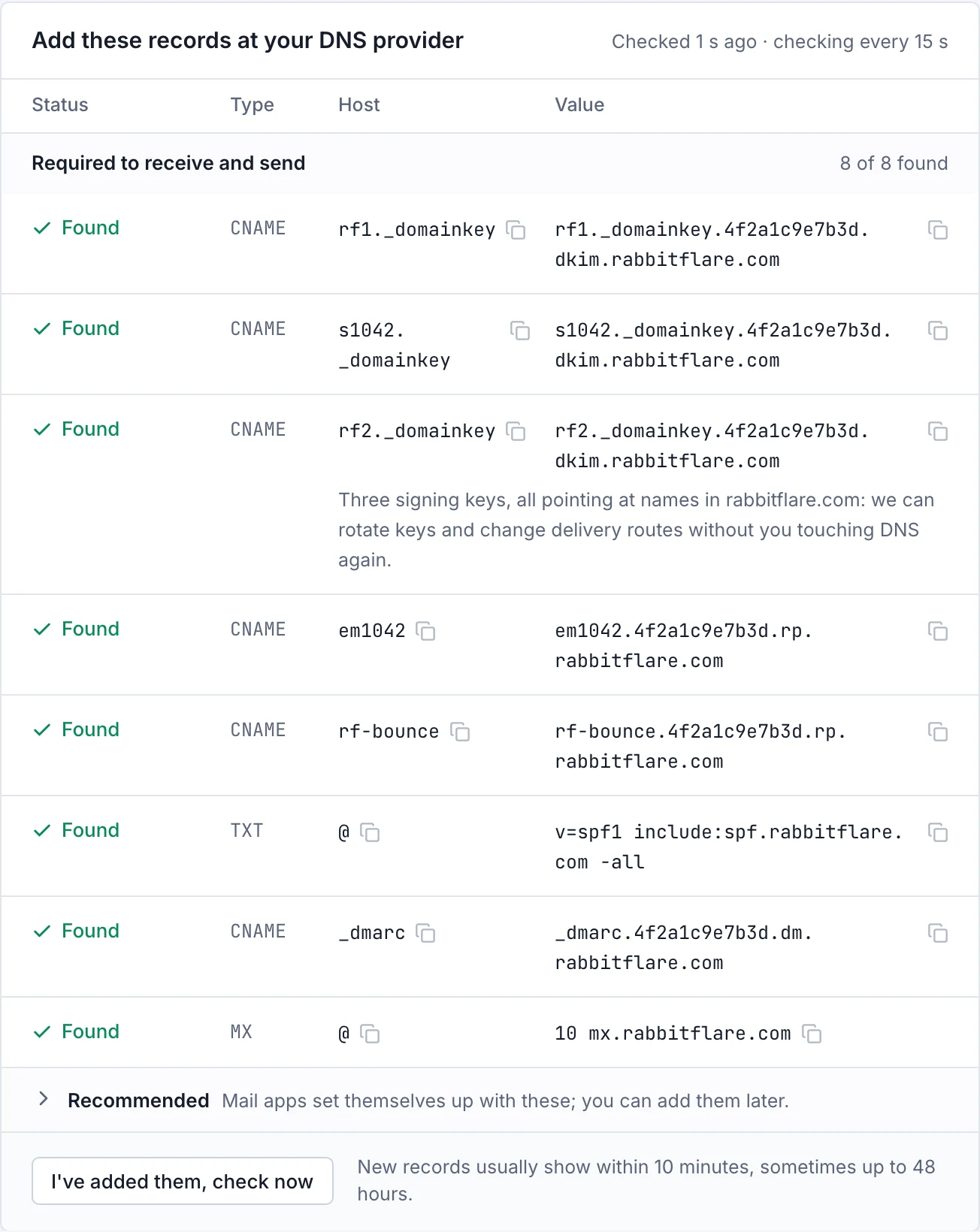
The two groups of records
Required to receive and send
- The signing keys (CNAME): receivers use these to check that your mail really comes from your domain. They point at names in rabbitflare.com, so we can rotate keys without you touching DNS again.
- The return path (CNAME): where bounce notices go, so the panel can tell you when an address doesn't work.
- SPF (TXT): says who may send mail for your domain. A domain has only one SPF record, so if you already have one, edit it instead of adding a second.
- DMARC (CNAME): tells receivers what to do with mail that fails the checks, and where to send reports.
- MX: says where your domain receives mail. This is the record that moves your mail, so change it last. See Move your mail.
Recommended
Mail apps set themselves up with these, and you can add them later: the autoconfig and autodiscover records and the SRV records.
Adding them at your provider
The panel recognizes many DNS providers, links to their DNS page and says what to watch out for. The usual things to get right:
- Cloudflare: set each CNAME to DNS only (the grey cloud). Or connect your Cloudflare account, and we add them for you.
- GoDaddy and many others: type the host without your domain:
rf1._domainkey, notrf1._domainkey.example.com. Use@for the domain itself. - An existing SPF record: edit it, and keep one record. Mail systems allow an SPF record at most 10 lookups, so if you use many services, the panel warns you.
Checking and waiting
The table checks your records by itself, and I've added them, check now checks at once. New records usually show within 10 minutes, and sometimes take up to 48 hours. You can leave the page: we keep checking, and the domain becomes active by itself.
If a record changes later
We check your records every day. If one that's needed goes missing, we email you and the domain's page says which one, because a removed record can stop mail from being delivered or trusted. See your domain's health.