
Clean a hacked site
Clean a site in one click, hand the hard cases to Claude, and undo any clean-up for 30 days.
5 min read Updated
When Rabbit Shield finds malware on a site, you can clean it from the site's Malware tab: Clean site does it in one click, and Clean with AI hands what's left to Claude. Nothing is deleted: threats go to a quarantine, and every clean-up can be undone for 30 days.
Clean site
-
Open the site's Malware tab
When threats are found, the tab says how many, with Clean site and Clean with AI beside them.
-
Choose Clean site, and check the options
The dialog lists what will be dealt with. Reset administrator passwords is ticked to start with: whoever got in may know them. Administrator accounts that appeared since an earlier scan are listed too: tick the ones to remove.
-
Choose Clean site again
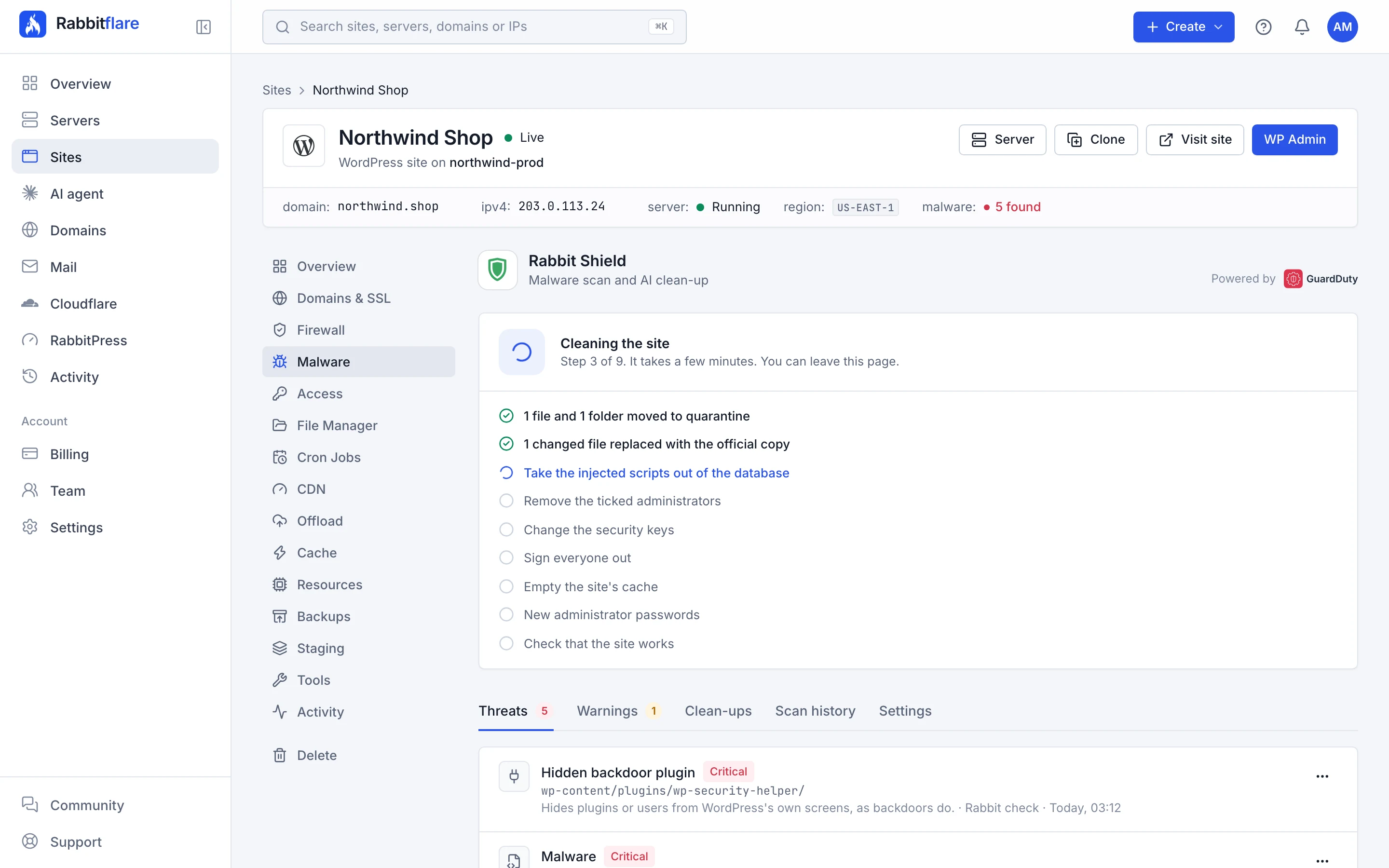
The clean-up takes a few minutes, and the tab shows each step as it happens. You can leave the page.
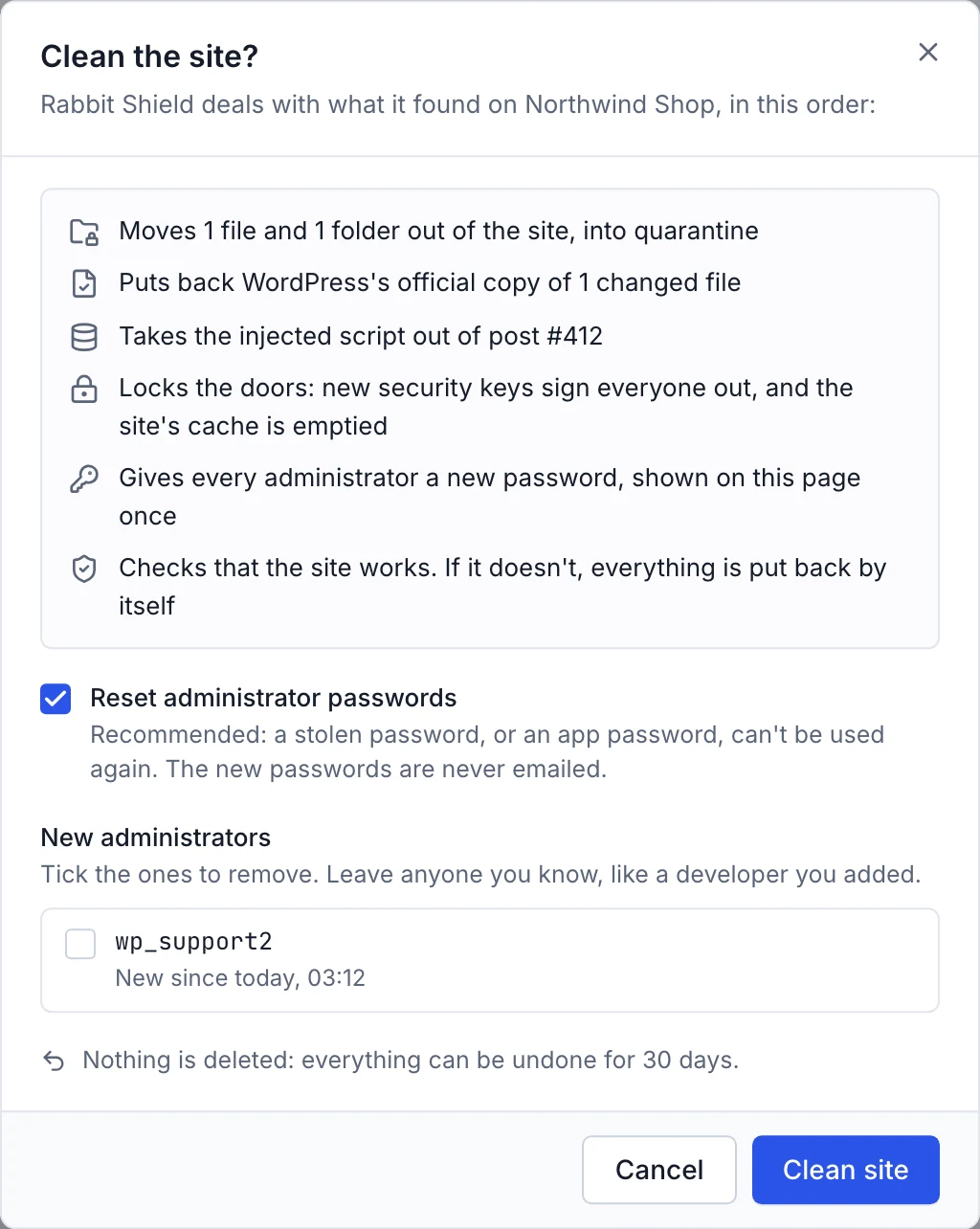
What it does, in order
- Saves a restore point of the site, so everything can be put back.
- Moves the threats to quarantine, a folder outside the site that only the server can read. A file that matches WordPress.org's official copy is never moved.
- Puts back the official copies of changed WordPress files and WordPress.org plugins, at the same version.
- Takes injected scripts out of the database, and puts the site's address back if it was changed.
- Takes bad lines out of the scheduled tasks, and removes the administrator accounts you ticked.
- Changes the security keys and signs everyone out, customers included, and empties the site's cache.
- Gives administrators new passwords, if you left that ticked. Application passwords are removed too.
- Checks the site: the home page and the login page must answer normally, with no new PHP errors. If they don't, the clean-up is undone by itself.
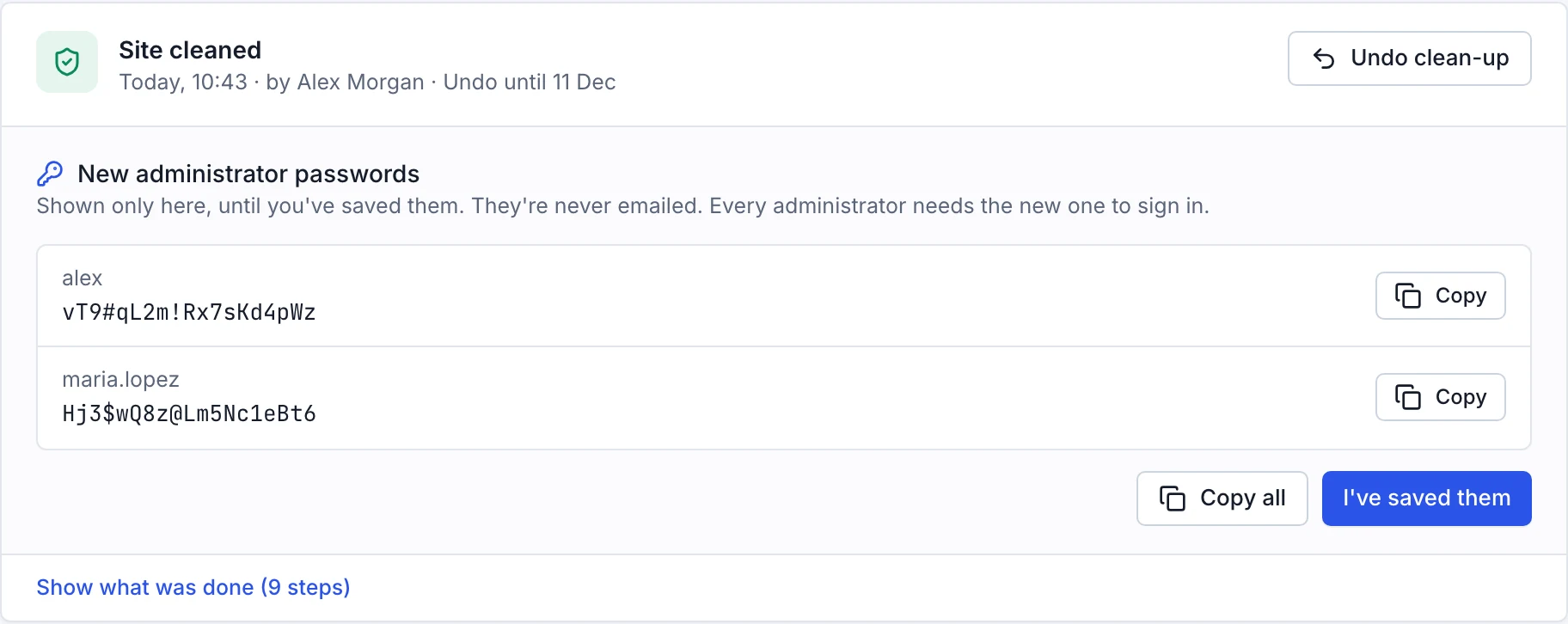
The report and the new passwords
When it's done, the tab says Site cleaned and lists what each step did. New administrator passwords are shown there once: copy them somewhere safe and choose I've saved them. They're never emailed. The main administrator's new password is also on the site's Access tab, as before.
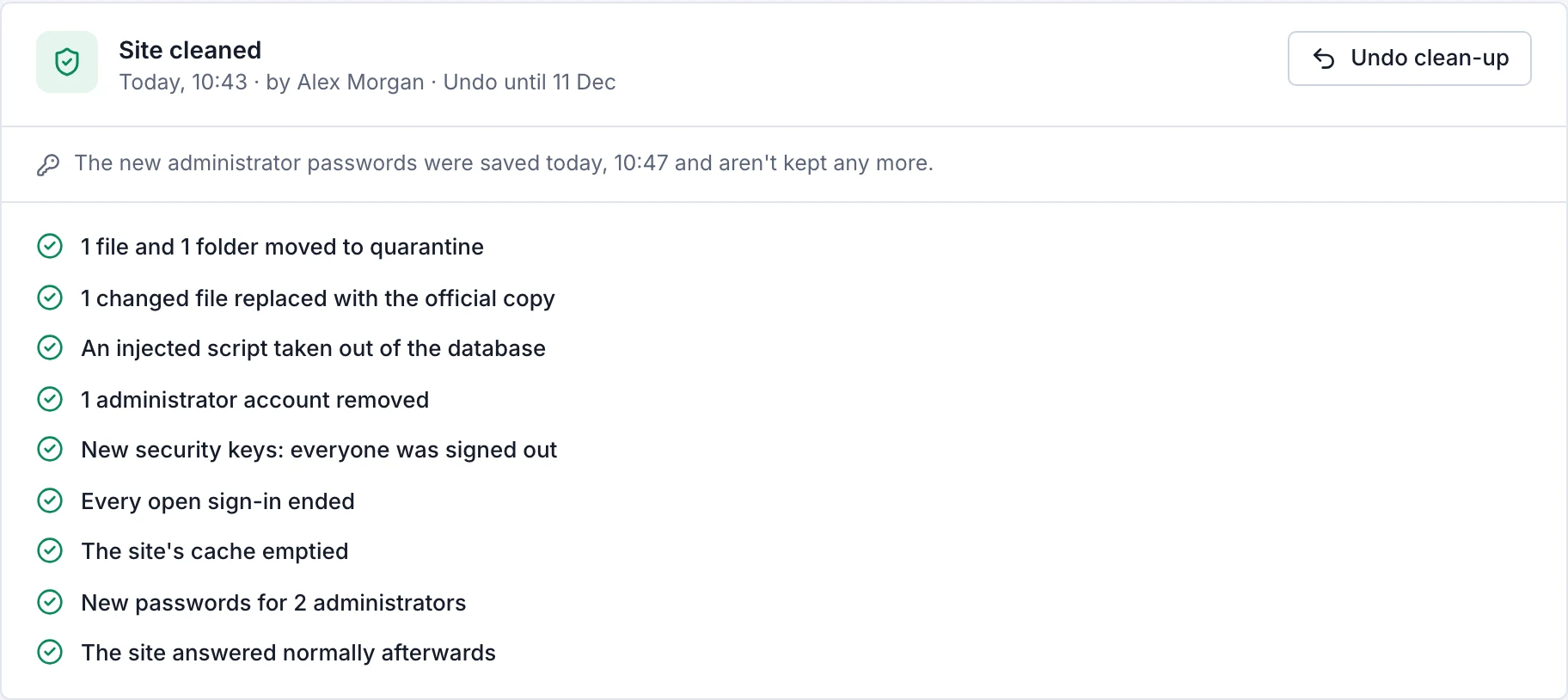
Undo a clean-up
Choose Undo clean-up on the report, for 30 days. Every file comes back from quarantine, and every change to the files, database, scheduled tasks, accounts, passwords and keys is put back as it was. Earlier clean-ups that can still be undone are listed under the latest one. Files left in quarantine are removed after 30 days.
Clean with AI
Some malware hides inside files the site needs: a theme, a paid plugin, wp-config.php. Clean site leaves those alone,
because replacing them could break the site. Clean with AI hands them to Claude, Anthropic's AI, which works on that one site as the site's
own user: it reads the files, takes out what was added, and checks that the site still works.
-
Choose Clean with AI
The dialog lists what Claude will look at, and whether this one is included or uses your AI credits.
-
Agree, and start
Tick I agree that Claude may read and change this site's files and database, then start. A restore point is saved first.
-
Read what Claude did
When it's done, the tab says Claude cleaned the site with Claude's summary, and See what Claude did opens the whole session in the AI agent.
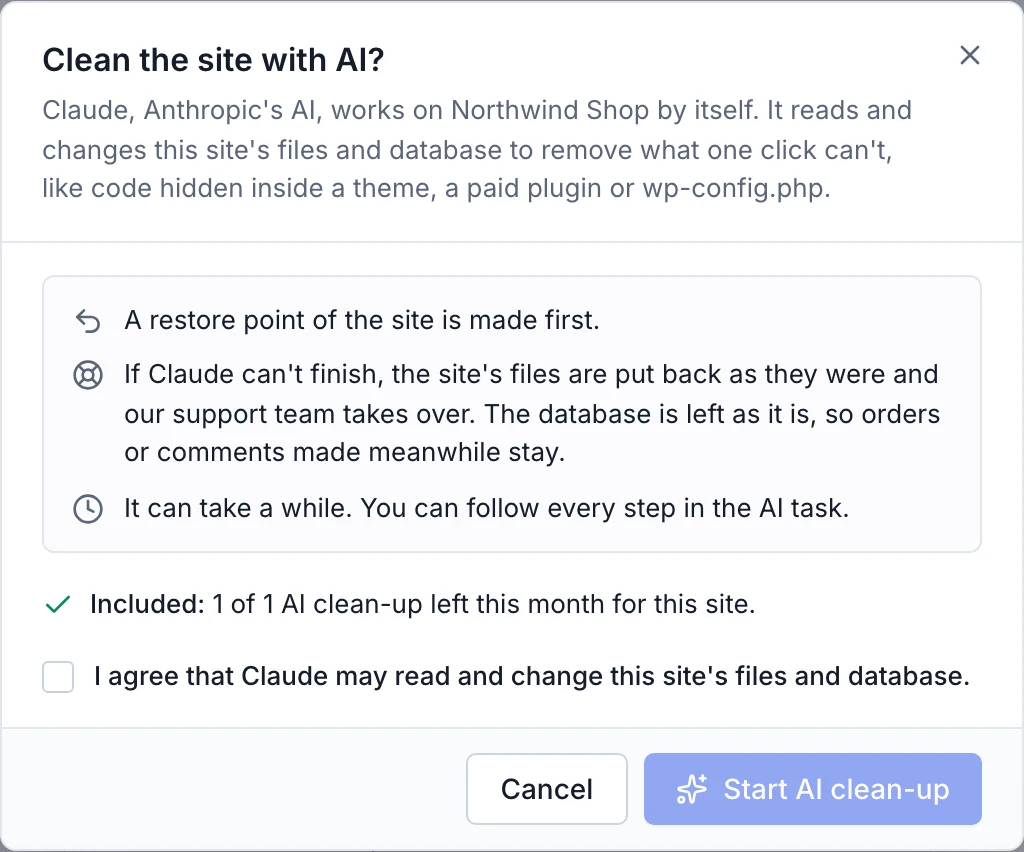

- Included
- 1 AI clean-up per site each month, up to 3 per account. More use your AI credits, as any AI agent task does.
- Staging copies
- AI clean-ups of a staging copy use your AI credits.
- Free trial
- Scans and Clean site work during the free trial. AI clean-ups start once you keep the server.
Clean automatically
In the site's Settings tab, Clean up automatically runs the one-click clean-up as soon as a scan finds malware, without changing passwords or removing accounts. You get an email saying what it did, and Undo works as usual. AI clean-ups still wait for you.
Afterwards
- Open the Warnings tab and update anything with a known security hole: it's how most sites are broken into.
- If Google flagged the site as dangerous, ask Google to review it in Google Search Console.
- Change any other passwords that might have been seen, like those of other WordPress users.