
Register a domain
Search for a name, register it with free privacy protection and point it at a site in one step.
3 min read Updated
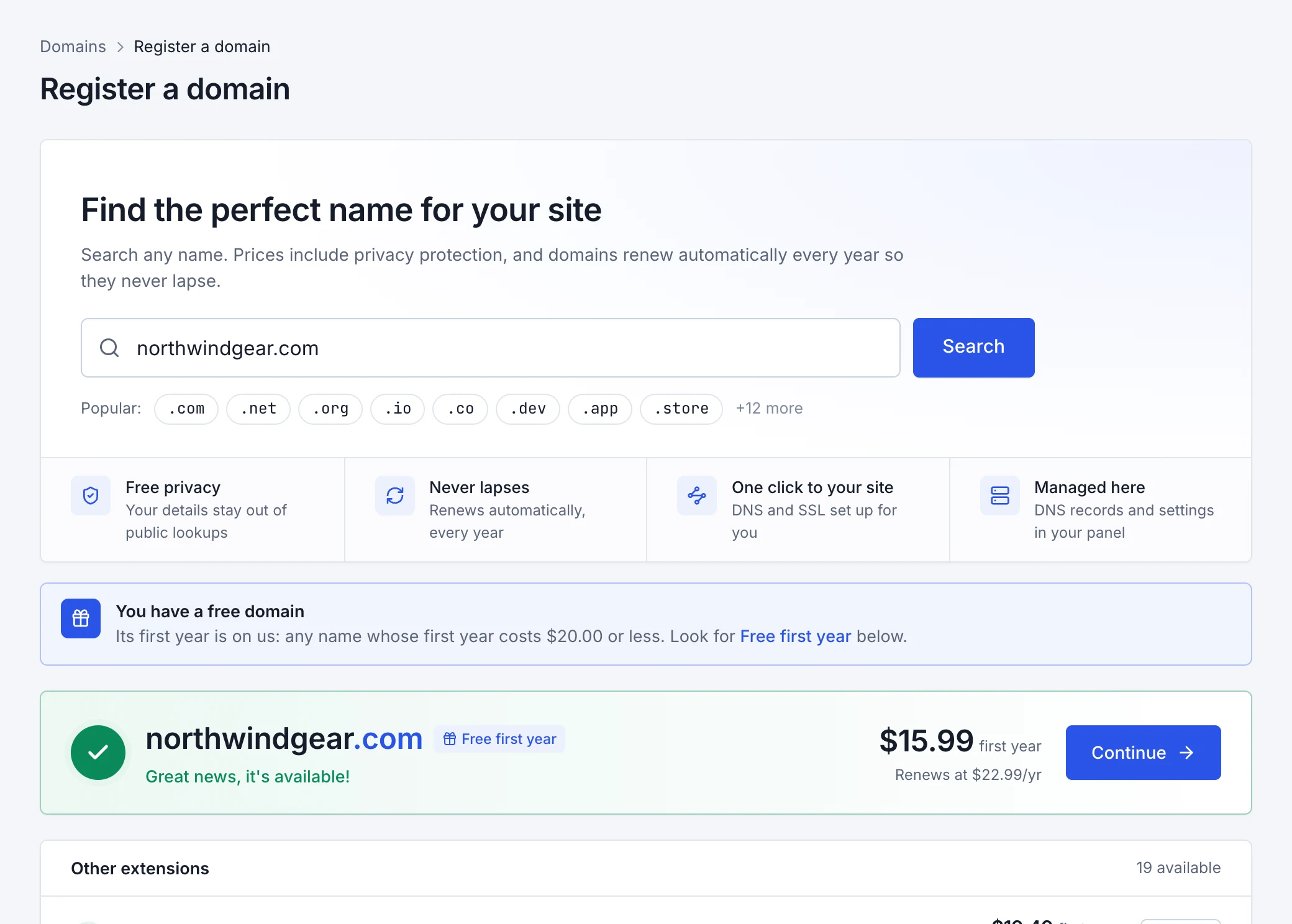
Need a new name? Search and register it right in the panel. Every domain comes with free WHOIS privacy protection, full DNS control in the panel, and a free SSL certificate when you point it at a site. It renews automatically, so it never lapses.
Search and register
-
Search for a name
Open Domains Register domain and type the name you want, like
yourbusiness.com. You'll see whether it's available and its price, the same name on other extensions, and more ideas. Prices include privacy protection. -
Choose the details
- Registration period
- How many years to register it for. It renews at the yearly price shown after the period you choose.
- WHOIS privacy
- Hides your name, address, email and phone from public domain lookups. Free, and on by default.
- Renew automatically
- Renews the domain 30 days before it expires, paid from your wallet first, then your saved card. You can turn it off at any time.
- Owner details
- The person or company the domain is registered to. Registries require real details; with privacy on, they aren't shown publicly.
-
Pay and register
Pay by card; funds in your wallet are used first. Registration usually takes less than a minute, and the domain's page updates by itself.
Point it at a site
Open the domain from the Domains page, choose a site under Point at site, and confirm. Rabbitflare points the domain and
its www address at the site, sets up the DNS and issues a free SSL certificate. It starts working once its DNS updates, usually within
minutes. To move it to another site later, choose the other site and point it again.
Manage its DNS
The domain's page lists its DNS records. Add, edit or remove A, AAAA, CNAME, MX,
TXT, SRV and NS records, for example to use the domain for email with Google Workspace or Microsoft 365.
Changes take effect within a few minutes.
Renewals and settings
- Renew automatically renews the domain 30 days before it expires, from your wallet first, then your saved card. The domain's page shows the price and date of the next renewal.
- WHOIS privacy protection can be turned off or on at any time. It's free.
- Owner details can be edited; a new email address may need to be confirmed.
Transfer a domain away
-
Turn off the transfer lock
On the domain's page, turn off Transfer lock. It stops the domain being moved to another registrar, so leave it on otherwise.
-
Get the transfer code
Under Transfer code, choose Get transfer code and give the code (also called an EPP or auth code) to the registrar you're moving to.
New domains can't be transferred in their first 60 days.