
Server logs and cleanup
See how much room logs take, clear them, and keep them tidy automatically.
2 min read Updated
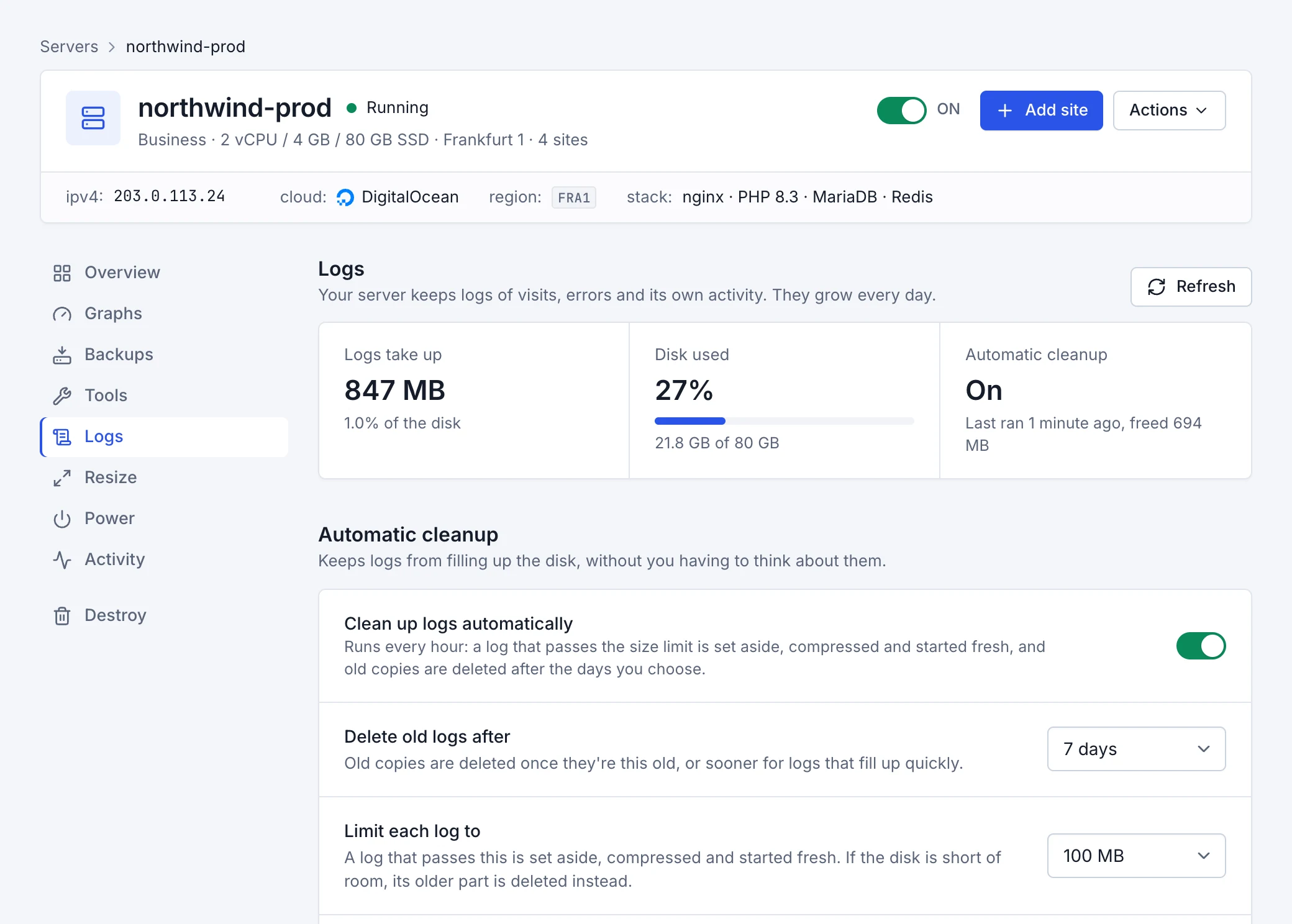
Your server keeps logs of visits, errors and its own activity, and they grow every day. The server's Logs tab shows how much room they take, lets you clear them, and can keep them tidy automatically so they never fill the disk.
What's there
- Server logs
- The logs the server keeps for all of its sites and for itself: Web server (every visit and the web server's errors), Firewall (attacks it flagged or blocked), System (the server's own messages, including sign-in attempts), Database, and Other services (PHP, the cache and SSL certificates).
- Site logs
- Each site's PHP error log, and WordPress's debug log when debugging is turned on in the site.
Clear logs
Each group and each site has Clear logs, which empties its logs and deletes their old copies. Clear all logs does the same for every log on the server, which is handy when the disk is full.
Automatic cleanup
Turn on Clean up logs automatically and the server tidies its logs every hour:
- Delete old logs after
- Old copies are deleted once they're this old: 1, 3, 7, 14, 30, 90 days.
- Limit each log to
- A log that passes this size (10 MB, 50 MB, 100 MB, 250 MB, 500 MB, 1 GB) is set aside, compressed and started fresh. If the disk is short of room, its older part is deleted instead.
- Free up space when the disk is nearly full
- When the disk is over 90% full, old copies of logs are deleted first, then the largest logs are cut down, until it's under 85% again.
Automatic cleanup is off until you turn it on, so nothing changes on a server unless you ask. The tab shows when it last ran and how much it freed.