
Add a WordPress site
Install another WordPress site on one of your servers, with its own database, PHP, SSL and address.
2 min read Updated
A server can host as many WordPress sites as its CPU, memory and disk allow, and adding one costs nothing extra. Each site gets its own database, PHP process, Linux user, SSL certificate and free address, so sites on the same server stay out of each other's way.
Add the site
-
Open Add site
Choose Create WordPress site at the top of the panel, or Add site on the Sites page.
-
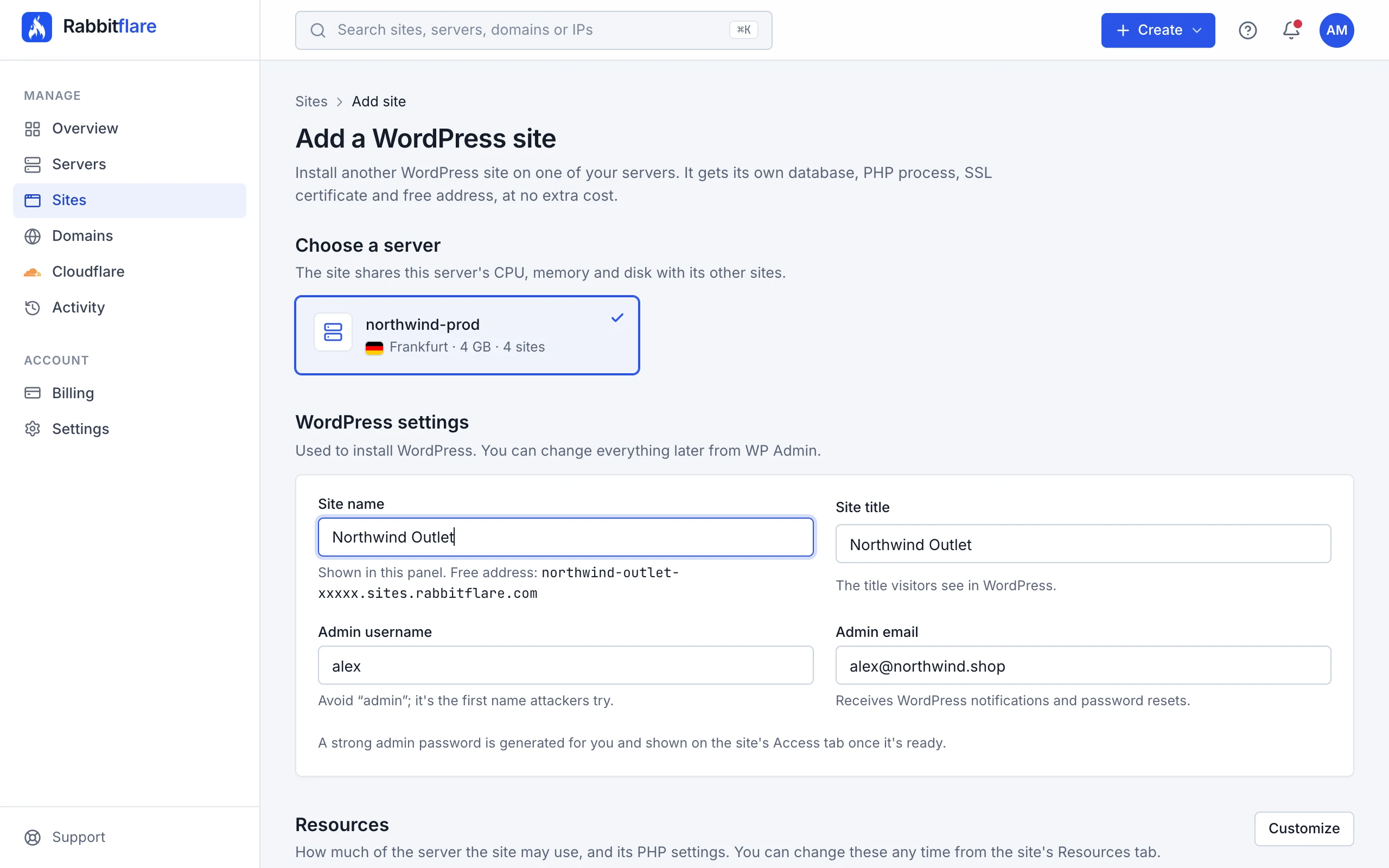
Choose a server
Each server shows its location, memory and how many sites it already has. A server that's still being built can take a site too: it's installed as soon as the server is ready.
-
Fill in the WordPress settings
- Site name
- How the site is called in the panel. Its free address is made from it, like
acme-blog-4f2a1.sites.rabbitflare.com. - Site title
- The title visitors see in WordPress. You can change it later in WordPress.
- Admin username
- WordPress's first administrator. Avoid
admin: it's the first name attackers try. - Admin email
- Receives WordPress's notifications and password resets.
A strong admin password is generated for you; you'll find it on the site's Access tab.
-
Optional: set its resources
Under Resources, choose Customize to limit the CPU, memory and processes the site may use, or change its PHP settings. Leave it alone and the site may use whatever the server has free, like your other sites. You can change this at any time; see Site resources and PHP settings.
-
Choose Add site
You're taken to the site's page, which shows the install as it happens.
The install
Installing takes about a minute: the latest WordPress is installed, then a free SSL certificate is issued for the site's address. You can leave the page meanwhile. When it's done, the site is live at its free address, ready for you to sign in.
New sites start protected by the web application firewall, with login protection on.
Moving an existing site here
To bring a site from another host, add a fresh site here first, then move your content into it. Our team can help with the move: open a support ticket, choose Moving a site, and tell us where the site is hosted now and roughly how big it is.