RabbitPress Cache, our WordPress speed plugin
WordPress that feels instant.
RabbitPress Cache saves each page once and sends that copy to every visitor. On Rabbitflare servers, nginx sends it straight from disk in 0.28 ms, with no PHP and no database. It also removes unused CSS, delays JavaScript, converts images and tidies fonts, so pages pass Core Web Vitals on phones too.
- Free on Rabbitflare cloud servers
- $49 a year per website elsewhere
- Installed in one click from the panel
- Updates straight from WordPress
- for the server to send a cached page on Rabbitflare, instead of 92 ms from WordPress
- 0.28 ms
- Lighthouse performance on mobile, for a WooCommerce shop with every speed-up on
- 99
- page weight on a business site: 1.4 MB down to 0.3 MB
- −78%
- to install on Rabbitflare. Free there, and $49 a year anywhere else
- 1 click
Served by the web server
Cached pages never wait for PHP.
On Rabbitflare servers, RabbitPress Cache hands nginx its rules, so a cached page goes out the way a picture or a stylesheet would: straight from disk, already compressed. PHP and the database stay free for the visitors who need them, so the same server handles far more traffic.
- Logged-in visitors, carts, checkouts and searches still get fresh pages from WordPress.
- Links with tracking tags, like utm_source or fbclid, get the cached page too.
- Phones can get their own copy, if your theme needs one.
- Change a setting and the web server follows within a minute. Anything it can't take is left to the plugin, so nothing breaks.
Visitor
opens a page

nginx
checks its rules
Cached file
sent from disk

WordPress
only when needed
- WordPress, no cache plugin 92 ms
- A page cache served by PHP 1.1 ms
- RabbitPress, served by nginx 0.28 ms
Time the server spends on one page, measured on a Rabbitflare server from the server itself.
Check it yourself
Every cached page says who sent it.
Open any page of your site, then your browser's developer tools, its Network tab, and click the page. Two headers tell the story: x-rabbitpress-source: Web Server means nginx sent the file itself, and x-rabbitpress-cache: HIT means it came from the cache. The plugin's Overview runs the same check for you.
Response headers
- HTTP/2 200
- server: nginx
- content-type: text/html; charset=utf-8
- content-encoding: gzip
- x-rabbitpress-cache: HIT
- x-rabbitpress-source: Web Server
Timing
0.28ms
server time for this page
- Web server, from disk 0.28 ms
- PHP not run
- Database not queried
Measured, not promised
Faster on every kind of site we tried.
Three WordPress sites on a Rabbitflare server, scored by Google's Lighthouse on mobile the way PageSpeed Insights does: without a cache plugin, with RabbitPress Cache as installed, and with every speed-up on.
Blog
Block theme, long home page with images, video and audio
As installed, before any setting is touched: 96
Business site
Astra theme with Elementor: hero, gallery, YouTube video
As installed, before any setting is touched: 97
WooCommerce shop
Product listings, cart and checkout
As installed, before any setting is touched: 99
About 1 ms for the server to start sending a cached page, instead of 106 to 242 ms from WordPress.
1.4 MB down to 0.3 MB for the business site's home page, once its YouTube video waits for a click and its images are WebP.
Lighthouse performance scores out of 100, mobile, median of three runs, measured on October 6, 2026. Test sites with sample content: your scores depend on your theme, plugins, images and hosting.
Every speed-up in one plugin
Everything that makes WordPress fast. Nothing you have to babysit.
The page cache is only the start. RabbitPress trims what every page loads and changes when it loads, so pages show up sooner, answer the first tap and never jump around. Each one is a switch, and each switch explains itself.
-
…/pages/yoursite.com/blog/hello-world/
index.html38 KB
index.html.gz9 KB
index.html.br8 KB
HIT0.28 ms
server time
Page cache
Every page is saved once, already compressed, and sent to the next visitor before WordPress even loads. Separate copies for languages, currencies and phones when your site needs them.
-
Stylesheets loaded9 files
CSS this page usesinline
The rest loads later, without blocking.
Remove unused CSS
Each page gets only the CSS it uses, inline, generated on your own server during preloading.
- Page shownFirst tapChat widgetAnalyticsSlider
Delay JavaScript
Chat widgets, analytics and sliders wait for the first tap, scroll or key press, then run exactly as before.
- 1600 × 1000 WebP lazy
JPEG 46 KB → WebP 12 KB −74%
Images
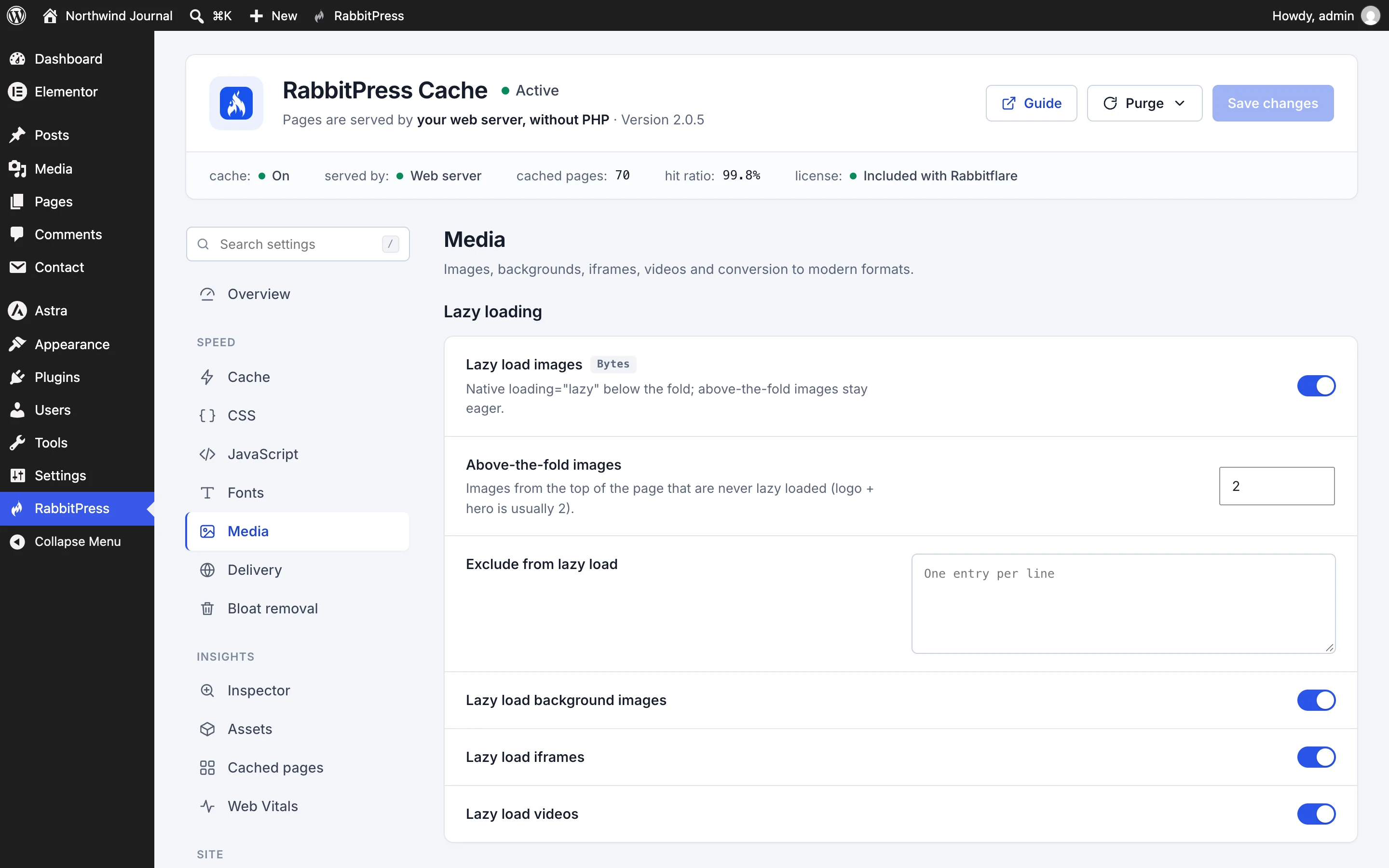
WebP or AVIF copies made on your server, lazy loading below the fold, the main image first, and sizes added so nothing jumps.
- Aa
- On your own site
- Text shown at once
- Preloaded first
Fonts
Google Fonts served from your own site, the ones above the fold preloaded, and text shown while fonts load.
- Cache warm-up 70 / 70 pages
- Home
- Posts
- Categories
- Tags
- Authors
- Sitemap
Preloading
Pages are cached in the background before anyone asks for them, popular pages first, so even the first visitor gets a fast page.
-
Post edited: A slow week in the Azores
- The post itself
- Home page
- Travel category
- 2 tag pages
- Author page
Precise clearing
Edit a post and only the pages that show it are cleared and cached again. The rest of the cache stays warm.
-
Read the full guide →
Fetched alreadyInstant navigation
The next page starts loading as a visitor points at a link, so it opens almost before the click.
- Loads when played
Videos and embeds
YouTube videos show a light preview until played, Elementor's too. Videos, audio and embeds further down wait until needed.
-
- Emoji script
- Embed script
- jQuery Migrate
- XML-RPC
Bloat removal
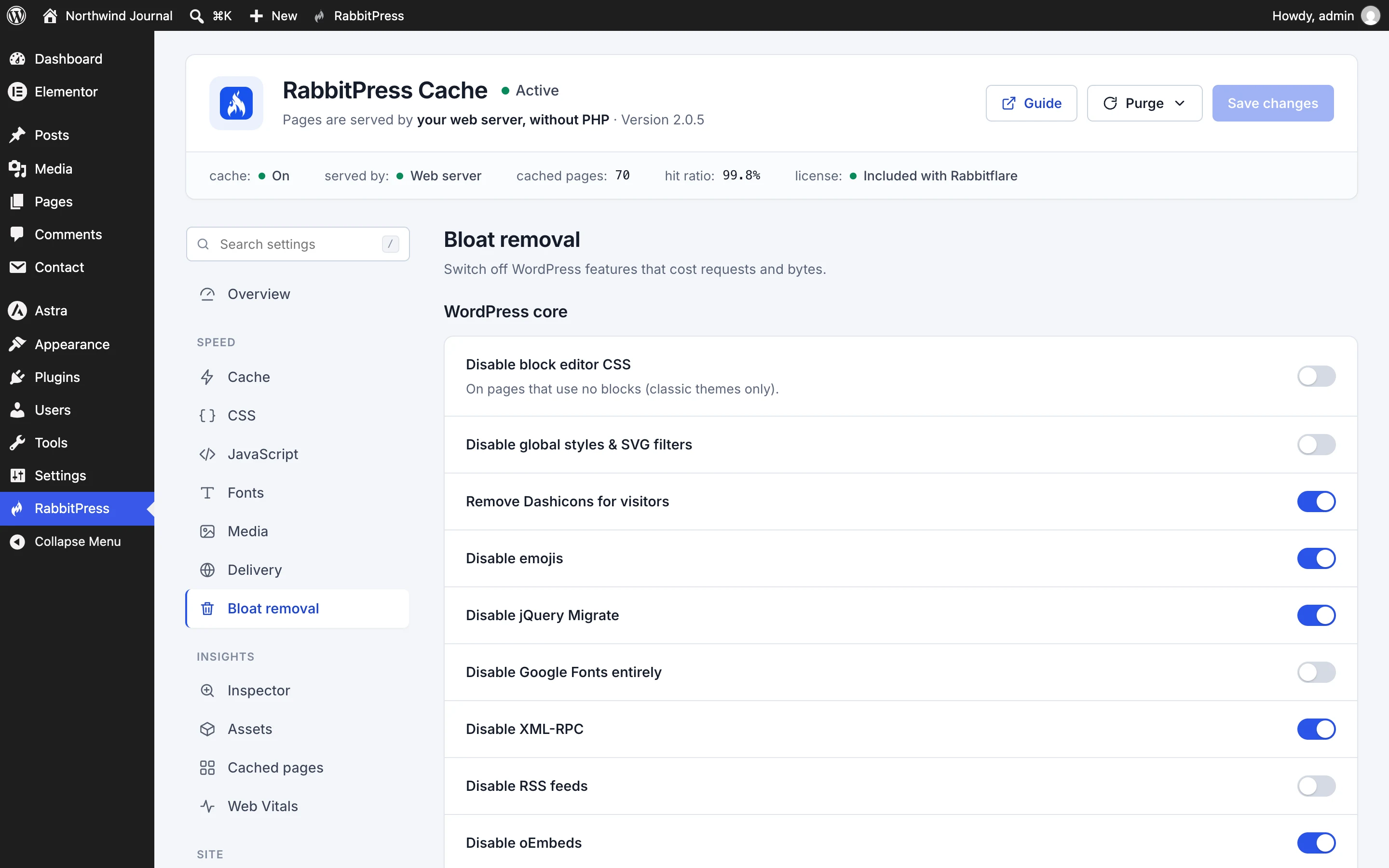
Switch off emojis, embeds, jQuery Migrate, XML-RPC and the other extras WordPress loads on every page.
-
post_revisions cleaned
spam_comments cleaned
expired_transients cleaned
wp_posts optimized
Database cleanup
Old revisions, spam, trash and expired data cleared on a schedule you choose, with the tables optimized.
-
LCP
Loading
good ≤ 2.5 s
INP
Responsiveness
good ≤ 200 ms
CLS
Visual stability
good ≤ 0.1
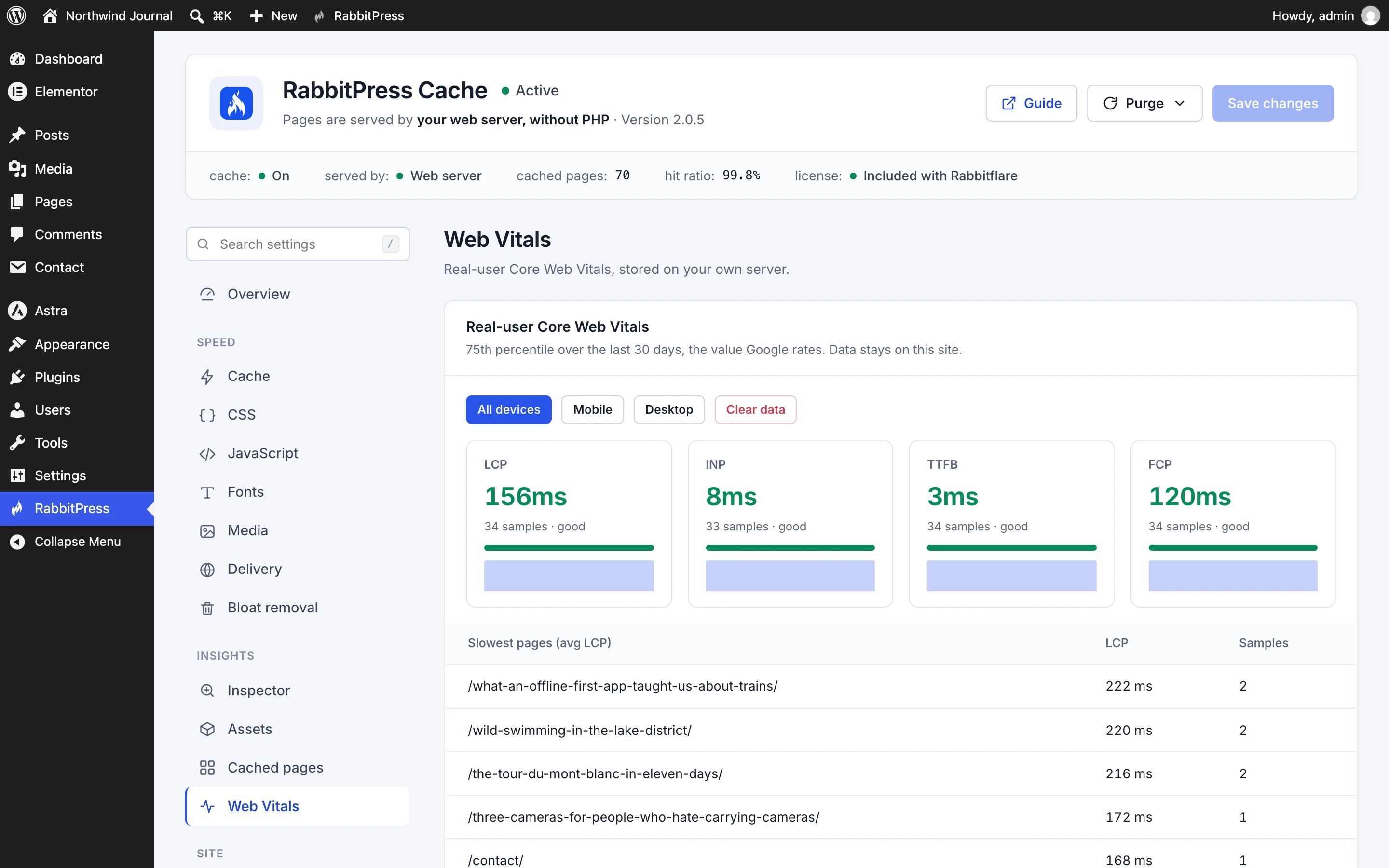
Real-visitor Web Vitals
Loading, responsiveness and layout shift measured in your real visitors' browsers and kept on your own server, with the pages that need attention. No third-party analytics.
-
-
 WooCommerce
-
 Elementor
-
 Cloudflare
- Multisite
- Divi
- Beaver Builder
- Oxygen
- Bricks
- WPML
- Polylang
Works with what you already use
WooCommerce carts, checkouts and accounts are never cached and checkout scripts never delayed. Page builders, translation and multi-currency plugins are recognised, and Cloudflare's cache is cleared with the plugin's own.
-
Inside the plugin
Settings you can actually understand.
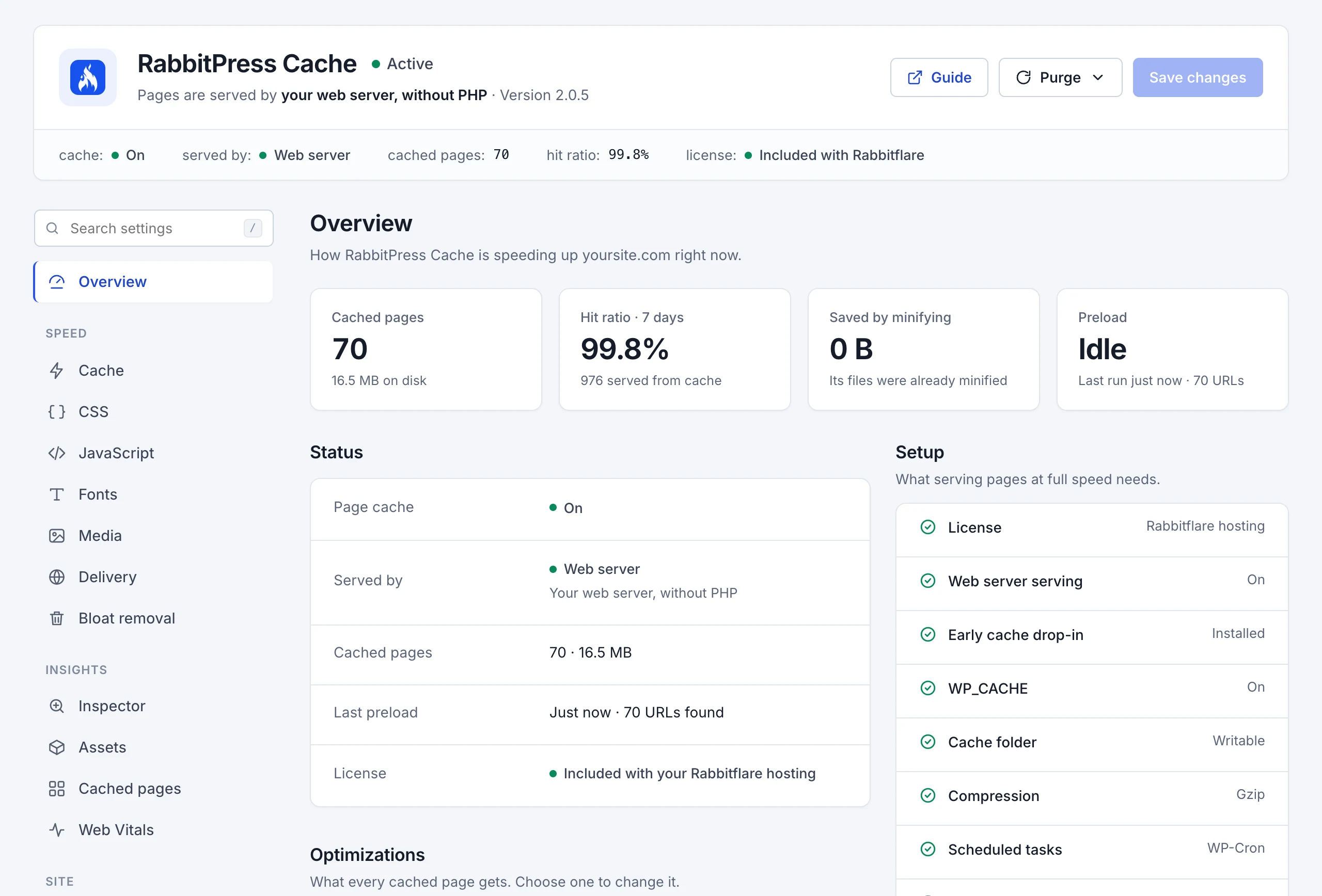
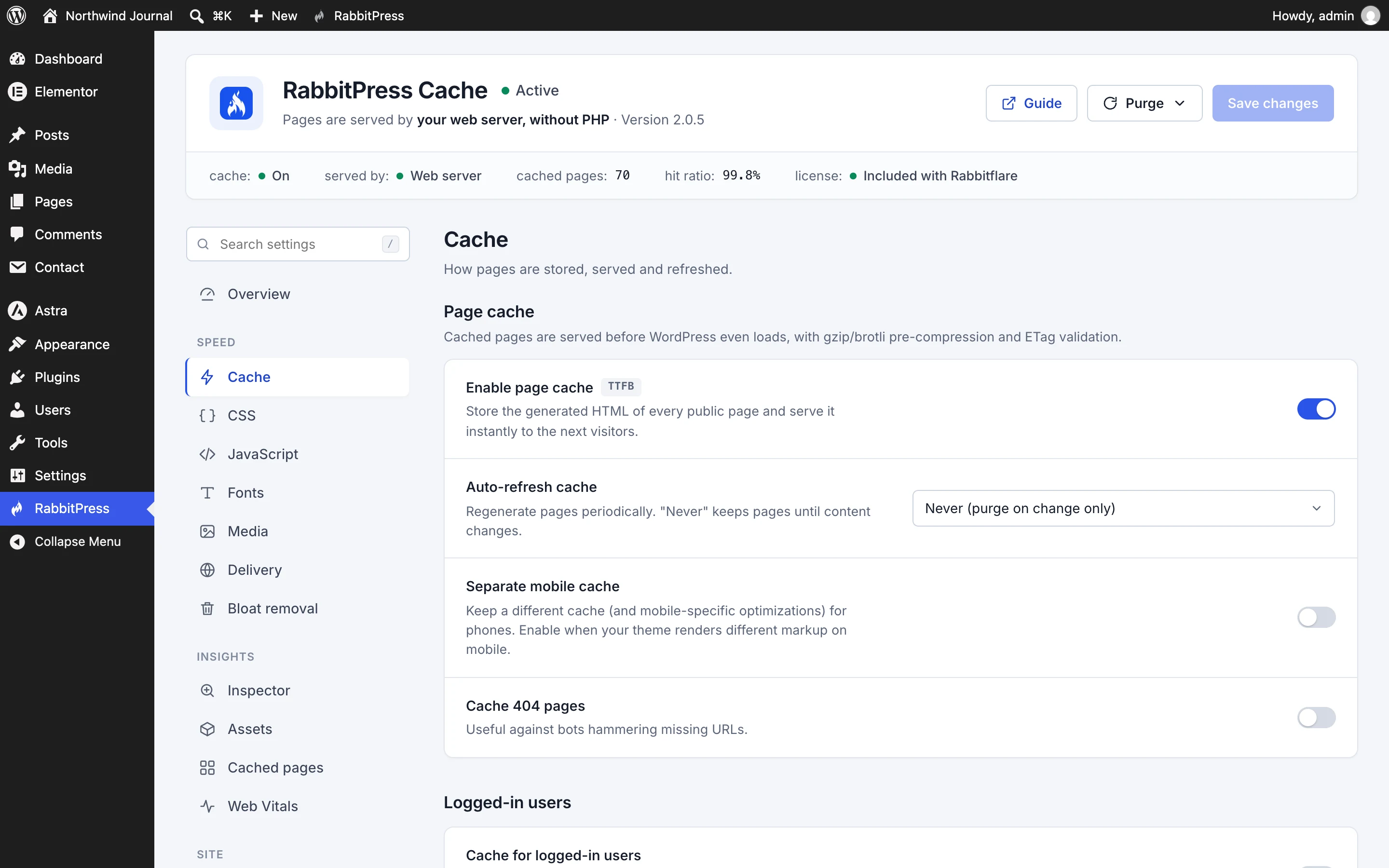
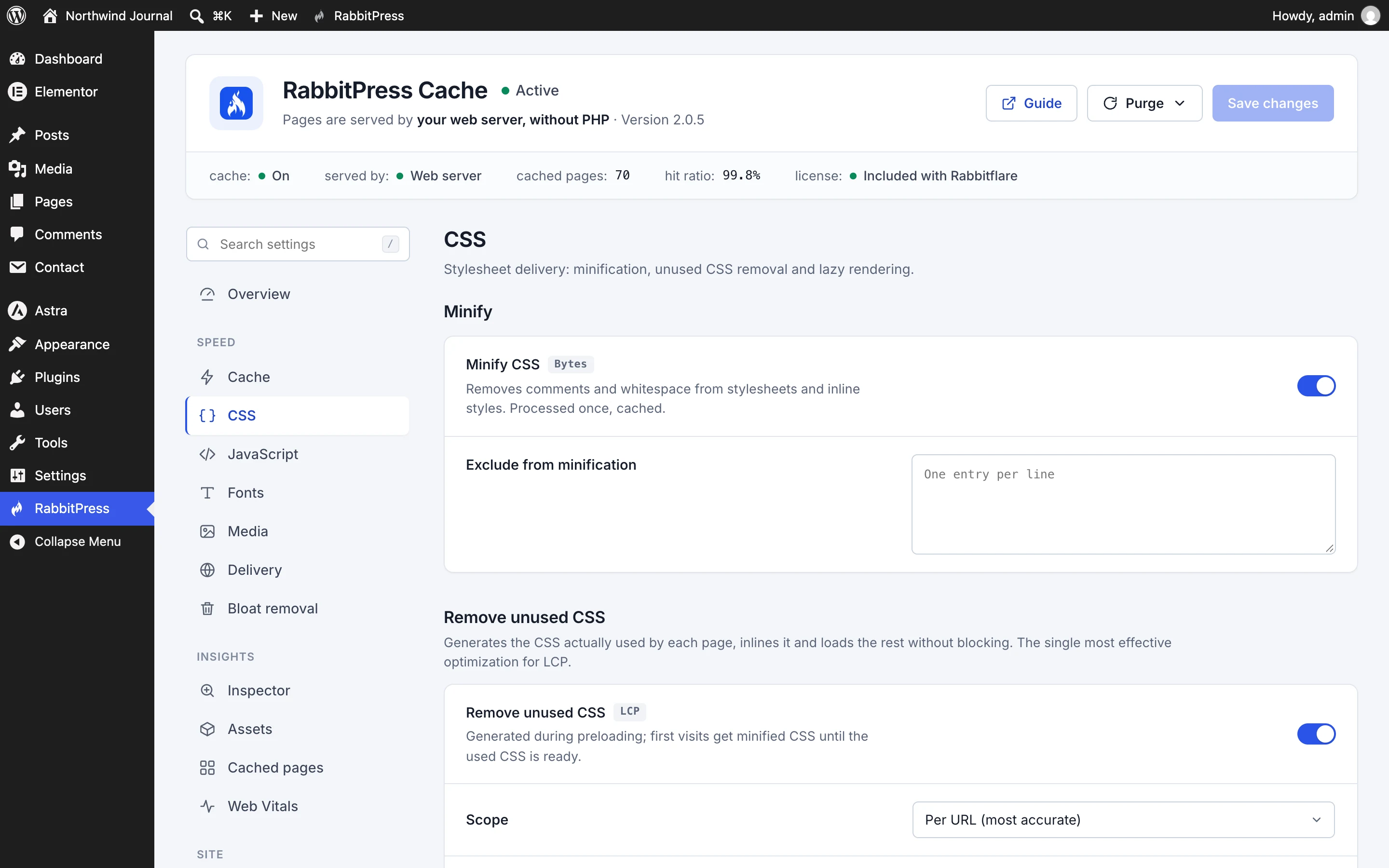
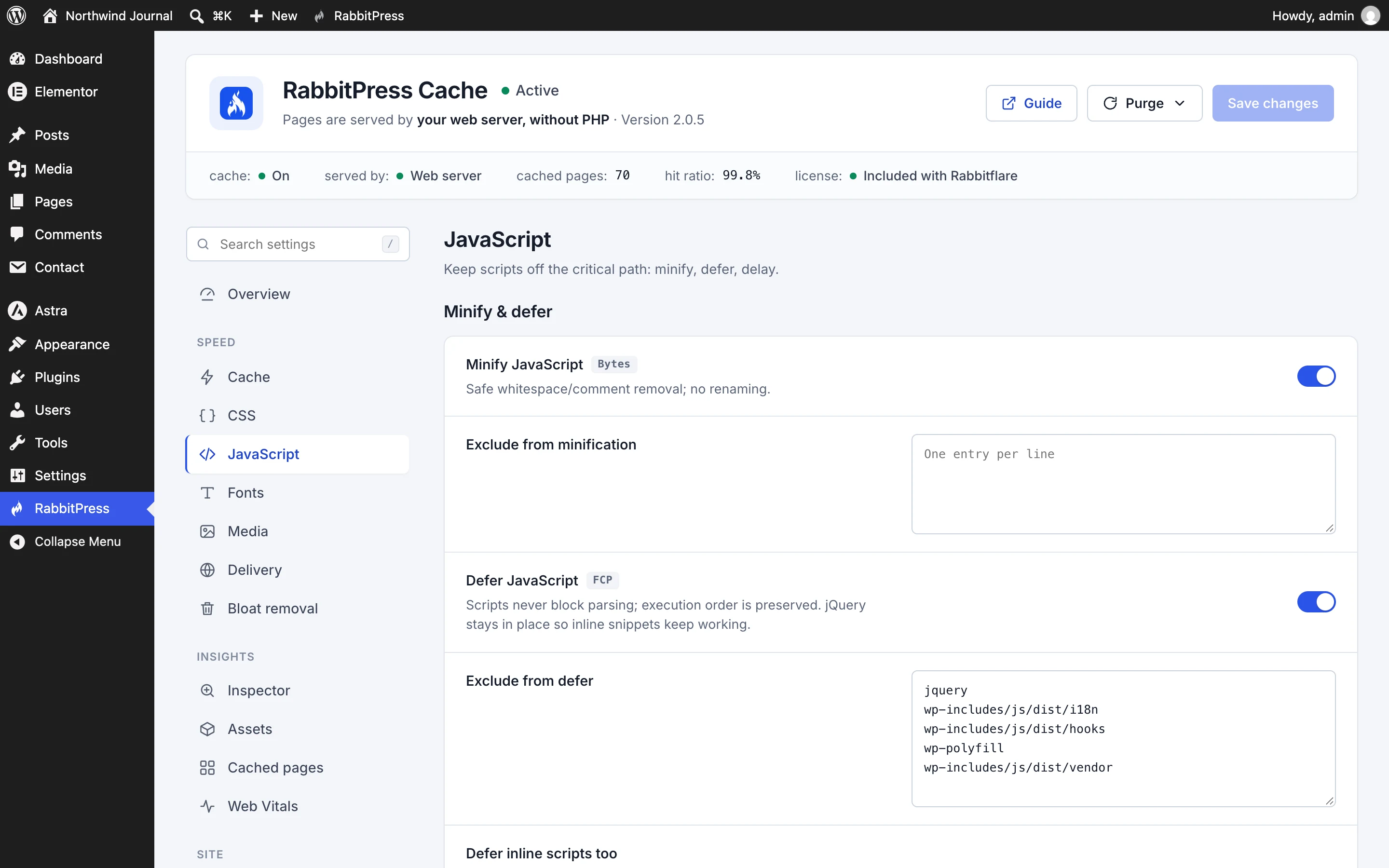
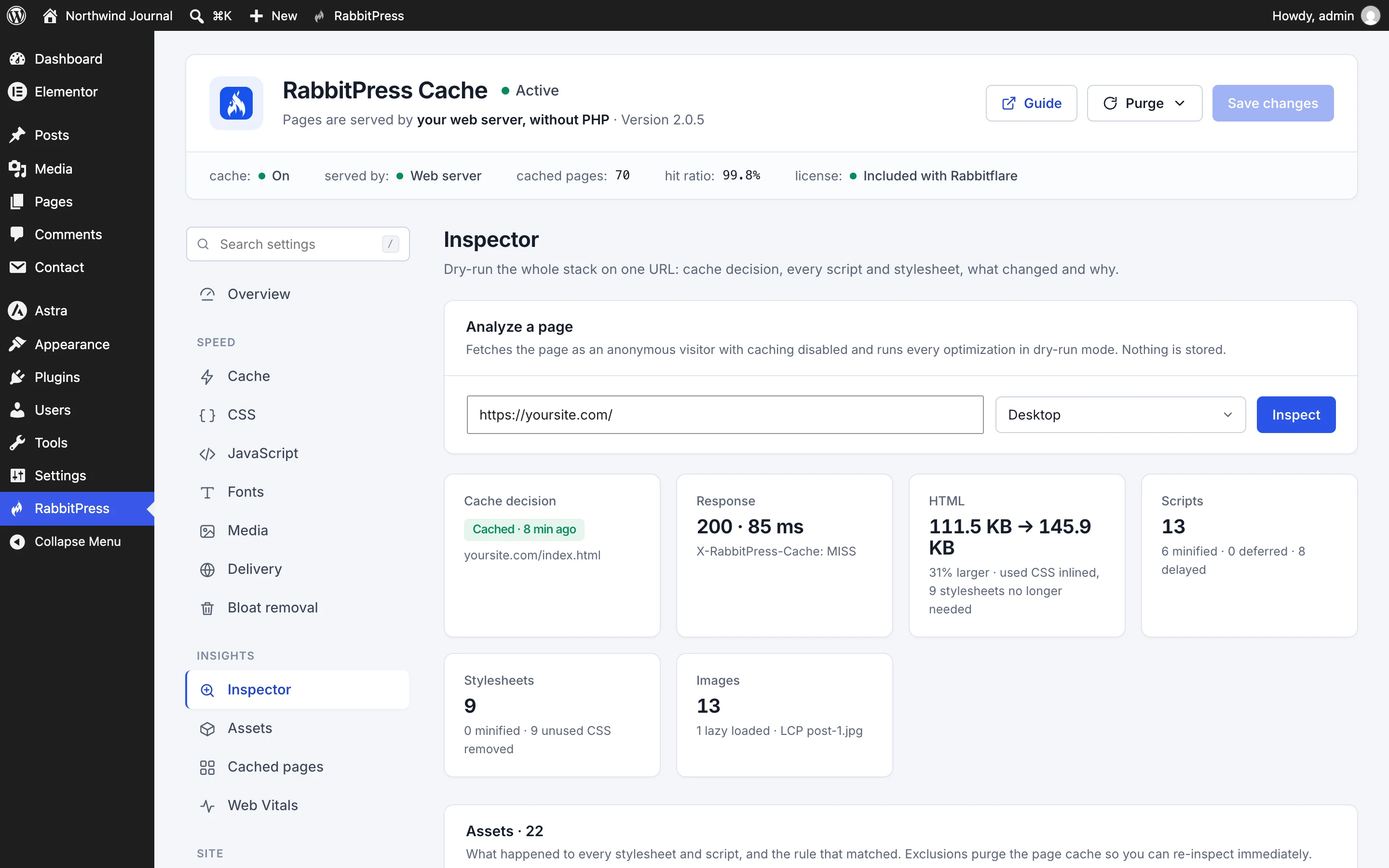
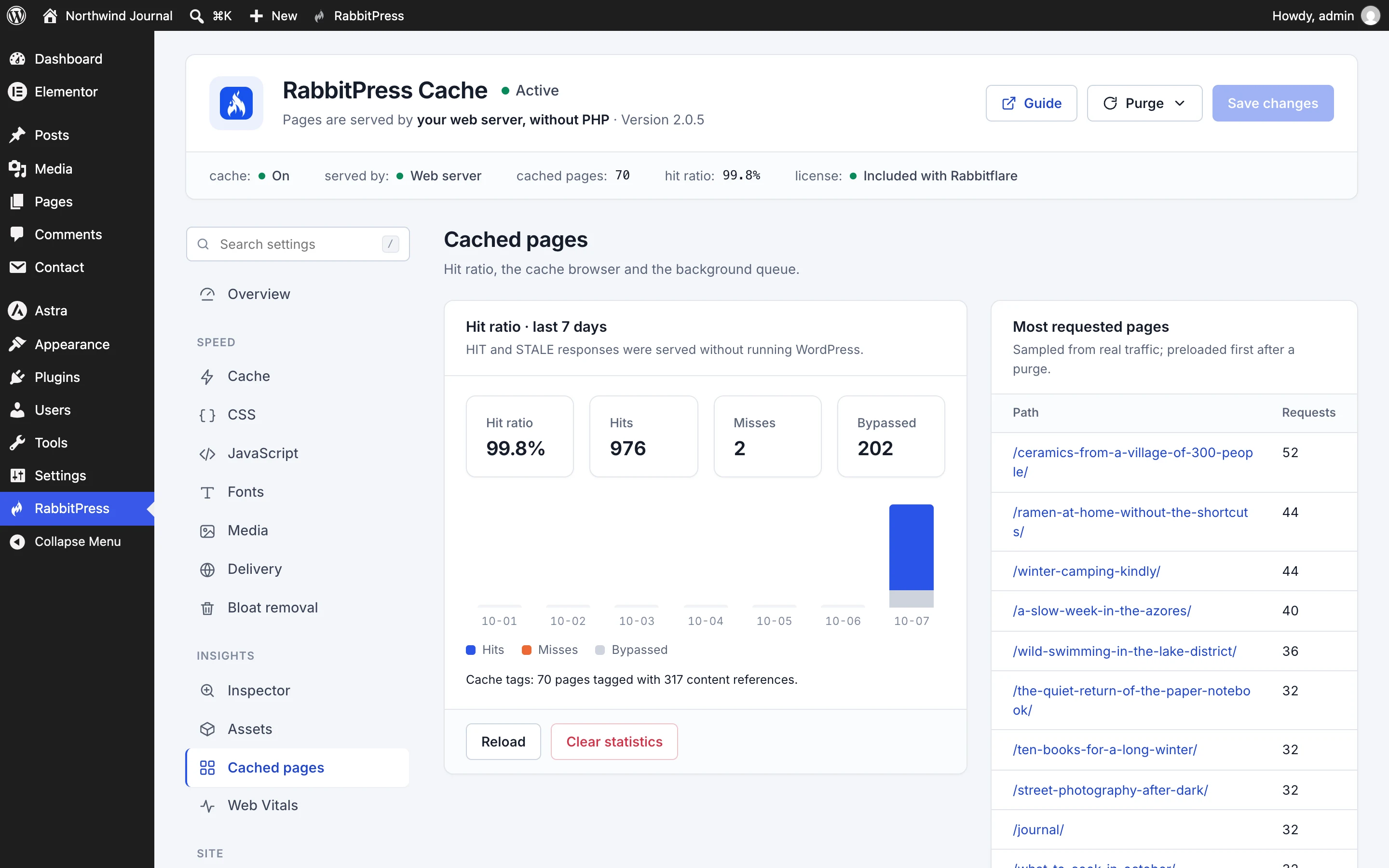
RabbitPress Cache looks and works like the Rabbitflare panel: how your site is doing at the top, settings grouped by what they speed up, and a search for any option. These are real screens, from a real site.
Your site at a glance
Everything the plugin is doing for your site, on one screen
How many pages are cached, how often visitors get them, what's been saved, and who sends the pages: your web server on Rabbitflare, the plugin's early cache anywhere else. Setup checks say plainly if anything needs attention.
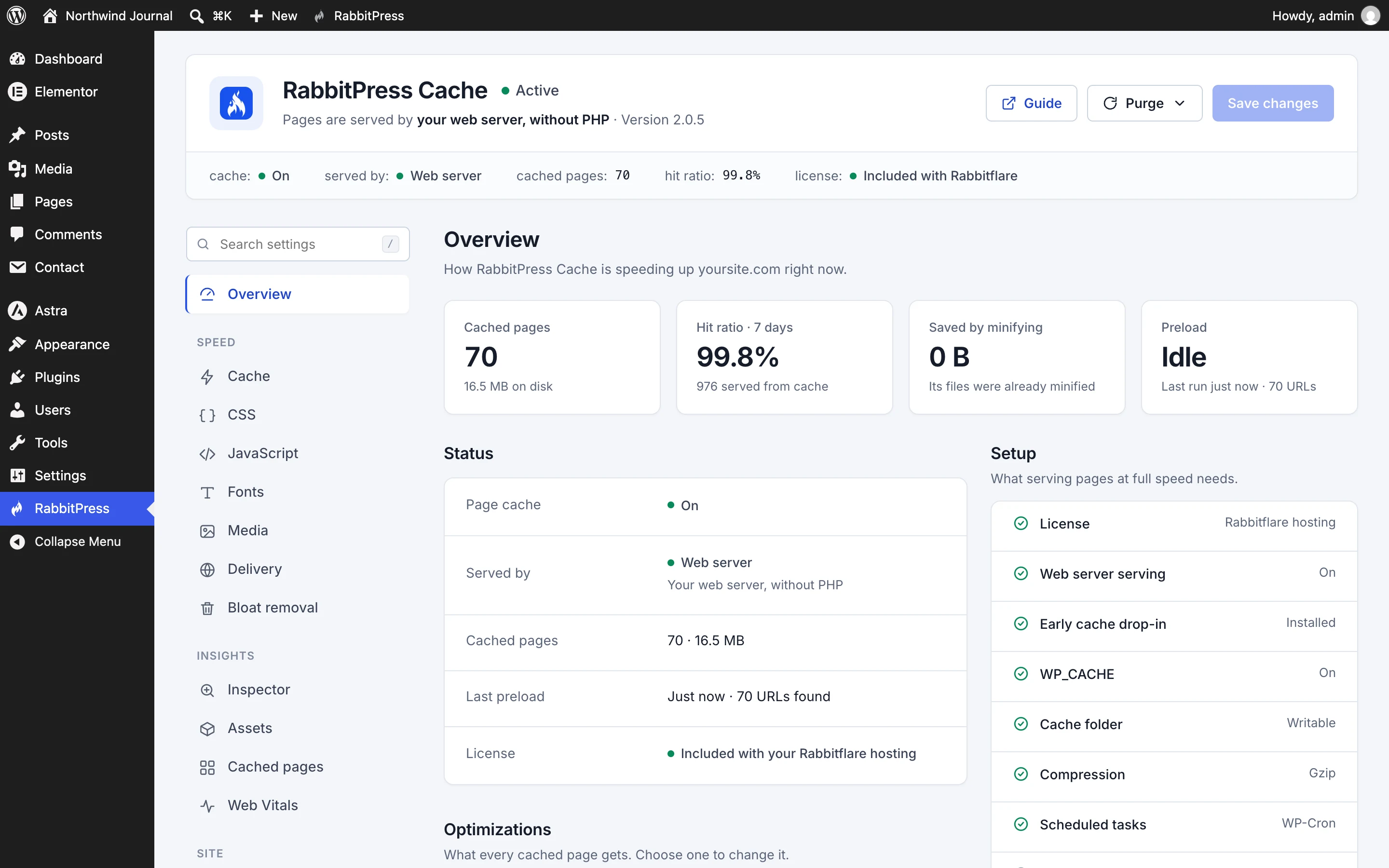
- Every speed-up listed, with a link to its switch
- Purge and preload in one click
- Looks and works like the Rabbitflare panel
Built to be switched on
Fast, without the fear of breaking something.
Speed plugins have a reputation for breaking sites. RabbitPress is built the other way round: it starts safe, shows you what each switch will do, and lets you leave anything out.
-
Safe defaults
What's on from the start is safe for almost every site. The strongest options, like removing unused CSS or delaying every script, are yours to switch on.
-
Leave anything out
Any page, file, script or image can be excluded from any speed-up, by name or by pattern, in one click from the Inspector or the Assets list.
-
Try it before you trust it
The Inspector runs every speed-up on a page without saving anything, so you see exactly what would change before it does.
-
Never cached
Logged-in visitors, carts, checkouts, searches and forms always get a fresh page from WordPress. Settings and content are never served stale.
One plugin
Six plugins' worth of speed, with one settings page.
What you would otherwise install, pay for and keep updated separately.
-
A page cache plugin
Pages served by the web server, with precise clearing and preloading
-
An unused-CSS service
Generated on your own server, no subscription
-
An image optimizer
WebP and AVIF made on your server, originals kept
-
A lazy-loading plugin
Images, backgrounds, iframes and videos
-
A database cleaner
Scheduled, with tables optimized
-
A Web Vitals monitor
Real visitors, stored on your site
All included, in both plans, with every update.
Pricing
Free on Rabbitflare. $49 a year anywhere else.
Every feature is in both. The only difference is where your site is hosted.
On Rabbitflare
Free with every cloud server
For every site on a Rabbitflare cloud server, for as long as it's hosted with us.
- Installed in one click from the site's Cache tab
- Pages sent straight by nginx, without PHP
- Every feature, and every update
- DigitalOcean, Vultr, Hetzner, Linode, Google Cloud and Amazon EC2 servers
Any WordPress site
$49 a year, per website
For a site on any other host, or on a server you connected to Rabbitflare yourself.
- Any host with PHP 8.0 and WordPress 6.2 or newer
- Staging and local copies don't use it up
- Move it to another website at any time
- Bought and managed in the Rabbitflare panel
Licenses are bought with a free Rabbitflare account, by card or from your wallet, and renew each year unless you turn auto-renew off.
Questions
Good to know.
Price and licenses 4
Is it really free on Rabbitflare?
Yes. Every site on a Rabbitflare cloud server (DigitalOcean, Vultr, Hetzner, Linode, Google Cloud or Amazon EC2) can use it free, for as long as the site is hosted there. Open the site's Cache tab in the panel and choose Install. Sites on a server you connected to Rabbitflare yourself need a license.
Does it work on other hosts?
Yes, on any host with PHP 8.0 and WordPress 6.2 or newer. There, RabbitPress sends cached pages itself, before WordPress loads, which is still very fast. On Rabbitflare servers, nginx sends them directly and PHP isn't involved at all.
What does a license cover?
One live website for a year, with every feature and update, for $49. Copies for staging or local work, like staging.example.com or example.local, don't use it up. You can move it to another website from the panel at any time.
What happens when a license ends?
Your site keeps working normally, just without RabbitPress's speed-ups, and your settings are kept. Renew it any time to switch them back on. With auto-renew on, we renew it a week before it ends, from your wallet or saved card.
Using it 3
Can I use it with another cache plugin?
Turn other page cache and speed plugins off first, so pages aren't cached and optimized twice. RabbitPress works alongside image, SEO, security and backup plugins.
Will it break my site?
The defaults are safe for almost every site. The strongest options, like removing unused CSS or delaying all JavaScript, are yours to switch on, and any page, file or script can be left out of them. Logged-in visitors, carts and checkouts never get cached pages.
How do I know it's working?
The plugin's Overview shows how many pages are cached, how often visitors get them, and who sends them. Any page's response headers say it too: X-RabbitPress-Cache shows HIT, and on Rabbitflare servers X-RabbitPress-Source shows Web Server.
The guides
Make your WordPress site fast today.
Free with every Rabbitflare cloud server, or $49 a year for a site anywhere else. Installed in a minute, undone in one if you ever want to.