
Schedule cron jobs
Run WP-CLI commands, PHP scripts, URLs or shell commands on a schedule, with their history.
2 min read Updated
Cron jobs run tasks on a schedule, without SSH: clear expired transients every night, call a webhook every hour, or run your own PHP script every morning. Each job runs on the site's server as the site's own user, and keeps its last 20 runs with their output.
Four kinds of job
- WP-CLI command
- Anything you'd type after
wp, liketransient delete --expiredorcron event run --due-now. It runs against the site. - PHP script
- A path from the site's root folder, like
/wp-content/scripts/task.php, optionally followed by arguments. - Call a URL
- Requested with GET. An error response (4xx or 5xx) marks the run as failed.
- Custom command
- Runs with
/bin/shin the site's root folder, as the site's own user.
Add a job
-
Open the Cron Jobs tab
On the site's page, open Cron Jobs and choose Add a cron job.
-
Name it and pick its kind
Give it a name you'll recognise, like Nightly cleanup, choose the job type, and fill in the command, script or URL.
-
Choose when it runs
Pick a schedule (every minute, every 5 minutes, every 15 minutes, hourly, daily, weekly or monthly), or enter a cron expression like
30 4 * * 0. The panel shows it in words, like “Every Sunday at 04:30 UTC”. Schedules use UTC. -
Set a time limit
A run that takes longer is stopped: from 1 minute to 2 hours. Then choose Add cron job.
Runs and output
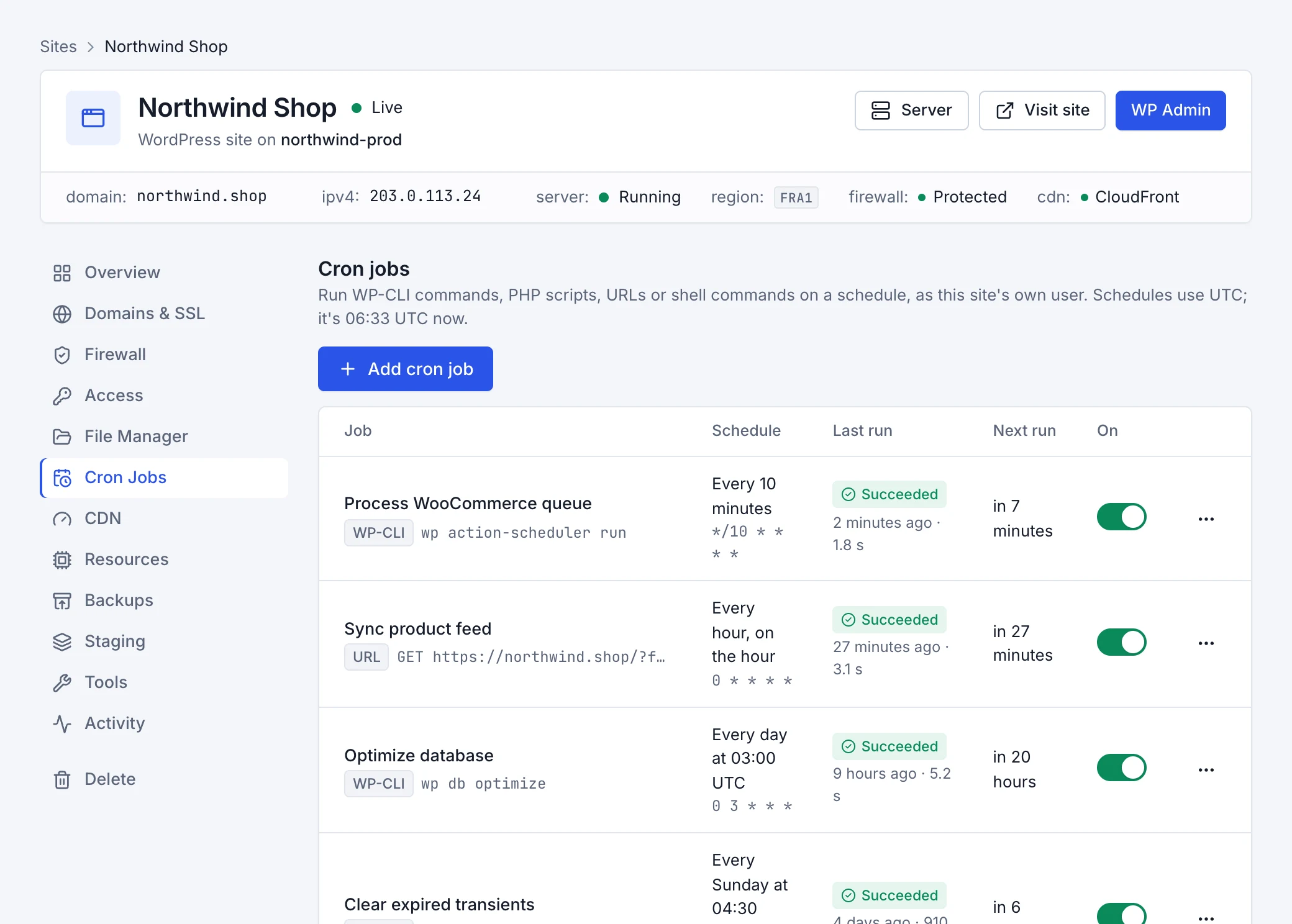
Each job shows its last run, how long it took and its next run. Open a job to see its last 20 runs, newest first, each with its output (the last 16 KB). Run now runs it straight away, which is the easiest way to test a new job.
- A job never overlaps its previous run: if one is still going when the next is due, that turn is skipped and noted in its history.
- Jobs run with lowered priority, so they don't slow your visitors down.
- Pause a job with the switch beside it to stop it running without deleting it; switch it back on to resume.
WordPress's own scheduler
The tab also lists WordPress's built-in scheduler, which runs scheduled posts, updates and plugin tasks. Rabbitflare runs it every five minutes from the server, so it works even when the site has no visitors. On a staging copy it's paused until you turn on Run scheduled tasks in the Staging tab.