
Server backups and snapshots
Automatic whole-server backups, on-demand snapshots, and restoring a server from either.
2 min read Updated
Besides site backups, servers on DigitalOcean, Vultr and Hetzner have whole-server backups: copies of the entire disk, every site on it at once. Automatic backups are made for you, and you can take a snapshot whenever you like, for example right before a big update.
Automatic backups
| Cloud | Schedule | First backup |
|---|---|---|
 DigitalOcean DigitalOcean | Weekly, the last 4 kept | Within 7 days of creating the server |
 Vultr Vultr | Automatic, by Vultr | Within a day or so |
 Hetzner Hetzner | Daily, the last 7 kept | Within a day |
They're listed on the server's Backups tab under Automatic backups. Rabbitflare Edge servers back up site by site instead, with Rabbitflare Backup at no monthly fee per site; servers you connected yourself are backed up by your provider.
Take a snapshot
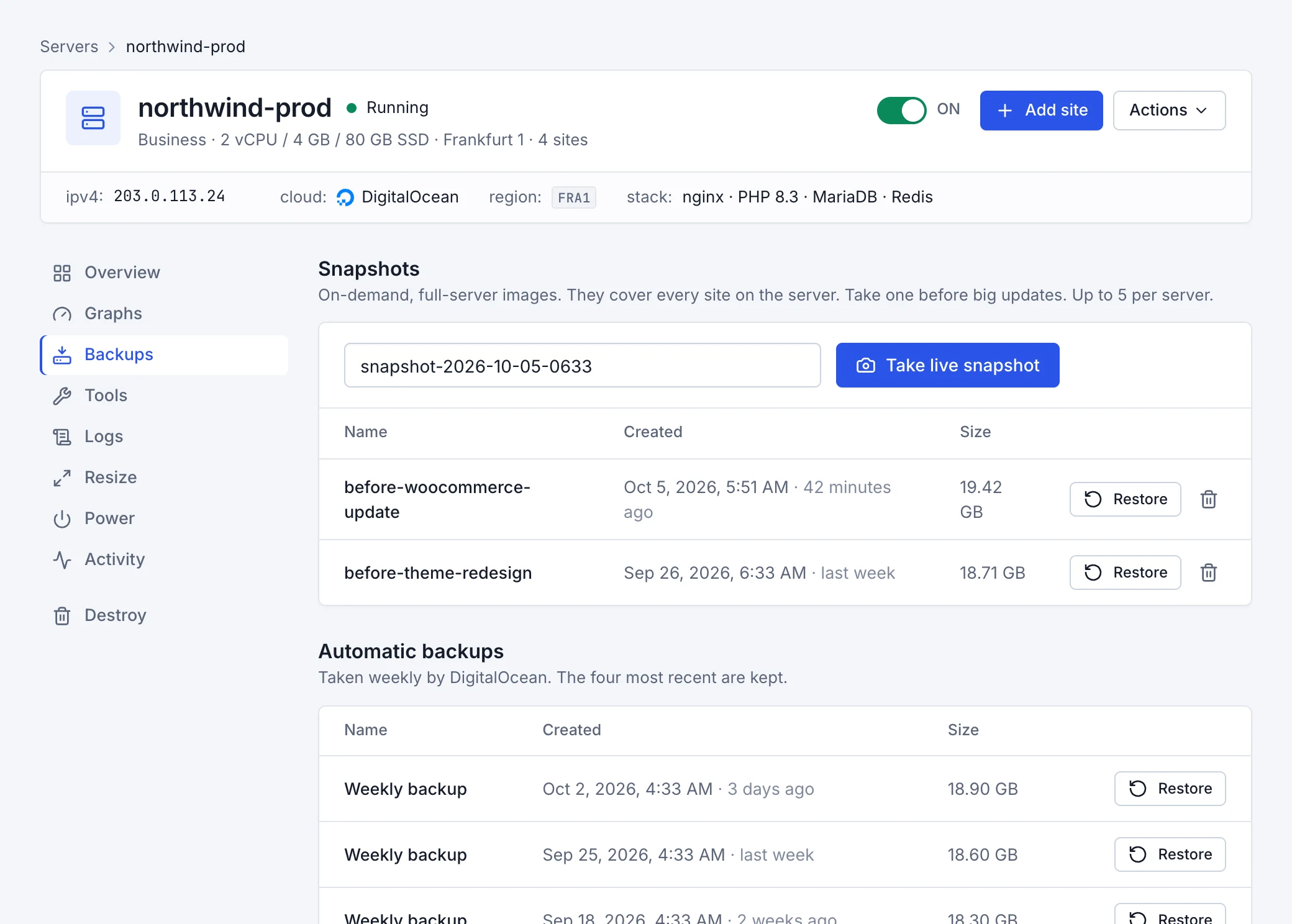
A snapshot is an on-demand image of the whole server. On the Backups tab, give it a name like before-woocommerce-update and
choose Take live snapshot. The server keeps running; most snapshots finish in a few minutes. A server can keep up to 5 snapshots; delete old
ones you no longer need.
Restore a server
Choose Restore next to a snapshot or an automatic backup, and type the server's name to confirm. The whole server is rolled back to that moment: everything written since then, on every site, is lost, including posts, orders, uploads and users. Its sites are offline for a few minutes while it restores.
After a restore, Rabbitflare brings the server back up to date: the latest firewall settings and certificates are put back for each site.