
All your servers.
One panel. $3.50 a month.
Connect any fresh Ubuntu 24.04 server, at AWS, Google Cloud, Azure, DigitalOcean, Hetzner or anywhere else, with one command. Rabbitflare sets it up for WordPress and looks after it, and one price covers every server you connect, with unlimited sites on them.
- Unlimited servers and sites
- 3-day free trial, no card needed
- Ready in about 5 minutes
- No passwords shared
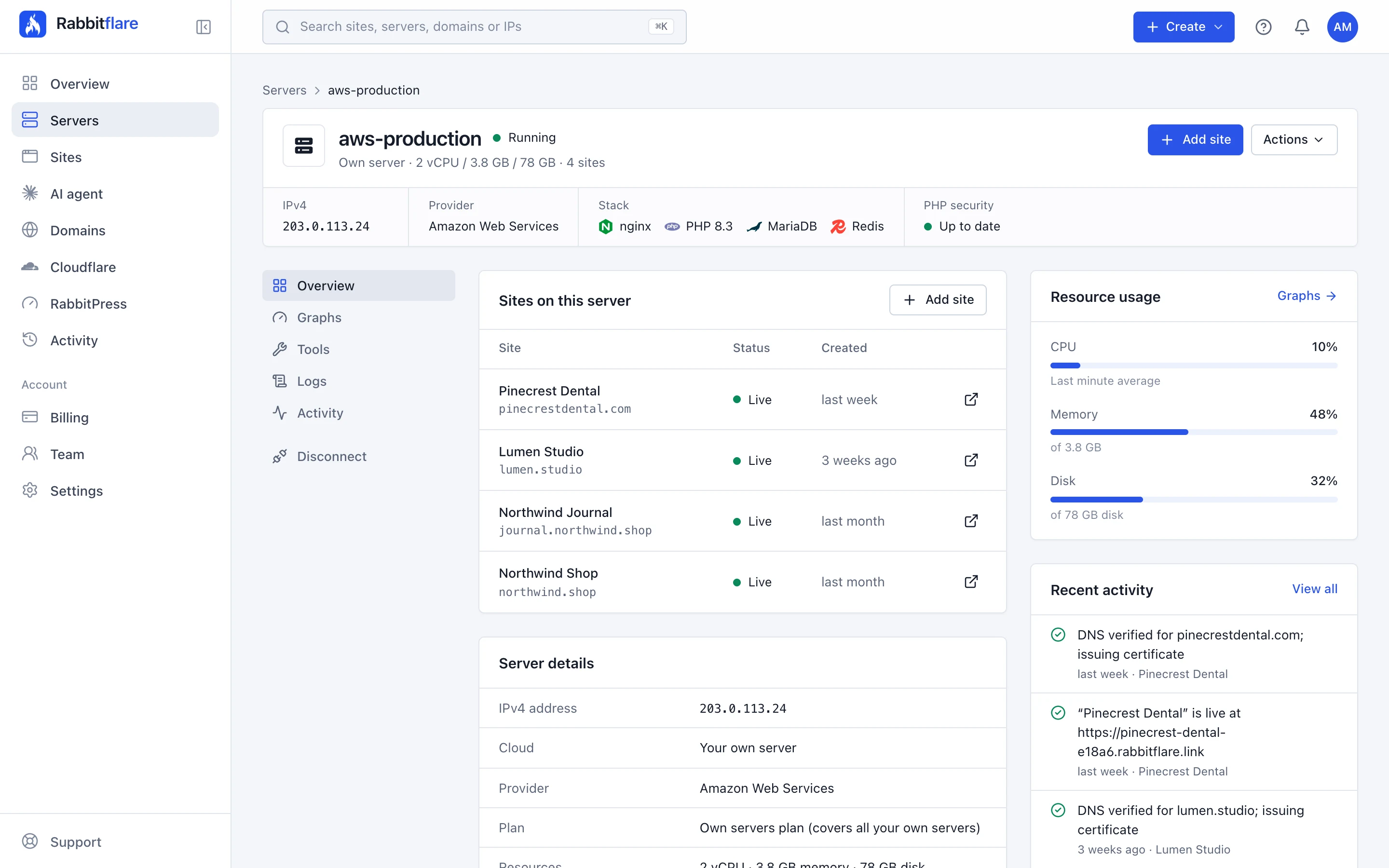
Works with a fresh Ubuntu 24.04 server from any provider
-
 AWS
-
 Google Cloud
-
 Microsoft Azure
-
 Oracle Cloud
-
 DigitalOcean
-
 Hetzner
-
 Vultr
-
 Akamai (Linode)
-
 OVHcloud
-
 Scaleway
-
 UpCloud
-
 Contabo
- a month in total, however many servers you connect
- $3.50
- command turns a fresh Ubuntu 24.04 server into a WordPress server
- 1
- or so, from running the command to a server ready for sites
- 5 min
- passwords shared: Rabbitflare signs in with its own SSH key
- 0
How it works
Connect a server in three steps.
- 1
Add it in the panel
Give the server a name and its public IPv4 address. During the free trial it costs nothing; after that, one $3.50 plan covers it and every server you add later.
- 2
Run one command
Sign in to the server over SSH as root or a user with sudo, and paste the command the panel shows you. It adds Rabbitflare's SSH key, never a password.
- 3
Watch it connect
The panel follows along as it checks the server, installs nginx, PHP 8.3, MariaDB and Redis, tunes the database and secures the server. Then add your first site.
- Fresh Ubuntu 24.04 LTS
- x86-64 or ARM64
- 1 GB memory, 20 GB disk or more
- Ports 80, 443 and 22022 open
ubuntu@ip-172-31-5-9:~$ curl -fsSL https://app.rabbitflare.com/api/connect/7d1e…/•••• | sudo bash
==> Connecting this server to Rabbitflare
✓ Ubuntu 24.04 LTS
✓ 2 vCPU, 4 GB memory, 80 GB disk (x86_64)
✓ Fresh server: nothing will be overwritten
✓ Rabbitflare can hear this server
==> Letting the Rabbitflare control panel in
✓ Added Rabbitflare's SSH key for root (a key, never a password)
==> Installing the WordPress stack (about 5 minutes)
✓ Installing nginx, PHP 8.3, MariaDB and Redis
✓ Tuning the database
✓ Securing the server
✓ Done. Rabbitflare is now checking it can reach this server on port 22022.
The stack
A tuned WordPress stack, set up for you.
The command installs the same stack Rabbitflare's own servers run, tunes it to your server, and keeps it secure with automatic security updates.
-
nginx
The web server, in front of every site
-
PHP 8.3
A PHP pool of its own for each site
-
MariaDB
A database for each site, tuned to the server
-
Redis
Object cache for WordPress
-
Let's Encrypt
Free SSL for every domain, renewed for you
-
OWASP CRS
The rules of each site's web application firewall






The panel
Every server and every site, in one place.
Your own servers sit in the same panel as Rabbitflare's, wherever each one runs, with everything you need to run WordPress sites on them.
-
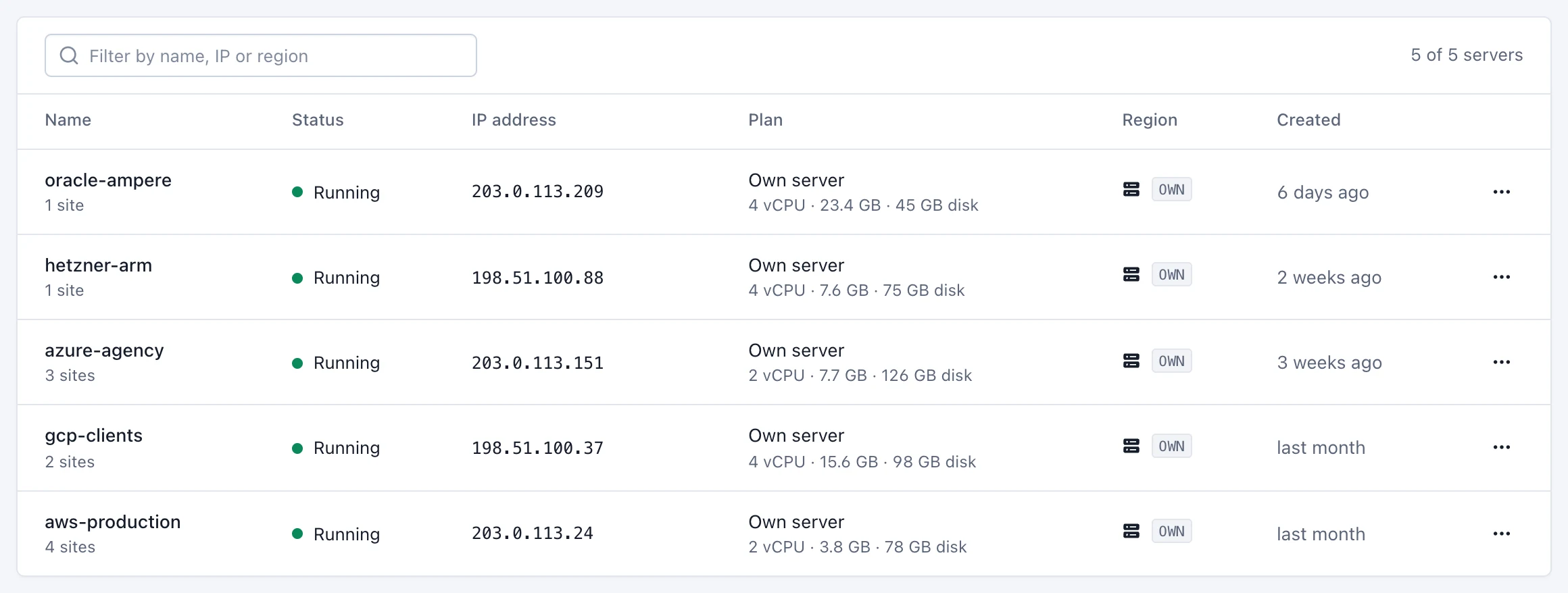
A web application firewall on every site
Every request is checked against the OWASP Core Rule Set, with WordPress-tuned exclusions, and attacks are blocked before they reach WordPress.
-
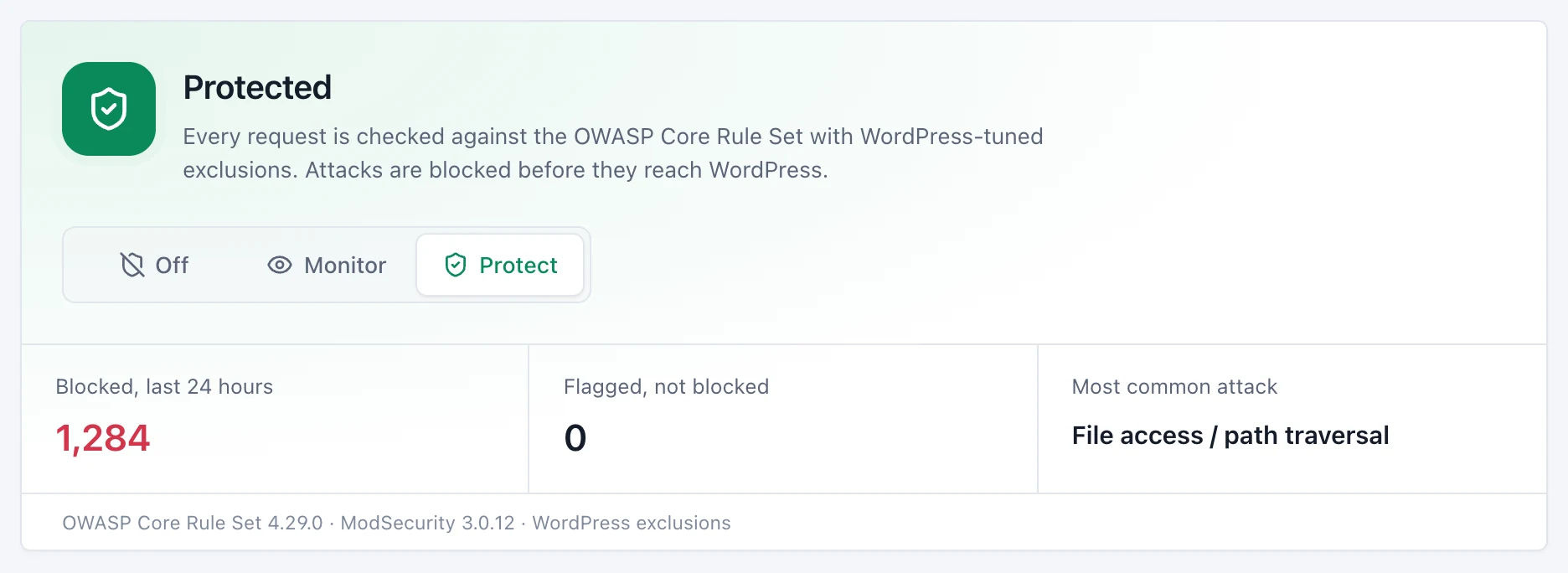
A staging copy of any site
A private copy to try changes on, password protected and kept out of search engines. Push it to live when it's ready.
-
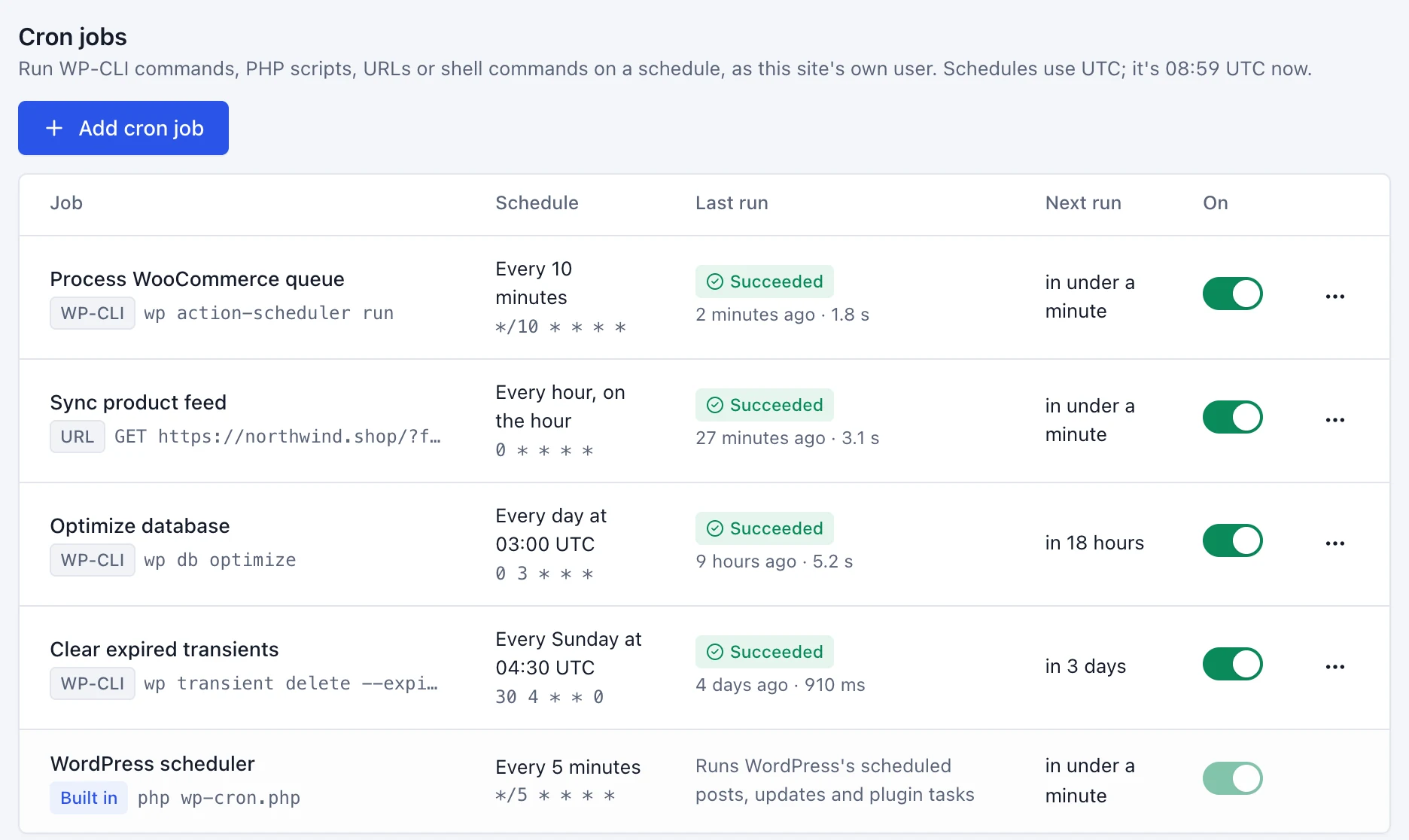
Cron jobs, without crontab
Run WP-CLI commands, PHP scripts, URLs or shell commands on a schedule, as the site's own user, with each run's result kept.
-
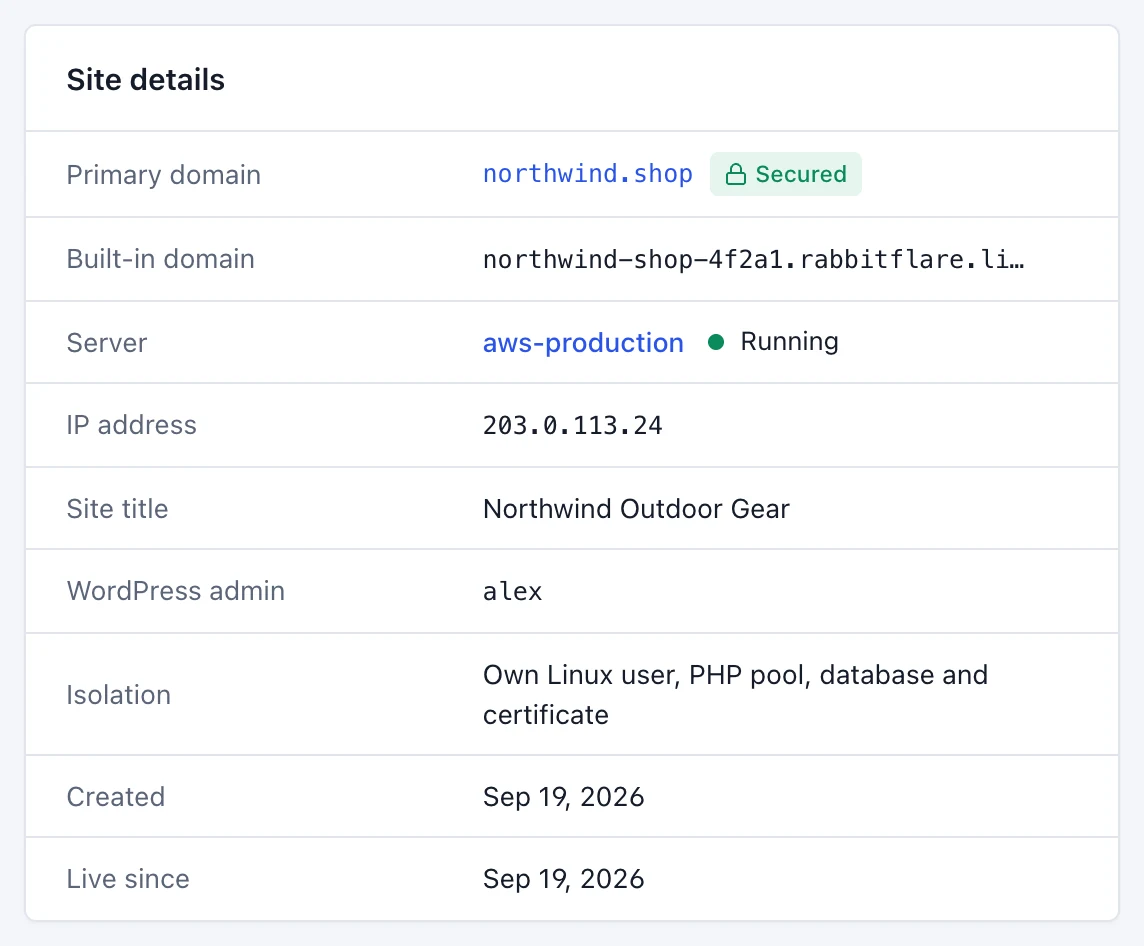
Every site kept apart
Each site has its own Linux user, PHP pool, database and certificate, and its own WordPress admin.
Your server stays yours
Connected in minutes. Never locked in.
Rabbitflare looks after the server without taking it over. It stays at your provider, in your name, and you can take it back whenever you like.
-
No passwords shared
The command adds Rabbitflare's SSH key, never a password. Disconnect, and the key is removed.
-
Checks before it changes anything
Not a fresh Ubuntu 24.04 server? The command stops and leaves it as it was.
-
Your own access stays
Your users, SSH keys and SSH ports keep working as before.
-
Leave whenever you like
A disconnected server keeps running at your provider, with every site on it.
-
Two-factor sign-in
Rabbitflare requires two-factor authentication on every account, so a password alone can't reach your servers.
-
Fair when a payment fails
If a payment fails, sites show a maintenance page until it's settled. If it never is, we switch them back on and hand the server back to you.
One price
One server or a hundred, it's $3.50.
Many server panels charge more as you add servers. Rabbitflare charges $3.50 a month for all of them, with unlimited sites on each.
| Servers | Rabbitflare | RunCloud |
|---|---|---|
| 1 server | $3.50/mo | $9/mo |
| Up to 50 servers | $3.50/mo | $19/mo |
| Up to 100 servers | $3.50/mo | $49/mo |
Both prices are for the panel: the servers themselves you rent from your provider. RunCloud's monthly prices from runcloud.io, as of October 29, 2026.
Pricing
$3.50 a month. Every server included.
One plan for all the servers you connect, with unlimited WordPress sites on them. Try it free for 3 days first, no card needed.
For the servers you already have
$3.50 a month, for all of them
- Unlimited servers
- Unlimited WordPress sites
- Free SSL for every domain
- Web application firewall
- Staging copies of your sites
- File manager and code editor
- Cron jobs and graphs
- Automatic security updates

Want us to run the server too?
Rabbitflare cloud servers on DigitalOcean, Vultr, Hetzner or Rabbitflare Edge come with everything here, plus the free CDN and Media Offload, with 100 GB of storage per server. From $12 a month, server included.
See cloud plansPay by card or PayPal. Your first own server starts the plan, and servers you add later are included at no extra cost. Disconnect your last own server and the plan is cancelled.
What does my server need?
A fresh Ubuntu 24.04 LTS install on x86-64 or ARM64, with at least 1 GB of memory and 20 GB of disk, an account that can sign in over SSH as root or with sudo, and incoming TCP ports 80, 443 and 22022 open. If your provider has a firewall in front of the server, the panel shows you where to open them.
Which providers does it work with?
Any provider that gives you a fresh Ubuntu 24.04 server with a public IPv4 address: AWS, Google Cloud, Azure, Oracle Cloud, DigitalOcean, Hetzner, Vultr, Akamai (Linode), OVHcloud, Scaleway, UpCloud, Contabo and others.
Can I connect a server that already has sites on it?
No. The command installs and configures nginx, PHP, MariaDB, Redis and the firewall, so it's for a fresh server only. It checks first, and if the server isn't a fresh Ubuntu 24.04 install, it stops without changing anything.
Do you need my server's password?
No. The command adds Rabbitflare's SSH key for root, and the panel reaches the server over SSH on port 22022. No password is shared, and your own users, keys and SSH ports keep working. Keep the command private: it connects the server to your account.
What does $3.50 a month cover?
Every server of your own that you connect, with unlimited WordPress sites on them and everything on this page. Your first own server starts the plan, paid by card or PayPal, and servers you add later are included at no extra cost while it's active.
Is there a free trial?
Yes. New accounts can try Rabbitflare free for 3 days with no card needed: connect any servers of your own, and one Starter cloud server on DigitalOcean or Vultr too, with every feature of the panel.
What's different from Rabbitflare's cloud servers?
Your sites get what sites on our servers get, with a few things left to your provider, since the machine is theirs: power, resizing and snapshots are done in your provider's console, and whole-server backups are theirs too, while site backups work as usual. The free CDN and Media Offload come with Rabbitflare cloud servers.
How do I leave?
Choose Disconnect server on the server's page. Rabbitflare stops managing it and removes its access key, and the server keeps running at your provider with every site on it. Sites on your own domains keep working, while their free Rabbitflare addresses stop. Disconnect your last own server and the plan is cancelled.
What happens if a payment fails?
Your own servers' sites show a maintenance page until it's settled. If it isn't, on the date shown on the server's page we switch the sites back on, remove Rabbitflare's access and disconnect the server, so you keep everything.
Connect your first server in five minutes.
Unlimited servers and WordPress sites for $3.50 a month in total. Try it free for 3 days, no card needed.