
Site tools and deleting a site
Clear a site's cache, restart PHP, reissue its SSL certificate, see its activity, or delete it.
2 min read Updated
Every site's page has a Tools tab for the fixes you'd usually need a ticket or a terminal for, an Activity tab with the site's history, and a Delete tab for when you're done with it.
Tools
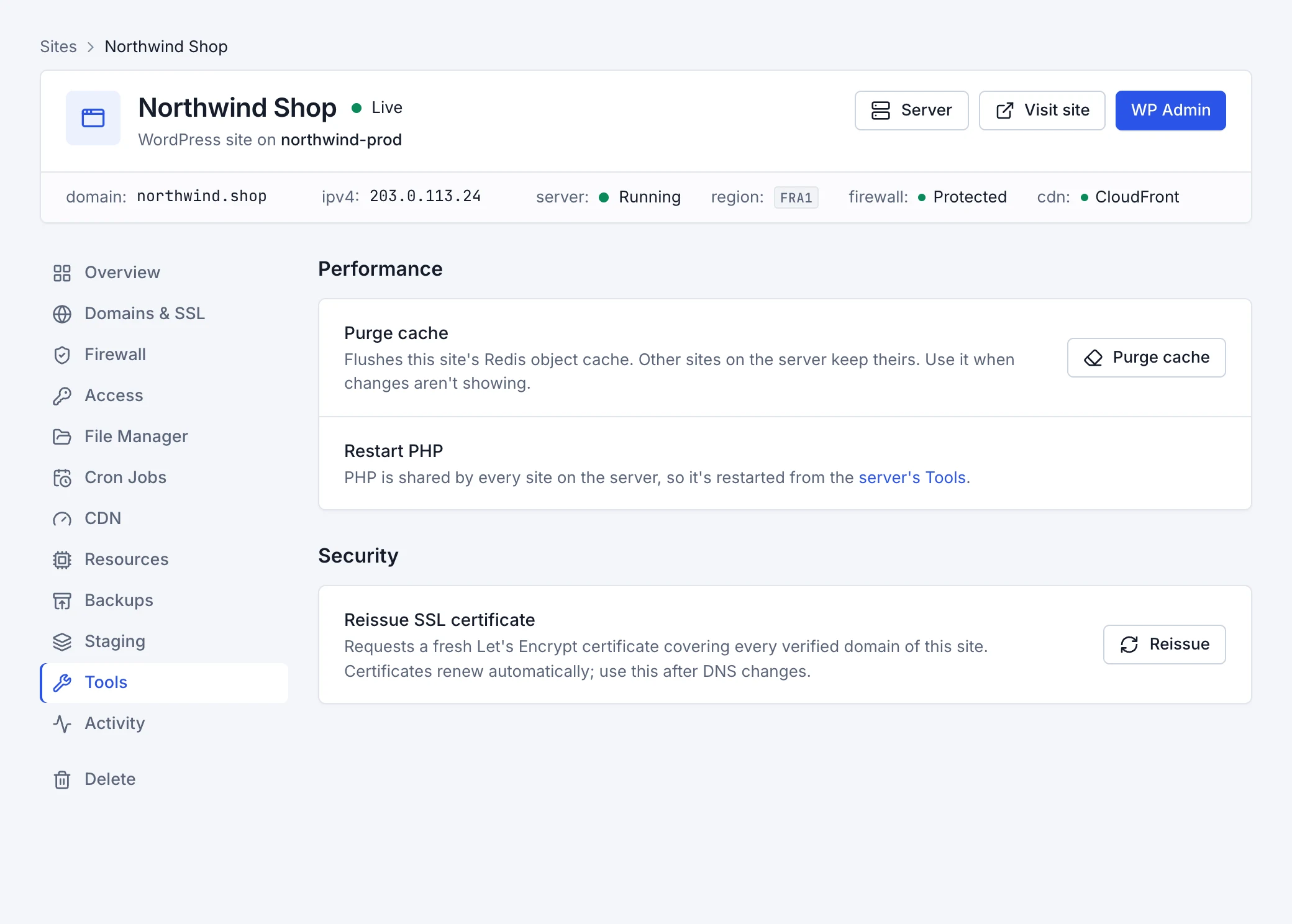
- Purge cache
- Empties the site's Redis object cache. Other sites on the server keep theirs. Use it when a change you made isn't showing.
- Restart PHP
- PHP is shared by the sites on a server, so it's restarted from the server's Tools tab; see Manage a server.
- Reissue SSL certificate
- Requests a fresh Let's Encrypt certificate covering every verified domain of the site. Certificates renew by themselves; use this after changing DNS, or if a certificate failed.
Activity
The Activity tab lists everything that happened to the site, newest first: when it was installed, domains added and verified, certificates issued, backups, firewall changes, pushes from staging and more. Every site, server and account change is also in the Activity page in the sidebar.
Delete a site
On the Delete tab, choose Delete site and type the site's name to confirm. This permanently deletes:
- the site's WordPress files and database,
- its certificate and its free address,
- its staging copy, if it has one, and the restore points kept for undoing pushes.
The server, its other sites, its backups and your subscription aren't affected: the server's billing continues, since you pay per server, not per site.